

Run a buddy programme
Every new starter has a buddy who knows they are a buddy before day one, chosen by the manager in two clicks from a Slack message. Pyn briefs the buddy the moment the choice reaches the record and checks in with both sides for a month. For: admins and owners. Time: about an hour; about 40 minutes if you stop at the briefing.
What you’ll need
Section titled “What you’ll need”- Slack connected, so the manager picks inside the message; see Slack. Without Slack the nomination goes by email and the manager picks by name on the respond page.
- A published pre-boarding or first-day automation for the nomination step, with Manager synced; see HRIS fields.
- A short buddy guide published in Library > Content; see Publish content.
- Optional: a buddy field in your HRIS (HiBob has one as a custom field); the briefing automation then needs no form.
Build it
Section titled “Build it”-
Build a
Buddy selectionform with one Buddy field from Employee Fields, write the question in its Description because Slack shows the description rather than the label, tick Required and publish it; see Build a form. -
In your pre-boarding automation, add a Send Direct Message step with To set to Manager, scheduled 1 week before the start date, and place the form in it with Insert widget > Embed Form; see Embed a form in a message.
-
Add a reminder 2 days after send and an escalation to Skip-level Manager a few days later, both worded as a check-in rather than a chase; see Add reminders and Add escalations.
-
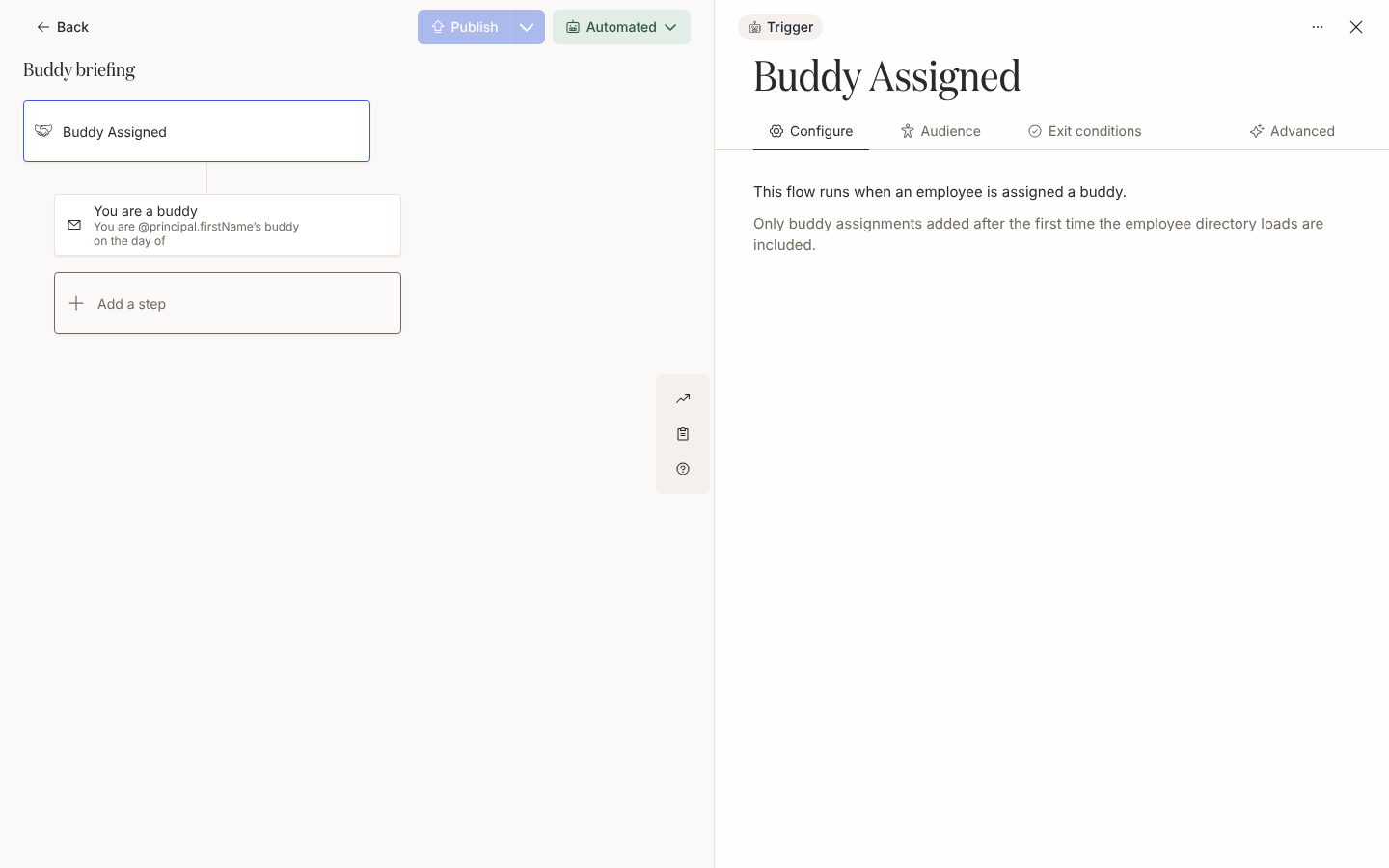
Create a second automation,
Buddy briefing, on the Buddy Assigned trigger under Team and Org Changes, and add Joiner to Current in its audience because the principal is the new starter; see Configure a team change trigger. -
Add a Send Direct Message step with To set to Buddy, on the day of, with a Link to Library Content button to the buddy guide; see Choose recipients and Cc and Link to content from a message.
-
In your Start of Onboarding automation, add check-ins to Buddy on the day of and 2 weeks after, and a one-month poll to Employee asking how their buddy has been; see Tutorial: buddy programme.
-
Publish both automations in Automated mode, then preview the nomination step for an upcoming joiner to confirm it resolves to their manager; see Preview and send a test.
Variations
Section titled “Variations”Every step is a direct message. The manager answers the picker inside the message, the submission appears in the form’s Activity drawer and the buddy is written to the starter’s record; see Pick a buddy for what the manager sees.
Send the nomination as a Send Email to Employee step to Manager. Its button opens the respond page, where the Buddy field is a name search that answers for 14 days after the message is sent; see Form field types. Opening the form from the email marks the step Actioned, so a reminder on it stops once the manager has opened it. Keep Buddy briefing on Send Email to Employee steps to Buddy. A buddy set in your HRIS or in the Employee File column works the same way: the Buddy Assigned trigger fires whether a form or a sync wrote the relationship.
To thank the manager once they have chosen, add a small automation on the Form Submission trigger, whose principal is the submitter; A buddy selection form that triggers a flow builds it alongside the briefing.
Watch out for
Section titled “Watch out for”- The manager submits the form but the starter is the principal.
@principal.preferredNameis the starter,@principal.buddy.preferredNameis the buddy and@recipient.preferredNameis whoever receives the message; see Tokens. - A Slack submission never marks the step Actioned, so the reminder and the escalation send whether or not the manager has answered. The form’s Activity drawer and its export are the record of who has chosen; see Review and export submissions.
- Unpublished forms appear in the Embed Form list; publish the form before the step sends; see Build a form.
- Buddy Assigned fires only for relationships written after the first HRIS load. A starter whose buddy was set before then never enrols in
Buddy briefing; use Manually enroll employees for them. - A step addressed to Buddy before the relationship exists reads No recipient, then Skipped, so keep the check-ins in the onboarding automation rather than the pre-boarding one; see Choose recipients and Cc.
- If Publish appears to do nothing, a step has no recipient; check each step’s To field. See Publish an automation.
Check it worked
Section titled “Check it worked”A week before a start date, the manager’s nomination shows as Delivered under Enrollments in the pre-boarding automation. When they submit, the starter’s profile shows the buddy, the starter appears as a new enrollment in Buddy briefing with that day as Reference Date, and the buddy’s message shows as delivered within the hour. A relationship group Employees without a buddy lists the starters still waiting; see Create a relationship group.
Related
Section titled “Related”- Tutorial: buddy programme for the whole programme with the message copy.
- A buddy selection form that triggers a flow for the form, the thank-you flow and the briefing.
- Pick a buddy for what the manager sees.
- Configure a team change trigger for Buddy Assigned.
- Reach new starters before day one for the automation the nomination step goes in.