

Create a conditional sender
One onboarding flow, three countries, three HR partners who want to sign their own welcome. A conditional sender is a named list of rules, “if the recipient is in this group, send from this sender”, with a fallback for everyone else. A step uses it in From like any other sender.
Before you start
Section titled “Before you start”- You are an Admin.
- The senders you will route to exist under Settings, Senders, and they all send through the same medium (email, Slack or Teams).
- The groups you will match on exist in Employee Groups.
-
In Pyn, open Settings in the left navigation, then select Conditional Senders under General.
-
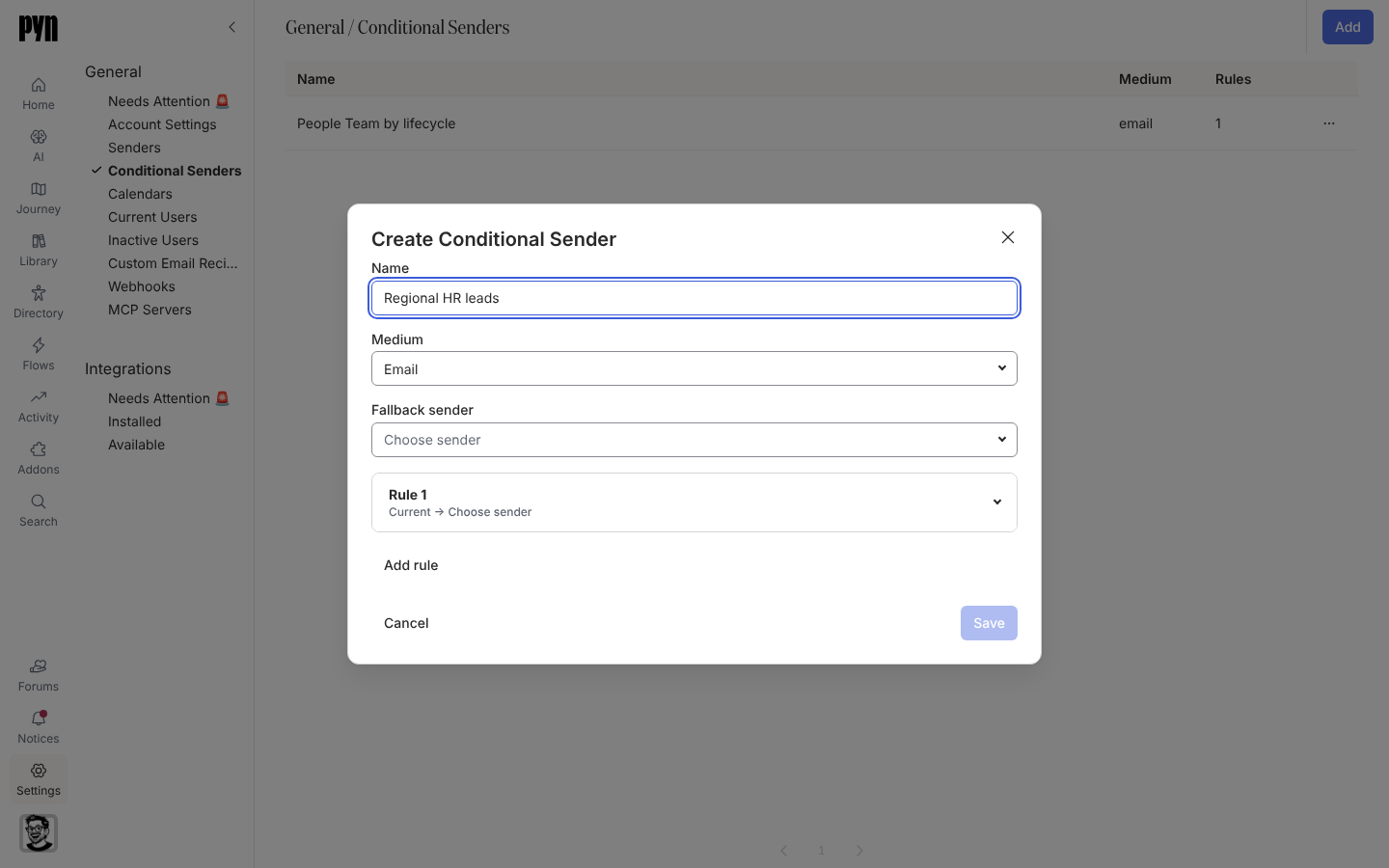
Select Add in the top-right corner. The Create Conditional Sender dialog opens.
-
Enter a Name, for example
Regional HR leads, and choose the Medium: Email, Slack or Teams. The medium cannot be changed once the conditional sender exists. -
Under Fallback sender, choose the sender used when no rule matches.
-
Open Rule 1. Set its audience (Lifecycle, Included, Excluded) and, under Send from, the sender for that audience. The Audience Preview shows who matches.
-
Select Add rule for each further case, up to 20. Use the arrows to move a rule up or down: rules are tried in order and the first match wins.
-
Select Save. The button stays disabled until the name, the fallback and every rule’s sender and lifecycle are set.
-
Open a step in an automation, select From, and choose the conditional sender under Conditional Senders.
What you should see
Section titled “What you should see”The Conditional Senders table lists the name, medium and number of rules; it also appears in All senders as a row marked Conditional. On a step, From shows the conditional sender’s name and, on hover, each rule and the fallback. In Preview, choosing an employee under Preview for principal shows the sender the rules pick for them, and Send a test to yourself sends from the sender picked for you.
Related
Section titled “Related”- Choose a sender for the senders a rule can route to.
- Employee Groups for the groups rules match on.
- Settings, General for where Conditional Senders lives.