

Add a direct message step
You want a message to land in Slack, where the person already is: a welcome on day one, a nudge to a manager, a note to a buddy. A Send Direct Message step sends a Slack DM to one person worked out from the enrolled employee.
Before you start
Section titled “Before you start”- Slack is connected to the workspace. See Slack.
- You are a Power User, Admin or Owner, and the automation or campaign exists.
-
In Pyn, open Flows in the left navigation, select Automations, then the automation.
-
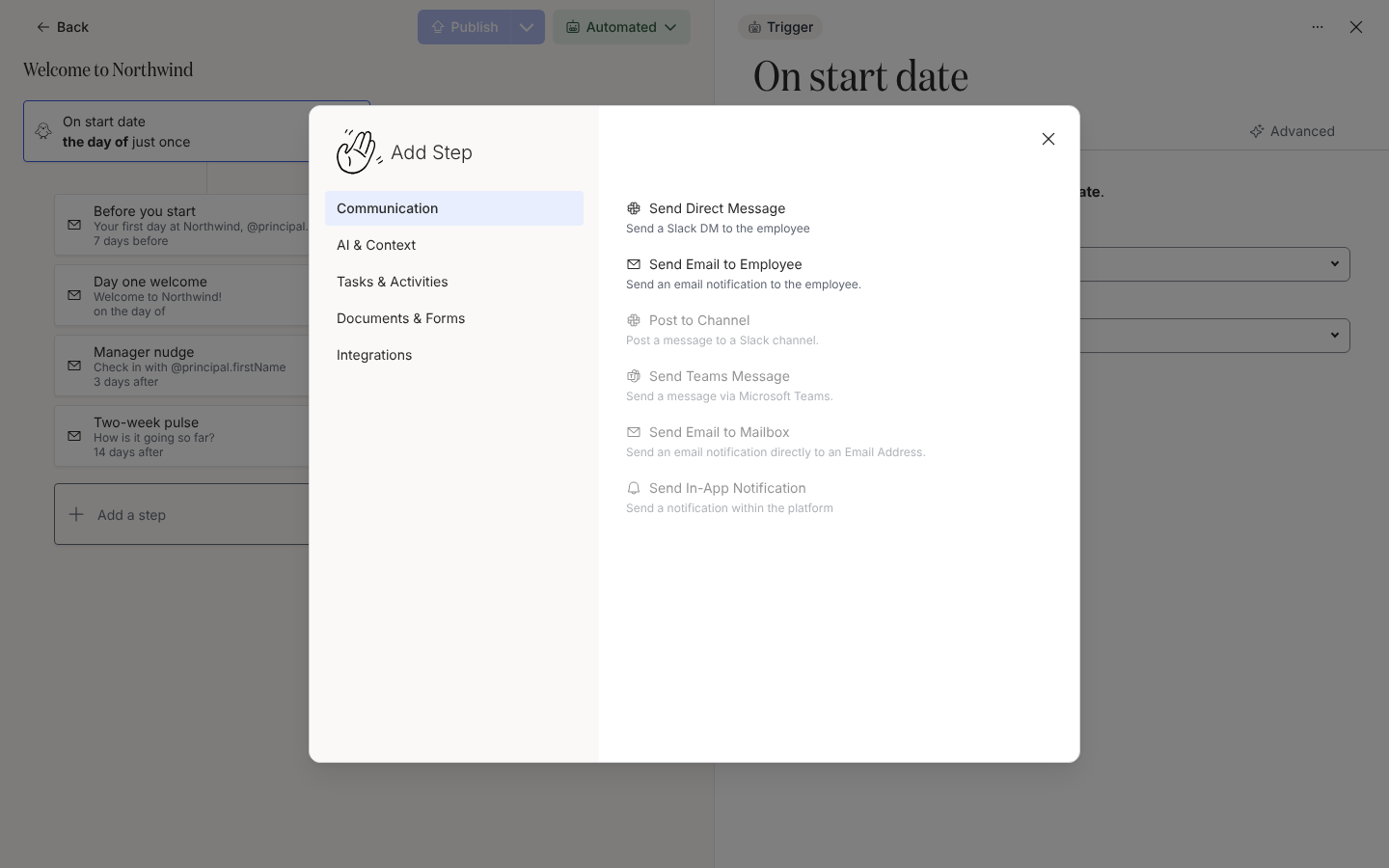
Select Add a step. In the Add Step dialog, on Communication, select Send Direct Message. The step appears in the list and opens in the drawer.
-
Select the pencil next to the title and name the step, for example
Day one hello. -
Under Schedule, choose when it sends relative to the reference date, the time at which it sends and the time zone in which that time is read. Schedule a step explains each option.
-
Under From, choose Pyn Bot or a connected Slack user. The sender’s name and avatar appear above the editor, so you can see how the message will look.
-
Under To, choose who receives it: Employee, Buddy, HRBP, Manager or Skip-level Manager.
-
Write the message. Type
@to insert a token such as@principal.preferredName, and use Insert widget for a button, a form or a Mention Principal pill. See Format a message. -
Select Preview, pick an employee under Preview for principal, then Send a test to yourself. When it reads right, select Publish in the top-right corner of the automation.
What you should see
Section titled “What you should see”The step card shows your title and its schedule, and the drawer header reads Enabled. Your test arrives in Slack from Pyn Bot with the tokens filled in for you. Once the automation is published, each enrollment lists the step under Enrollments with a Scheduled delivery until it sends.
Related
Section titled “Related”- Choose a sender for Pyn Bot, personal Slack senders and auth links.
- Format a message for tokens, mentions, buttons and media.
- Post to a channel when the message is for a whole channel.
- Slack to connect the workspace.