

Sign out
You are leaving a shared computer, or you want to sign in as a different person. Signing out ends your session on Pyn’s servers and in the browser; the next visit starts at the sign-in page.
-
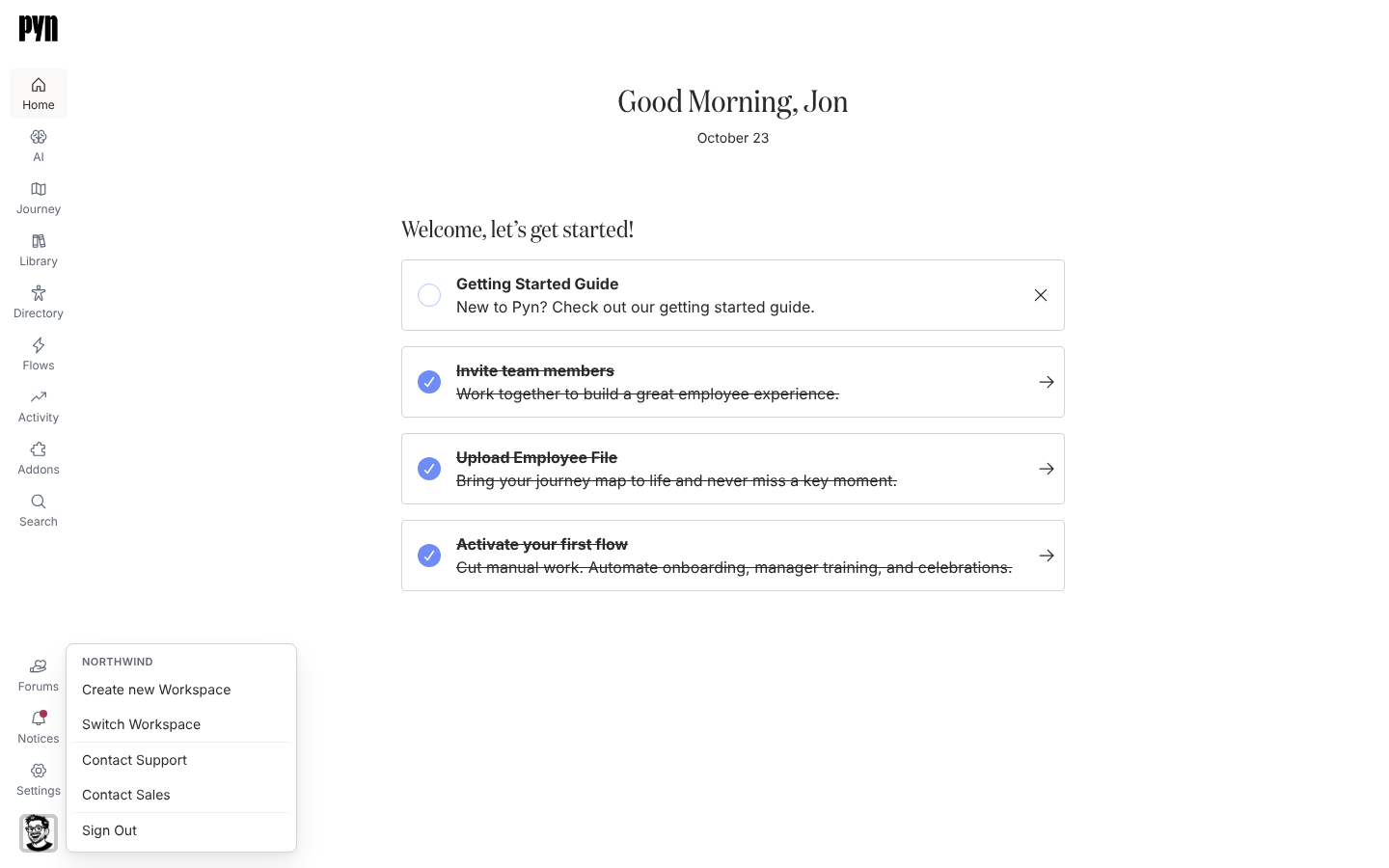
In Pyn, select your avatar at the bottom of the left navigation. The button is labelled Open profile for screen readers.
-
In the menu, select Sign Out, the last item.
-
Wait on Signing Out… while Pyn clears the session.
What you should see
Section titled “What you should see”The sign-in page, headed See you again soon with the line “You have successfully signed out.” Opening https://app.pyn.ai/sign-out directly does the same thing from any page, which is useful as a bookmark or in a company off-boarding checklist.