

Integrations
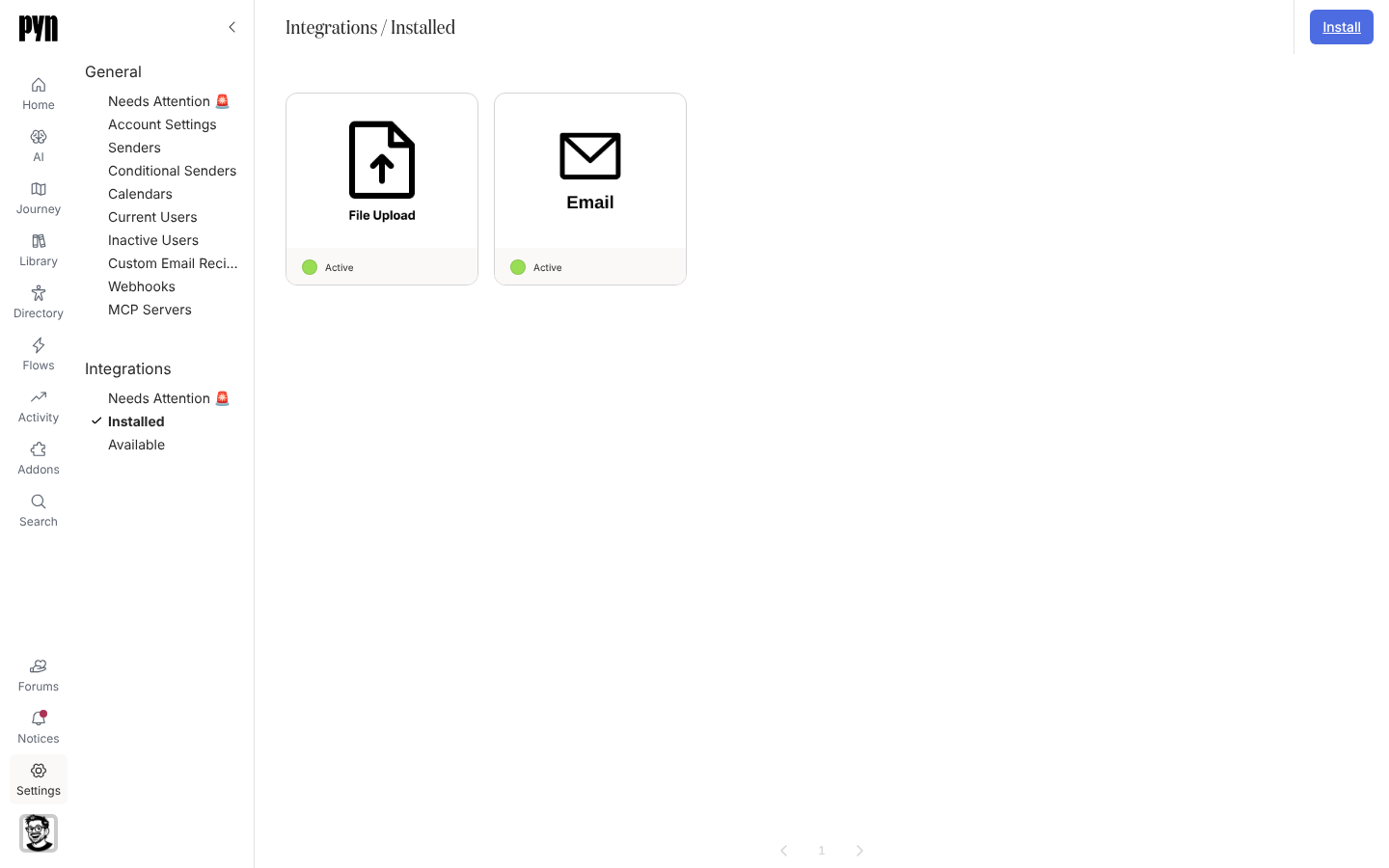
The Integrations group in Settings lists what is connected, what needs attention and what you can add. Each integration has its own guide under Integrations on this site; the sections below cover the views and the actions they share.
The three views
Section titled “The three views”| View | Route | What it shows |
|---|---|---|
| Needs Attention 🚨 | /settings/integrations/attention |
Integrations in the error state, such as one whose credentials were revoked. Empty when everything is healthy. |
| Installed | /settings/integrations/installed |
Every integration that has been installed, whether active, in error or inactive. |
| Available | /settings/integrations/available |
Integrations you can install, plus early-access and waitlist tiles. |
Tile statuses
Section titled “Tile statuses”| Status | Meaning |
|---|---|
| Not Installed / Click to Install | Shown on Available tiles; selecting the tile starts the connection. |
| Ready to Connect | The integration exists in the workspace but has no credentials yet. Open it and select Connect Now. |
| Connecting | The connection is in progress. |
| Active | Connected and operating. |
| Error | Something needs attention, usually re-authentication. The tile also appears under Needs Attention. |
| Inactive | Installed but deactivated. Nothing syncs or sends until you activate it. |
| Early Access | Available on request. Selecting the tile opens a form to ask Pyn to set it up with you. |
| Waitlist | Planned. Selecting the tile registers your interest. |
Actions every panel shares
Section titled “Actions every panel shares”Select an installed tile to open its panel. The … menu holds Activate and Deactivate, and most integrations add Reconnect, Test Connection and Archive. The panel’s tabs are Details (the connection’s properties, including Last Refresh), History (a log of every refresh, newest first) and, for HRIS integrations, Advanced, which lists the Fields in Report Pyn received from the source.
Deactivating stops syncing and sending while keeping the credentials; activating starts them again. Archiving removes the integration from Installed. Senders that depend on an archived integration stop working, so archive the senders first or expect their steps to fail.
Where it is in the app
Section titled “Where it is in the app”Open /settings/integrations/installed in Pyn, or open Settings in the primary navigation; it lands on Installed. Select Available to add an integration.
Related
Section titled “Related”- Integrations for one guide per integration.
- Fix a sender or integration that needs attention when a tile shows Error.
- Settings for the General group.