

Directory
Every message Pyn sends goes to an employee, on a date taken from their record, in their time zone, often because of the group they are in. Directory is where those records live. Employees arrive from your HRIS, from a spreadsheet you upload, or from the people your Slack, Google or Microsoft integration can see; Pyn merges each person’s sources into one profile with a lifecycle stage, a manager, a buddy and the demographics that place them in groups.
Directory is for admins and owners. Other roles do not see it in the navigation, although flows read employee data on their behalf.
Concepts
Section titled “Concepts”- Employee: one person, assembled from one or more sources (a HiBob record, an Employee File row, a Slack member). The profile shows the merged result; the Sources tab shows the parts.
- Lifecycle stage: Upcoming Joiner, Current Active Employee, Extended Leave or Terminated, worked out from start date, termination date and active status. The Active, Upcoming and Inactive views split the list by stage.
- Relations: Manager, Buddy, Mentor and HRBP, each another employee. Flows send to them as recipients, and groups can be built from who has or lacks one.
- Demographic: a property such as Department or Location that Pyn turns into one group per value. Five are set up for you; you add more from the properties your sources supply.
- Group: a saved set of employees used as an audience: Demographic, Lifecycle, Filter, Relationship or Static.
| Group | Views | What they list |
|---|---|---|
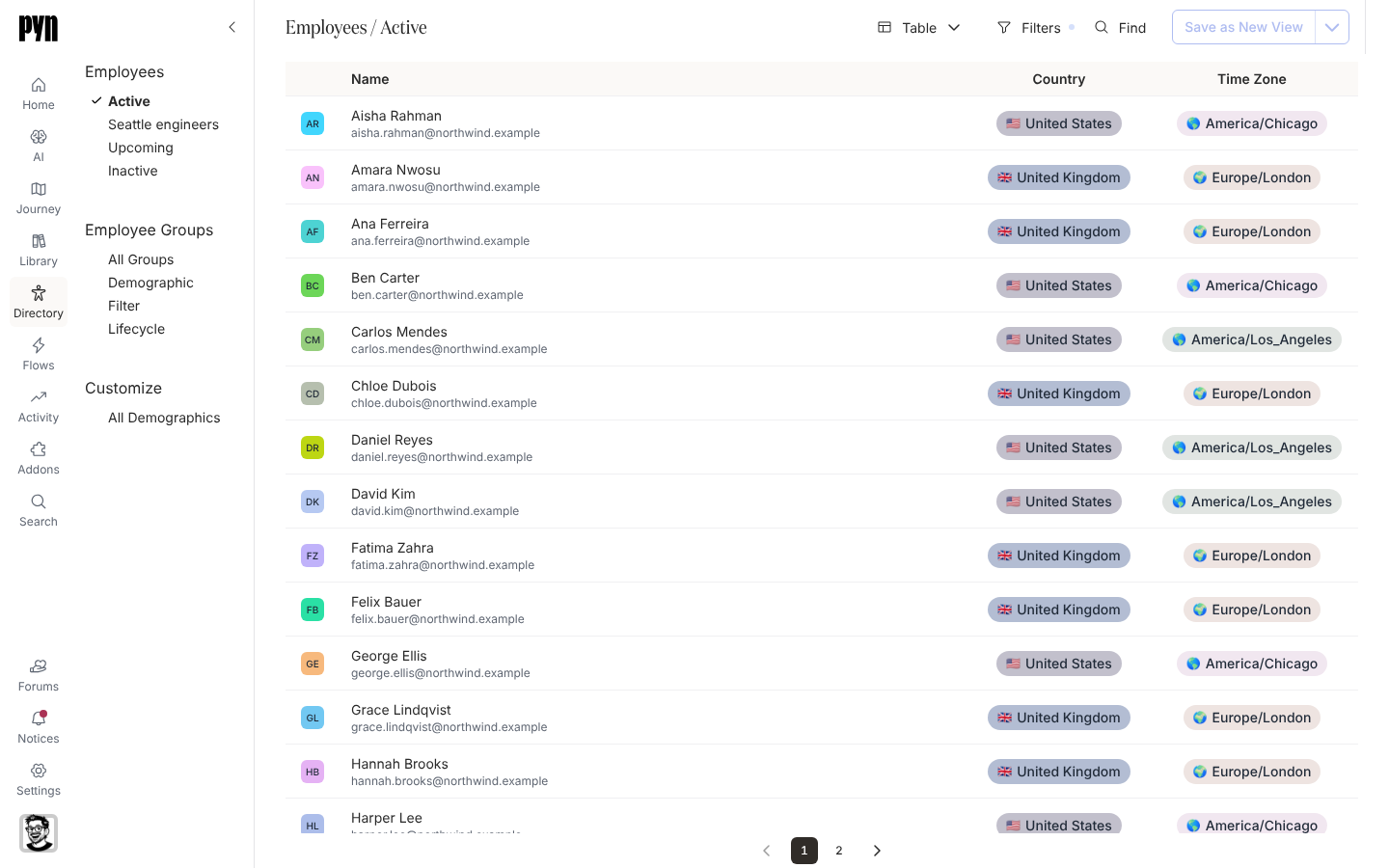
| Employees | Active, Upcoming, Inactive | Employees by stage, as a table or a gallery. |
| Employee Groups | All Groups, Demographic, Lifecycle, Filter | Every group, or one kind. |
| Customize | All Demographics | The demographics that produce groups. |
What you can do here
Section titled “What you can do here”- Find people: Find an employee, Read an employee profile, Export employees.
- Keep the data right: Upload employees from a spreadsheet, Add an upcoming employee, Fix a missing manager, time zone or email.
- Build audiences: Create a filter group, Create a static group, Create a relationship group, Create a demographic.
Where it is in the app
Section titled “Where it is in the app”Open Directory in the primary navigation on the left of every page, or open /directory/home. It lands on Employees > Active; the other views are listed on the left. An employee or group opens in a panel on the right. Search at the top of the navigation finds employees and groups from anywhere in Pyn.
Related
Section titled “Related”- Your first employee upload and groups to go from an empty workspace to a usable audience.
- Employees for the list and the profile.
- Employee Groups for audiences.
- Demographics for the properties behind demographic groups.
- Integrations for the HRIS and Employee File sources that feed Directory.