

BambooHR
The BambooHR integration reads your employee directory and a custom report through the BambooHR API, so start dates, departments, managers and leavers drive your flows without a spreadsheet. BambooHR also registers a webhook so changes reach Pyn between refreshes, and your people can sign in to Pyn with Continue with BambooHR.
Before you start
Section titled “Before you start”- You are an admin or owner in Pyn.
- You know your BambooHR company domain: the part before
.bamboohr.comin your BambooHR address. - You can sign in to BambooHR with an account that has API access and can see the fields you want synced. A non-employee service account is better than a person’s login, which stops working when that person leaves.
Connect
Section titled “Connect”-
In Pyn, open Settings in the left navigation, then Available under Integrations.
-
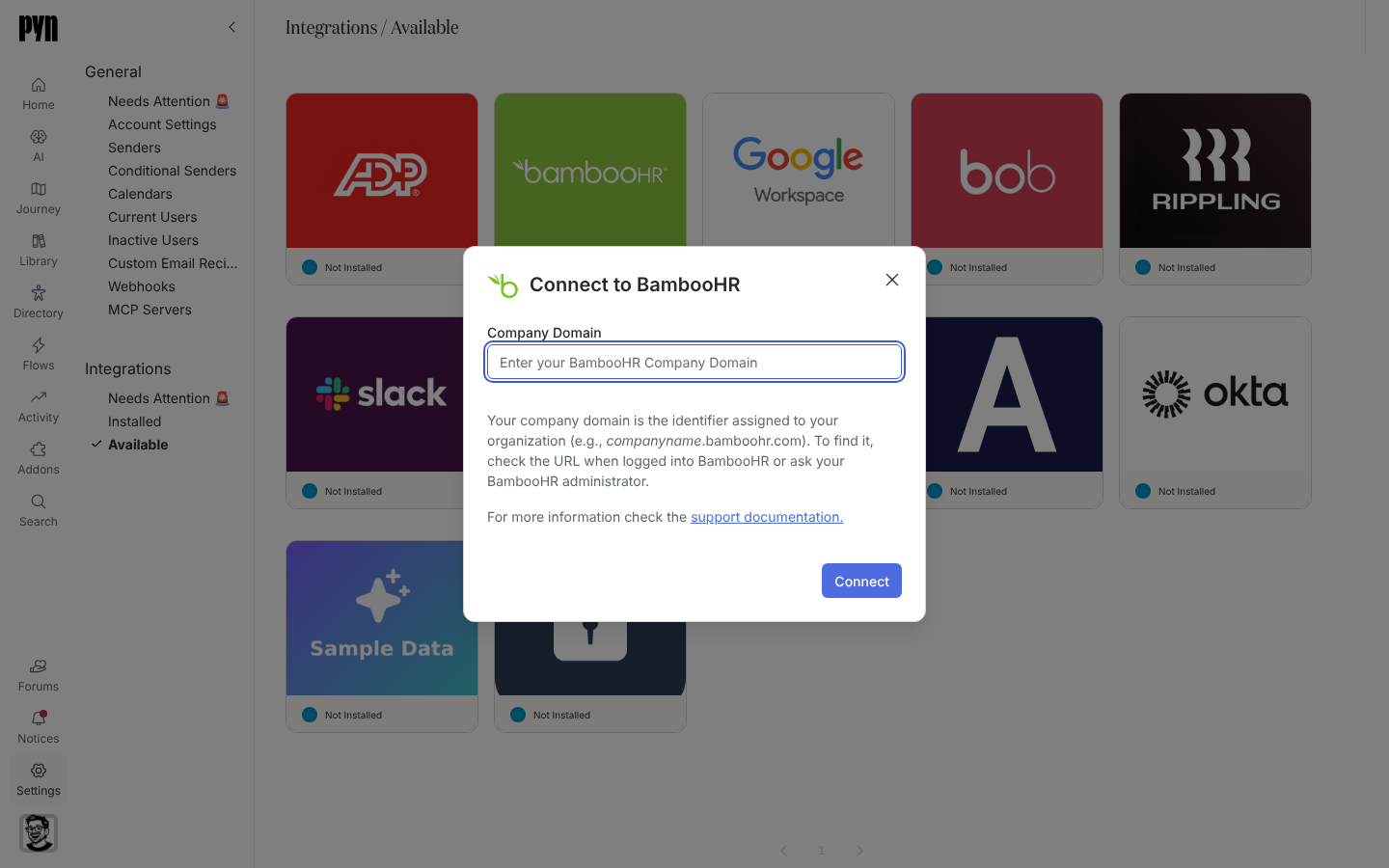
Select the BambooHR tile. The Connect to BambooHR dialog opens.
-
Enter your Company Domain. You can paste the whole address, such as
https://acme.bamboohr.com; Pyn keepsacme. “This is not a valid company domain.” means it does not look like a BambooHR subdomain. -
Select Connect. BambooHR opens; sign in and select Allow Access.
-
BambooHR returns you to Pyn. The panel reads “You’re connected. Syncing can take a few minutes. Check the journey map then!”
What syncs
Section titled “What syncs”Pyn refreshes every five minutes while the integration is active, skipping runs where the report has not changed (“Successfully integrated to BambooHR. No employee changes found”), and BambooHR’s own change notifications are logged under History as they arrive. The Details tab shows the Subdomain, Primary Source (Custom Report or Directory), Last Refresh and Last Successful Refresh; the Advanced tab lists Fields in Report with a count per field.
| Pyn property | From BambooHR |
|---|---|
| Display name, legal name, preferred name | Display name, full name and preferred name |
| Work email, personal email | Work email and home email |
| Start date, tenure | Hire date; original hire date marks returning employees |
| Termination date, status | Termination date; employment status other than Active becomes inactive |
| Department, division, location, job title | The matching BambooHR fields |
| Employment type | Employment history status |
| Manager | Supervisor employee id |
| Birthday, country, postal code, time zone | Birthday and address; time zone from country and postal code |
If the account Pyn connected with can only read the directory, the panel warns: “This integration is pulling limited employee data from the BambooHR directory. To get a complete employee profile, have a BambooHR administrator reconnect this integration, or ask for expanded permissions.” See HRIS fields for the field matrix.
Test it
Section titled “Test it”Open the BambooHR tile under Installed, open the … menu and select Test Connection. “Successfully tested the connection to BambooHR.” confirms it; “An error occurred connecting to BambooHR. Please Reconnect or contact support if the issue persists.” means the sign-in no longer works. Then check Employees.
Reconnect or disconnect
Section titled “Reconnect or disconnect”- Reconnect repeats the BambooHR sign-in for the same company domain. Use it after the connected account’s password changes or its permissions are widened.
- Deactivate stops syncing; Activate resumes. Archive removes the integration from Installed; synced employees stay.
Troubleshooting
Section titled “Troubleshooting”| What you see | What it means |
|---|---|
| History: “Error: Insufficient permissions to access BambooHR” | The connected account’s access level lost API or field permissions. In BambooHR, open Access Levels > Custom Levels, select the level, and under Access Level Settings allow Settings > Company Field Settings, then reconnect. |
| History: “Error: Authentication failed, please reconnect” | The sign-in expired or was revoked. Reconnect. |
| History: “Could not connect to BambooHR, please reconnect” | BambooHR refused the connection. Reconnect; if it repeats, contact support. |
| Employees stop updating after someone leaves | The integration was connected with that person’s login. Reconnect with a non-employee account. |
| Fields such as start date are blank | They are empty in BambooHR, or the account cannot see them. Check the field count under Advanced. |
Related
Section titled “Related”- Integrations for the catalogue.
- HRIS fields for the field matrix.
- Sync cadence and matching for schedules and matching.
- Sign in for Continue with BambooHR.