

Publish an automation
Edits to a trigger, audience or step are saved as a draft as you make them, but Pyn evaluates and sends from the last published version. Publishing takes a snapshot, a numbered version, and offers to move active enrollments onto it.
Before you start
Section titled “Before you start”- Publishing needs the admin or owner role.
- The Publish button is disabled while there is nothing to publish. “Draft autosaved” under the title confirms your edits are stored.
- Any step without a sender or recipient blocks publishing; the step card shows what is missing.
-
In Pyn, open Flows in the left navigation, then Automations, and select the automation. Make your changes.
-
Select Publish at the top. To throw the draft away instead, open the arrow beside it and select Discard.
-
If enrollments are still running on the previous version, the Update Enrollments dialog opens: “n enrollments are still active on the previous version. Select which ones to update to the latest published version.” Each row shows the Enrollment and its Reference Date.
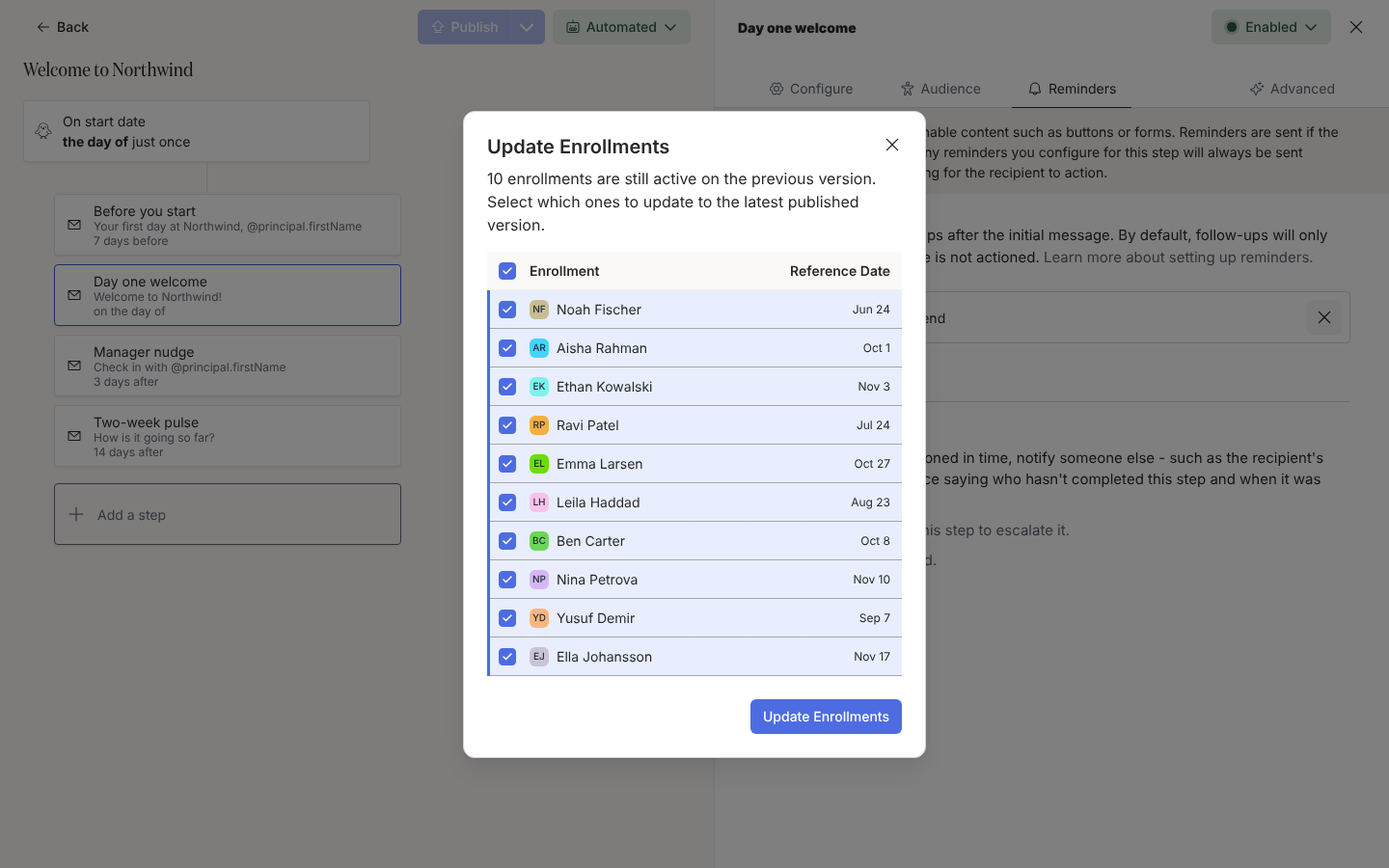
Publishing a change offers to update enrollments still running on the previous version. -
Every enrollment is ticked. Untick any you want to leave on the old version, then select Update Enrollments. Close the dialog to leave every enrollment on its old version.
What you should see
Section titled “What you should see”The Publish button is disabled again and Required disappears from the Automations table’s Publish column. Under Enrollments, updated enrollments show the new steps; enrollments you left behind keep running the old version to completion.
Related
Section titled “Related”- Change the mode of an automation to turn the published flow on.
- Automation and enrollment states for how versions relate to enrollments.
- Enrollments to check what each person will receive.