

Actions
Some steps only inform; others ask. An acknowledgement button, a form to complete or a poll to answer turns a delivery into an action, and Pyn records whether it was done. The Actions view lists those deliveries and nothing else, so you can see at a glance which managers have not confirmed their new starter’s first day.
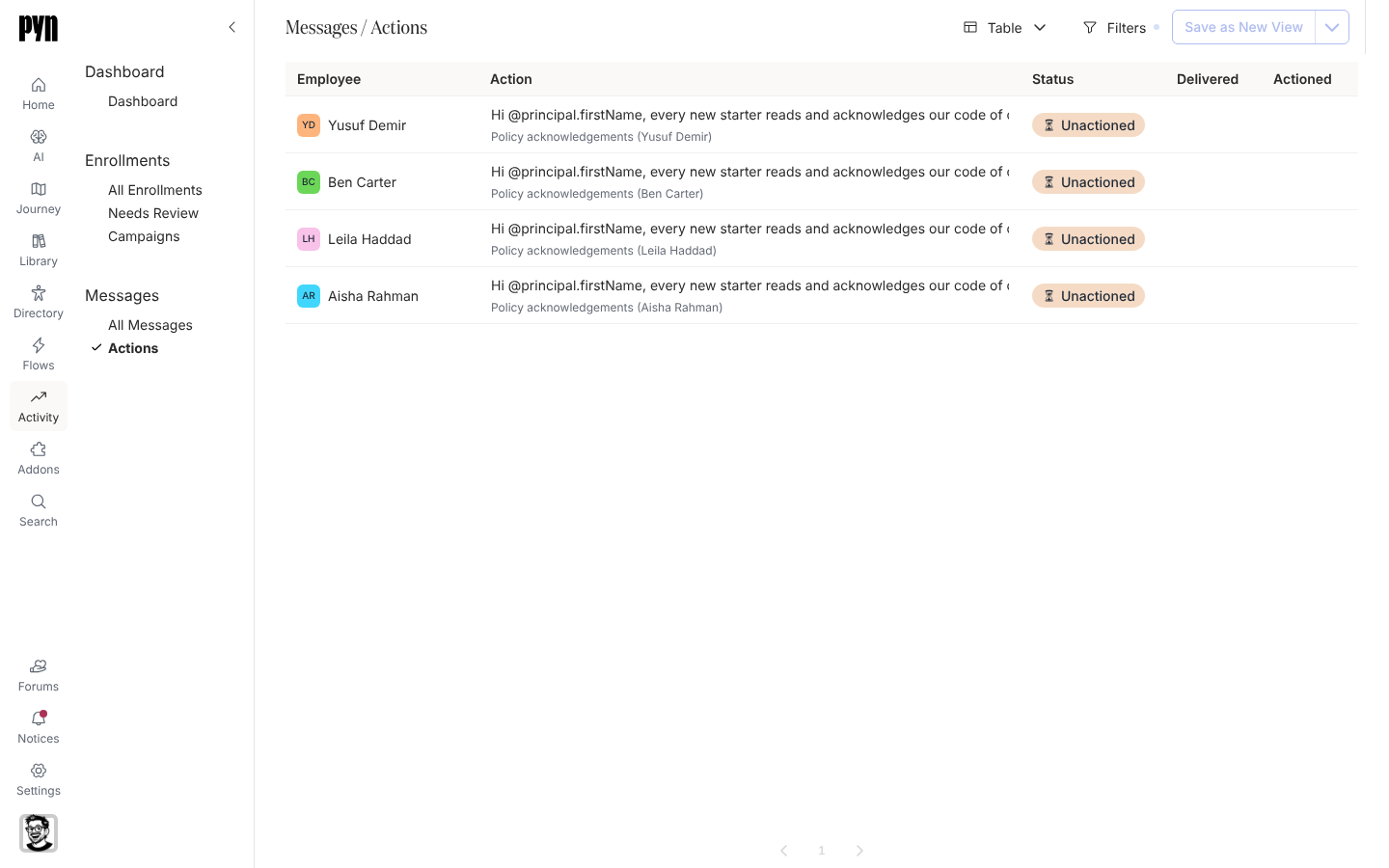
The table
Section titled “The table”| Column | What it shows |
|---|---|
| Employee | Who was asked. |
| Action | The message text, and the enrollment it belongs to. |
| Status | Unactioned, Clicked (a link was opened but the action is not done) or Actioned. |
| Delivered | When the message reached them. |
| Actioned | When they completed it, if they have. |
Filters offers Employee, Status and a Delivered date range. Informational messages, reminders and test deliveries carry no action and are not listed; an empty workspace reads No deliveries yet.
What you can do here
Section titled “What you can do here”- Track actions: filter to what is outstanding and export the table with those filters.
- Forms and polls are what most actions ask people to complete.
Where it is in the app
Section titled “Where it is in the app”Open Activity in the left navigation and select Actions under Messages. Selecting a row opens the delivery on its step page at /activity/step/<id>/<delivery>.
Related
Section titled “Related”- Track actions for the filters and the CSV export.
- Forms for what people are asked to complete.
- Messages for every step, not only the ones with an action.