

AI
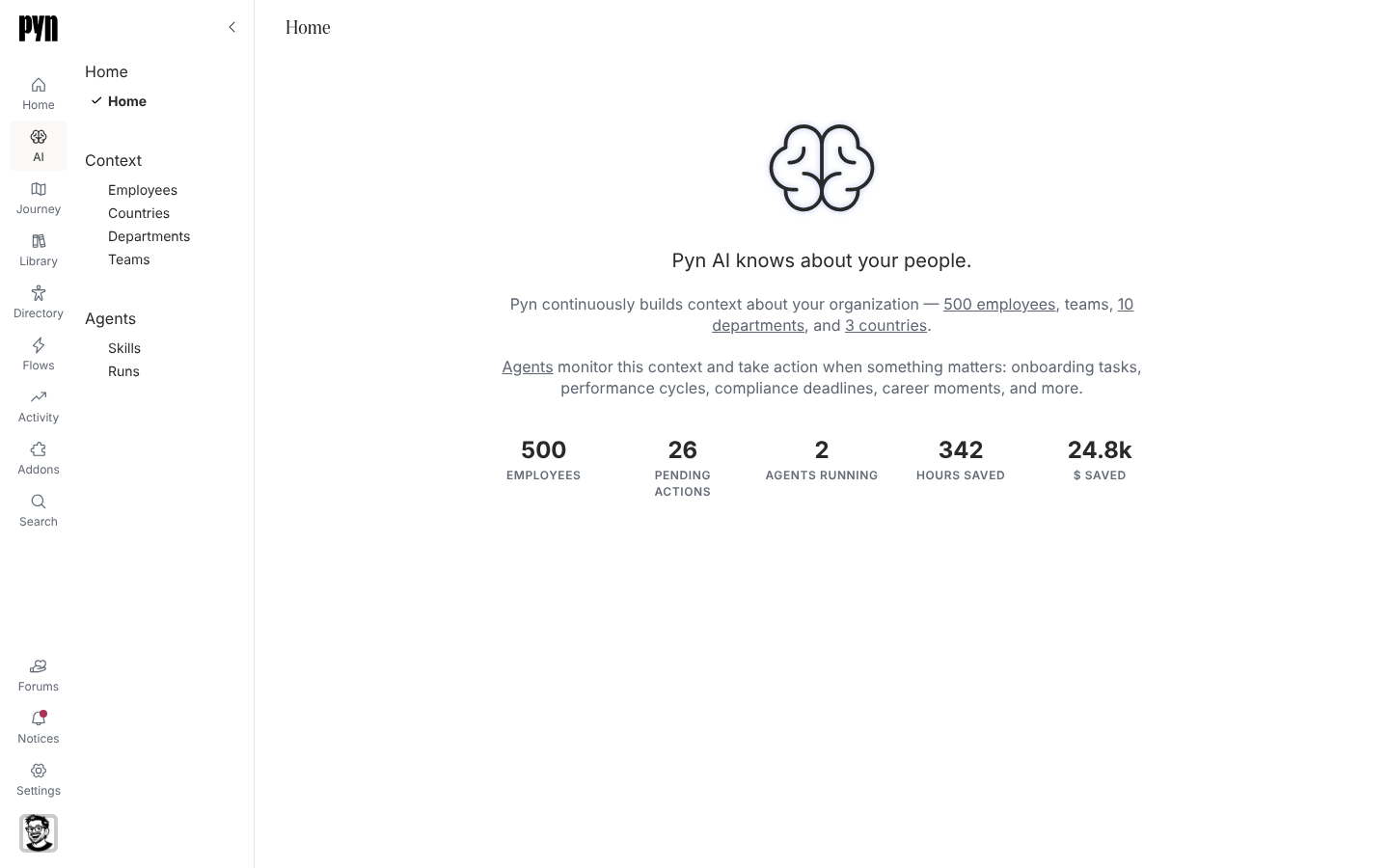
AI is the Pyn AI preview. It sits in the left navigation, under Home, and opens on a page that reads Pyn AI knows about your people. The idea it demonstrates is a per-employee context, built from the moments on the employee journey, that agents read and act on: a weekly digest for every manager, a daily onboarding health report, and a catalogue of further skills.
What is in the area
Section titled “What is in the area”| Group | Views | What it shows |
|---|---|---|
| Home | Home | The tagline, a paragraph linking to the employees, departments and countries in the sample, and five figures: Employees, Pending actions, Agents running, Hours saved and $ saved. |
| Context | Employees, Countries, Departments, Teams | Who the agents know about and what signals they hold. Teams opens an empty page. See Context. |
| Agents | Skills, Runs | The catalogue of skills, each tied to a journey moment, and the log of runs. See Agents. |
Selecting a row in Employees, Skills or Runs opens a full page for it at /ai/employee/, /ai/skill/ or /ai/run/ followed by its id, with Back returning to the table.
Who sees it
Section titled “Who sees it”The AI item appears for every role in workspaces on the Free, Playground and Team plans. It is left out of the navigation on the Enterprise plan, and Pyn can switch the preview off for a workspace. With the preview off, AI opens on a page titled Pyn AI that explains the feature is in beta testing and offers Contact Us.
Pyn AI and MCP servers
Section titled “Pyn AI and MCP servers”Separately from the preview, a workspace admin can expose chosen Pyn operations to an AI client such as Claude or Cursor through an MCP server. That lives under Settings, MCP Servers, and reads your real workspace data subject to each person’s role; see MCP Servers.
Where it is in the app
Section titled “Where it is in the app”Open /ai/home in Pyn, or select AI in the left navigation. The groups and views are listed across the top of the page.
Related
Section titled “Related”- Context for the people data the preview reasons over.
- Agents for skills and runs.
- Skill catalogue for the full list of skills.
- MCP Servers for connecting an AI client to your workspace.