

Greenhouse
The Greenhouse integration reads candidates with a hired application and an accepted offer and creates them as upcoming employees, with their start date, hiring manager and the custom fields you map. Pre-boarding flows can then reach them before their work account exists.
Before you start
Section titled “Before you start”- You are an admin or owner in Pyn.
- A Greenhouse admin creates OAuth credentials for Pyn with Harvest read scopes and gives you the Client ID and Client Secret. Greenhouse retires Harvest API keys on 31 August 2026, so use OAuth for a new connection; a legacy key still works until then.
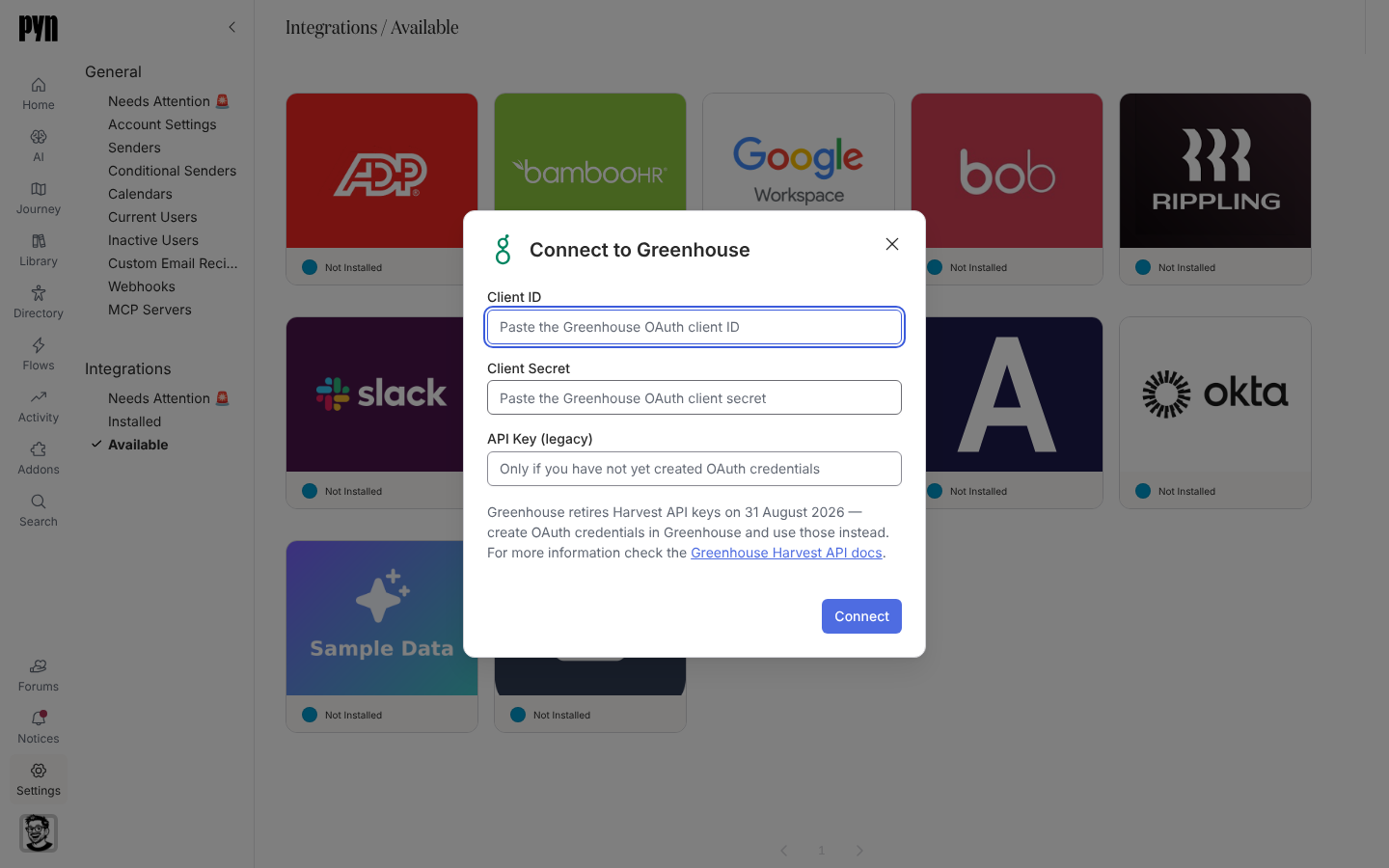
Connect
Section titled “Connect”-
In Pyn, open Settings in the left navigation, then Available under Integrations.
-
Select the Greenhouse tile. The Connect to Greenhouse dialog opens.
-
Paste the Client ID and Client Secret. Only if you have no OAuth credentials yet, paste the API Key (legacy) instead.
-
Select Connect. The dialog shows “Validating those credentials…” while Pyn checks them.
-
On success a notice reads “Your Greenhouse integration has been added to Pyn. It will take a minute or two for candidate data to be pulled from Greenhouse.”
Errors the dialog can show: “Could not verify those credentials — they appear to be invalid or expired.” / “The credentials are valid but lack the permissions needed. Grant the required scopes and try again.” / “Enter either a client ID and secret, or a Harvest API key.”
What syncs
Section titled “What syncs”Pyn refreshes from Greenhouse every five minutes while the integration is active.
| Pyn property | From Greenhouse |
|---|---|
| Display name, legal name, preferred name | First, last and preferred name |
| Work email | The candidate’s email of type work; never inferred from another type |
| Personal email | The personal email, or any non-work address |
| Start date | The accepted offer’s start date |
| Location | The offer’s location custom field |
| Manager | The hiring manager, a Greenhouse user |
| Time zone | The candidate’s time zone |
| Custom fields | Workspace extensions mapped to a Greenhouse custom field name key |
Hires appear as Upcoming in the Directory. See Sync cadence and matching for how the ATS record merges with the HRIS record that follows.
Test it
Section titled “Test it”After the first refresh, open Employees and select the Upcoming view. The integration’s History tab lists each refresh and its outcome.
Reconnect or disconnect
Section titled “Reconnect or disconnect”- Reconnect opens Reconnect to Greenhouse to enter new credentials; use it to move from an API key to OAuth. “Your Greenhouse integration has been updated.” confirms it.
- Deactivate pauses syncing; Activate resumes it.
Troubleshooting
Section titled “Troubleshooting”| What you see | What it means |
|---|---|
| History: “Error: Authentication failed, please reconnect” | The credentials were revoked or the key expired. Reconnect with OAuth credentials. |
| A hire is missing | The application is not marked hired, or the offer is not accepted. |
| Work email blank | Greenhouse has no email of type work for the candidate; Pyn does not guess. |
Related
Section titled “Related”- Integrations for the catalogue.
- Ashby for the other ATS integration.
- Sync cadence and matching for how ATS and HRIS records merge.
- Automations to build a pre-boarding flow.