

ADP Workforce Now
The ADP Workforce Now integration reads workers through ADP’s Workers API and keeps the Directory current: names, work and personal email, hire and seniority dates, department, business unit, job class, location, manager and termination date. Pyn reads only; nothing is written back to ADP.
Before you start
Section titled “Before you start”- You are an admin or owner in Pyn, and ADP is enabled for your workspace; the tile appears under Available only then.
- An ADP administrator can create a project in ADP API Central and add the scope
/hr/workerInformationManagement/workerManagement/workerProfileManagement/worker.read. Without it the connection authenticates but returns no workers. - You have the project’s Client ID and Client Secret, and the SSL certificate and private key for the project. Pyn’s team generates the certificate pair with you and you upload the certificate to the ADP project; ask support@pynhq.com to start that.
- Date of birth is masked in ADP by default. To sync birthdays, an ADP administrator reveals the field on the data connector’s application profile.
Connect
Section titled “Connect”-
In Pyn, open Settings in the left navigation, then Available under Integrations.
-
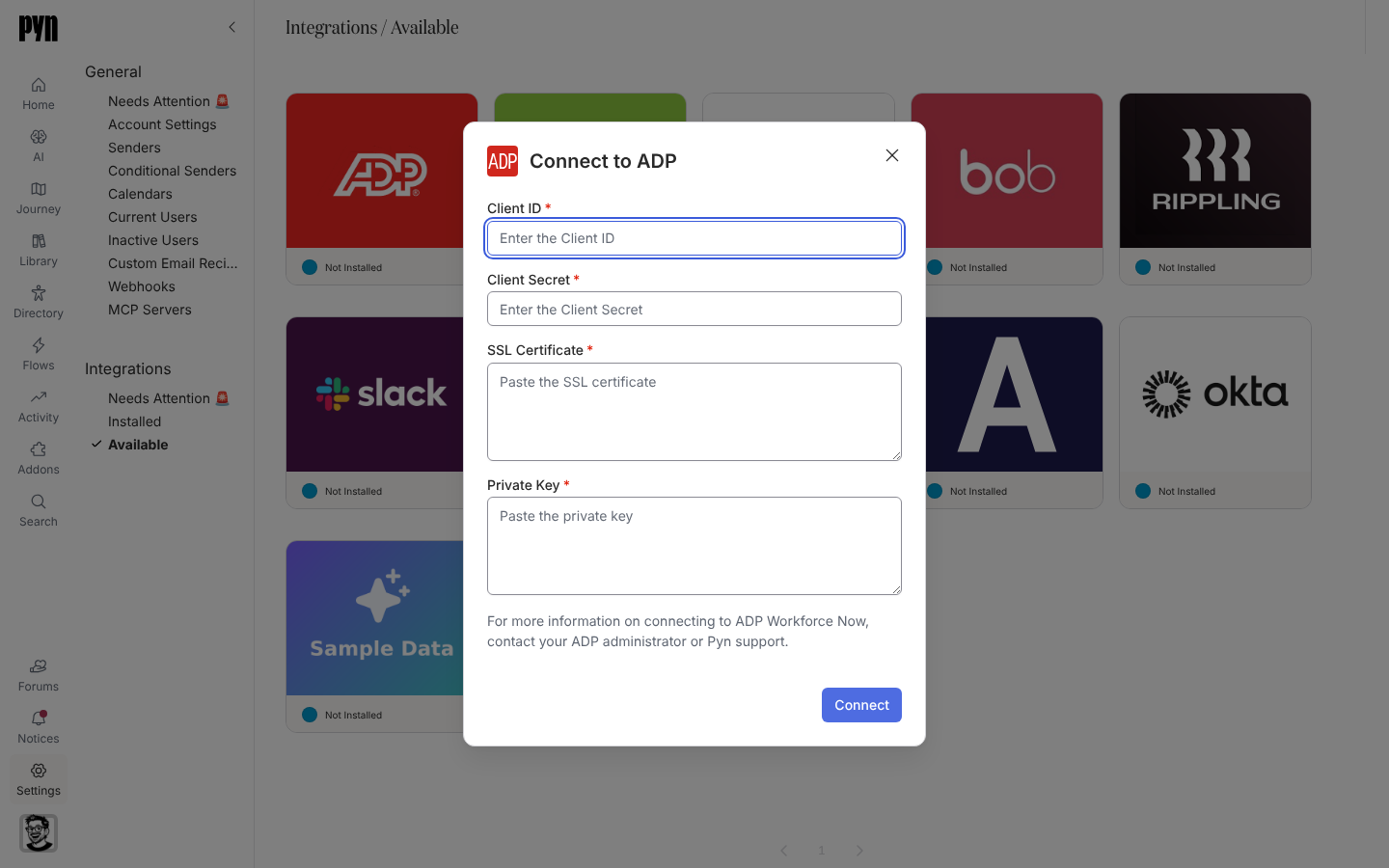
Select the ADP tile. The Connect to ADP dialog opens.
-
Enter the Client ID and Client Secret from API Central.
-
Paste the SSL Certificate and the Private Key.
-
Select Connect. The dialog shows “Validating those credentials…” while Pyn calls ADP.
-
On success a notice reads “Your ADP Workforce Now integration has successfully been added to Pyn. It will take a minute or two for the employee data to be pulled from ADP.”
If the dialog reports an error, match it to the cause: “Could not verify the credentials. The Client ID or Client Secret appear to be invalid.” / “The SSL certificate appears to be invalid. Please check the certificate and try again.” / “ADP is returning an error. Please try again later.”
What syncs
Section titled “What syncs”Pyn refreshes from ADP every five minutes while the integration is active and records each run under History. The Advanced tab lists the Fields in Report received. Field by field:
| Pyn property | From ADP |
|---|---|
| Display name, preferred name, legal name | Preferred name when set, otherwise the legal name |
| Work email, personal email | Business and personal email addresses |
| Start date | Original hire date |
| Tenure date | Seniority date |
| Termination date | Termination date |
| Department, business unit, job class, job title, location | The primary work assignment |
| Manager | The assignment’s reports-to worker |
| Birthday, time zone | Birth date when unmasked; time zone from the work address country and postal code |
| External id | Worker ID and associate OID |
Workers without an email address are not created as employees. Worker type comes from the primary assignment. See HRIS fields for the full matrix and Sync cadence and matching for how employees are matched.
Test it
Section titled “Test it”Open the ADP tile under Installed, open the … menu and select Test Connection. “Successfully tested the connection to ADP Workforce Now.” confirms it. “An error occurred connecting to ADP Workforce Now. Please check your credentials or contact support if the issue persists.” means the credentials no longer work; reconnect. Then open Employees and check names, hire dates and reporting lines.
Reconnect or disconnect
Section titled “Reconnect or disconnect”- Reconnect (the … menu) opens Reconnect to ADP with the same four fields; enter the new credentials and select Connect. “Your ADP Workforce Now integration has successfully been updated.” confirms it.
- Deactivate stops syncing without removing the credentials; Activate resumes.
- Archiving removes the integration from Installed. Employees already synced stay in the Directory.
Troubleshooting
Section titled “Troubleshooting”| What you see | What it means |
|---|---|
| Tile under Needs Attention 🚨 and a History entry “Error: Authentication failed, please reconnect” | ADP rejected the credentials, usually after rotation. Reconnect with the new values. |
| Connection works but no employees appear | The API project lacks the worker.read scope. Add it in API Central and refresh. |
| Birthdays missing | The field is masked in ADP. Reveal it on the application profile. |
| Some people missing | Workers without an email address are skipped. |
Related
Section titled “Related”- Integrations for the catalogue.
- HRIS fields for the field matrix.
- Sync cadence and matching for schedules and matching.
- Employees to check the synced records.