

Automations
An automation is a trigger, an audience and an ordered list of steps. When the trigger fires for an employee who is in the audience, Pyn creates an enrollment for that employee and schedules every step against the enrollment’s reference date. The employee the enrollment is about is the principal; each step can go to the principal, their manager, their buddy, their HRBP, a group, a channel or a named address.
How the pieces fit together
Section titled “How the pieces fit together”- Trigger. Decides when and for whom the automation runs, and what the reference date is. A start-date trigger fires on (or around) each employee’s start date; a Buddy Assigned trigger fires the moment a buddy relation appears; a recurring trigger fires on a timetable. The Trigger catalogue lists every option.
- Audience. Narrows the trigger to lifecycle stages plus included and excluded groups. An employee outside the audience is never enrolled. See Set the audience for an automation.
- Steps. Messages, calendar invites, channel invites, tickets and acknowledgements, each with its own recipient, sender and schedule relative to the reference date. Steps are documented under Steps and messages.
- Version. Publishing takes a snapshot of the trigger, audience and steps. Enrollments run against the version they were created on until you update them. See Publish an automation.
- Enrollment. One employee’s run through one version. Open Enrollments to see each person’s steps, their status and their reference date.
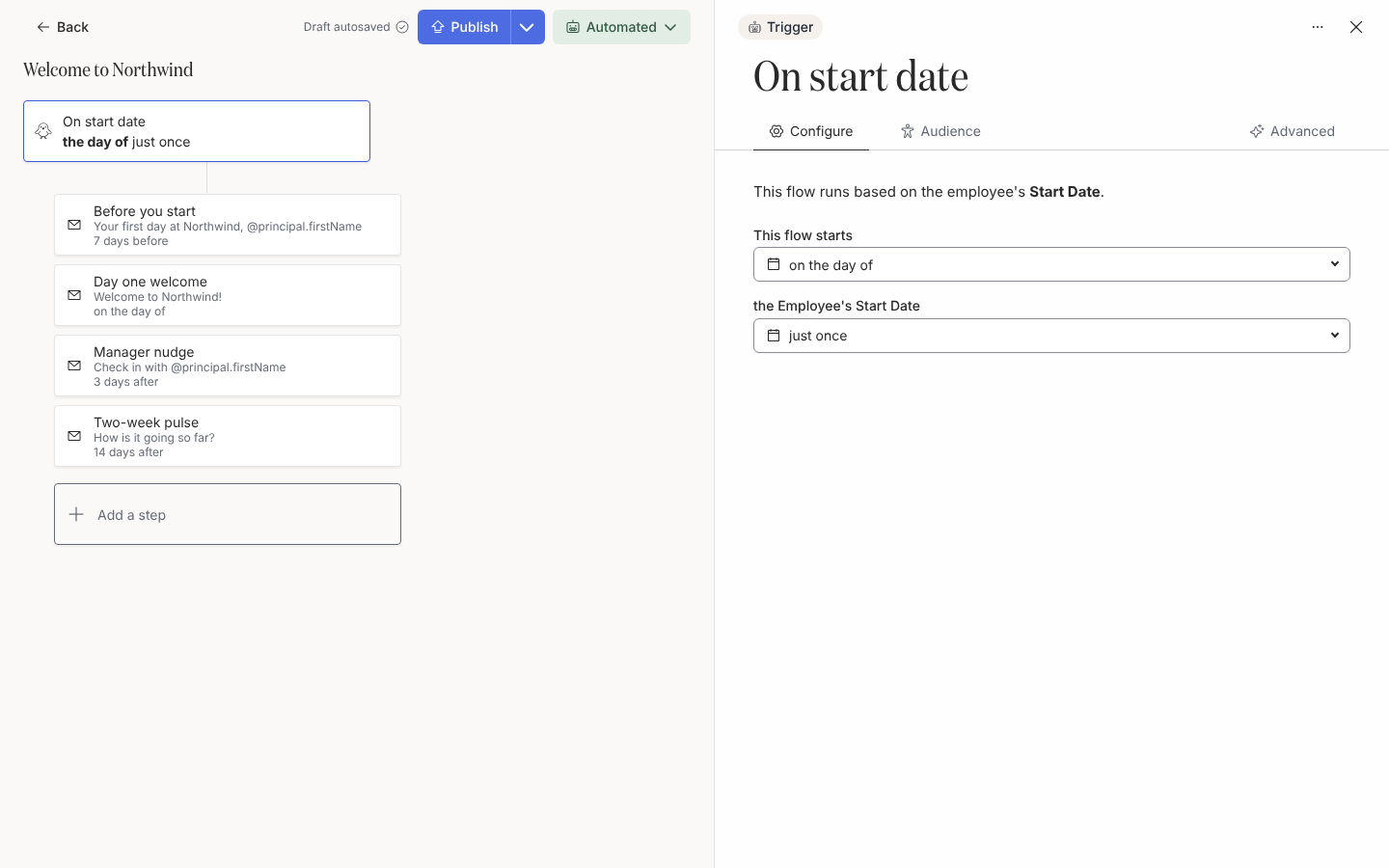
The button next to Publish shows the automation’s mode. Draft means it has never been published. The other four modes come from Change Mode:
| Mode | What Pyn does |
|---|---|
| Automated | Enrols every eligible employee when the trigger fires and sends each step at its scheduled time. |
| Verification | Enrols eligible employees but creates each enrollment paused. Nothing sends until someone reviews it in Activity > Needs Review and selects Unpause. |
| Manual | Never enrols anyone on its own. People join only through Manual Enroll. |
| Inactive | Enrols nobody. Enrollments that already exist run to completion. |
Archive is on the same menu. An archived automation is also inactive and leaves the Automations list. The reference page Automation and enrollment states has every state and transition.
Where it is in the app
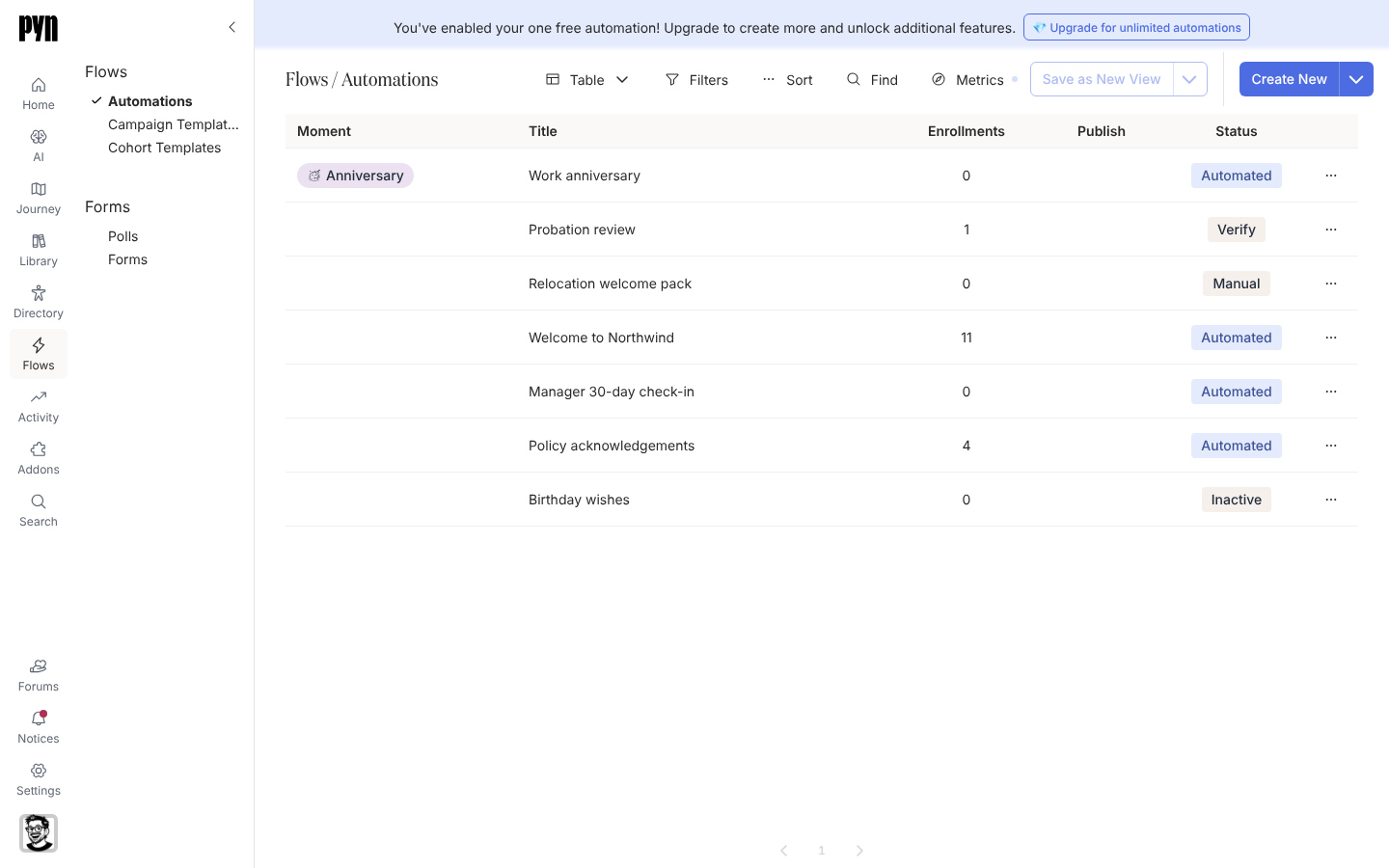
Section titled “Where it is in the app”Open /flows/home in Pyn and select Automations. The table lists every automation with its journey moment, enrollment count, Required in the Publish column when it has unpublished changes, and its mode in the Status column. Create New opens the trigger picker; the arrow beside it offers Add from Template. Selecting a row opens the editor at /flows/automation/ followed by its id, with the trigger card at the top, the steps below it in schedule order and a drawer on the right for whatever you select.
Guides
Section titled “Guides”Tutorials
Section titled “Tutorials”Reference
Section titled “Reference”- Trigger catalogue: every trigger, its description, offsets, recurrence and window.
- Automation and enrollment states: modes, versions, enrollment and step states.
- Scheduling internals: reference date adjustment, trigger windows, cadence and minimums.
Related
Section titled “Related”- Flows for the other things Flows contains.
- Steps and messages for recipients, senders, schedules, reminders and escalations on a step.
- Enrollments to review, unpause or stop what an automation produced.
- Journey to attach automations to the moments on your map.