

Delivery statuses
A step in an enrollment produces one delivery per recipient. The delivery carries the status you see in Messages and on an enrollment’s step list; the step and the enrollment summarise their deliveries.
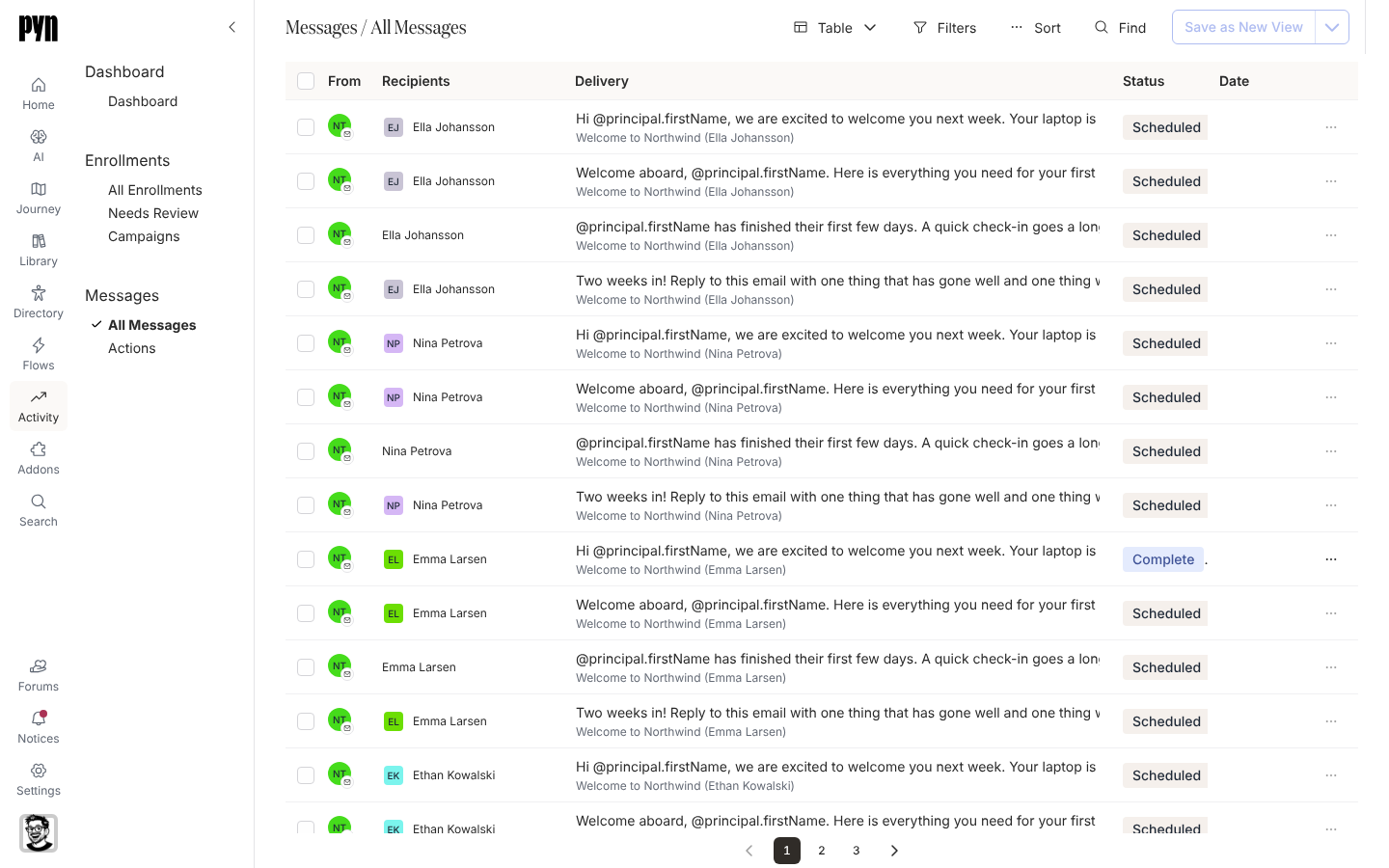
Delivery statuses
Section titled “Delivery statuses”| Status | Meaning | What to do |
|---|---|---|
| Draft | Created but held, because the enrollment is paused for verification or the step was paused. | Unpause the enrollment in Needs Review, or schedule the step. |
| Scheduled | Waiting for its send time. | Nothing. Open it to see the date and time computed for this recipient. |
| Sending | Being handed to Slack, the mailbox or the calendar right now. | Nothing. |
| Delivered | Sent and accepted by the channel. | Nothing. |
| Clicked | Delivered, and the recipient opened a link or button in it. | Nothing. |
| Actioned | Delivered, and the recipient used a tracked button or submitted the embedded form. Reminders and escalations stop. | Nothing. |
| Bounced | The mailbox or Slack rejected it, for example an unknown address. | Fix the address in your HRIS or Directory, then select Resend on the delivery. |
| Bounced* | Bounced and since resent. | Follow the resent delivery. |
| Invalid | There is no deliverable address or account for this recipient, the recipient left the step’s audience, or the enrollment was stopped. | Check the recipient’s email or Slack membership; an invalid delivery is never sent. |
| Paused | Held by a pause on the step. | Schedule the step again from the enrollment. |
| None | No status; the delivery was never scheduled. | Open the enrollment to see why. |
A bounced delivery also shows a banner, This message bounced when sending, with the Resend button.
Statuses in the Actions view
Section titled “Statuses in the Actions view”Actions shows only deliveries with a tracked button or form, and reads them from the recipient’s point of view: Actioned once they acted, Clicked when they opened something without completing it, Unactioned until then.
Step statuses
Section titled “Step statuses”On an enrollment’s step list each step summarises its deliveries:
| Status | Meaning |
|---|---|
| Draft | The step is held unscheduled. |
| Scheduled | Deliveries are waiting for their send time. |
| Sending | At least one delivery is going out. |
| Sent | Every delivery is complete. |
| Bounced | At least one delivery bounced. |
| Error | The step failed; the enrollment shows the reason. |
| Skipped | The step came due with nobody to send to, or its deliveries were cancelled when the enrollment stopped. |
| Invalid | The step’s date cannot be worked out, usually a relative schedule with no reference date. |
| No recipient | Before its due date, when no recipient resolves for this employee so far, for example a buddy who has not been assigned. |
Enrollment banners
Section titled “Enrollment banners”An enrollment with trouble carries a tooltip on its progress bar: This enrollment has bounced messages, This enrollment has invalid messages, or This enrollment has bounced and invalid messages. A finished enrollment with a bounce reads Completed with bounces.
Related
Section titled “Related”- Messages for every delivery in one table.
- Actions for who has acted on a tracked ask.
- Enrollments for unpausing, stopping and resending.
- Add reminders for what Actioned switches off.