

Pause your workspace
You want everything to stop for a while: a reorganisation is landing, a sender has to be swapped out, or you are cleaning up the directory. Pausing the workspace stops messages, flows and integration syncing in one action, and resuming starts them again.
Before you start
Section titled “Before you start”- You are an admin or owner. The pause control only shows for those roles.
- A workspace that Pyn paused can only be resumed by Pyn; the page tells you if that is the case.
-
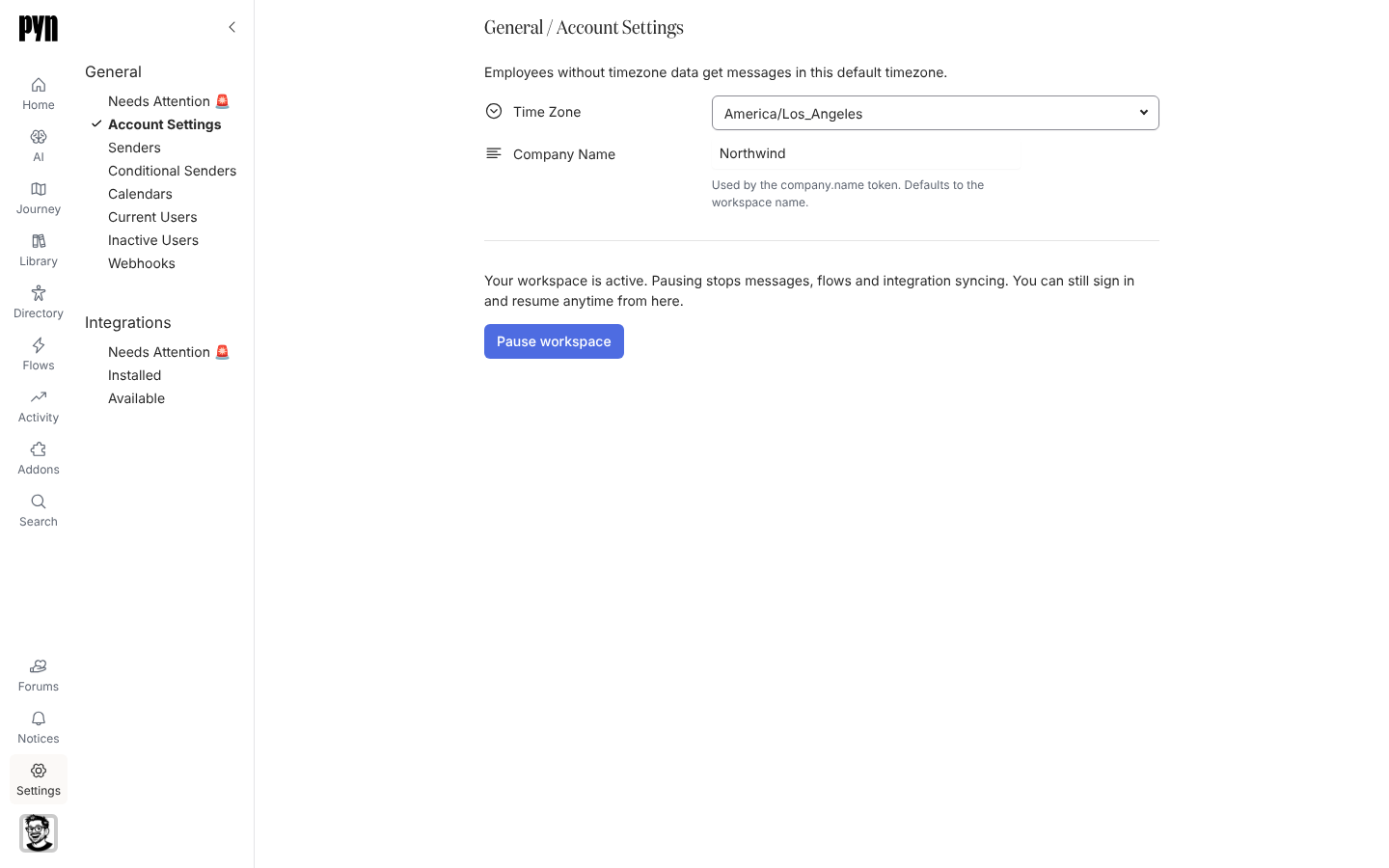
In Pyn, open Settings in the left navigation, then Account Settings under General.
-
Read the status under the fields. An active workspace says “Your workspace is active. Pausing stops messages, flows and integration syncing. You can still sign in and resume anytime from here.”
-
Select Pause workspace.
-
The confirmation explains that Pyn stops sending messages, running flows and syncing integrations right away, and that you can resume at any time from the same place. Select Pause workspace to confirm.
-
The button reads Pausing… while Pyn works, then changes to Resume workspace.
-
When you are ready, select Resume workspace and confirm. The dialog says “Pyn will start sending messages to your employees, running flows and syncing your integrations again.”
What you should see
Section titled “What you should see”While paused, the status reads “Your workspace is paused. Pyn is not sending messages to your employees, running flows or syncing your integrations. Resume it to start them again.” Nothing new appears under Enrollments and integration refresh times stop moving. After you resume, scheduled steps pick up again and integrations refresh on their normal cadence.
Related
Section titled “Related”- Account Settings for the other workspace-wide fields.
- Enrollments to check what resumes once the workspace is active.
- Integrations for what each integration syncs when it runs again.