

Archive a sender
Someone has left, or a shared address has been replaced. Archiving removes the sender from the list and from the From menu on steps. Pyn checks which enabled steps still use the sender before it lets you confirm, so nothing fails quietly.
Before you start
Section titled “Before you start”- You are an admin or owner.
- Have the replacement sender ready, so you can move steps across before or straight after archiving.
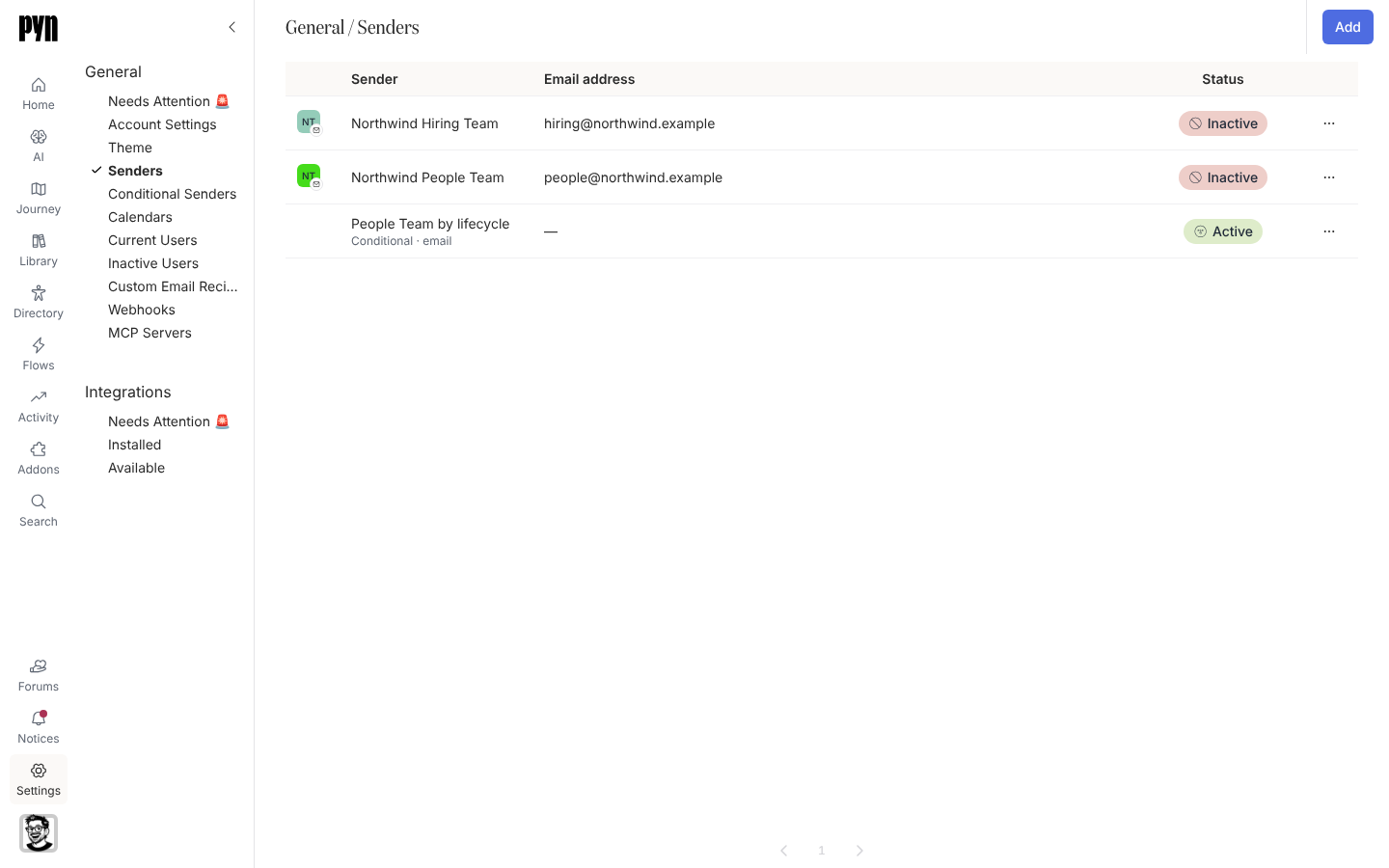
-
In Pyn, open Settings in the left navigation, then Senders under General.
-
Find the sender and open its … menu, then select Archive.
-
Read the Archive Sender dialog. If enabled steps on live automations use this sender it lists them as “Sends on these steps will fail once this sender is archived:” followed by each automation and step. Otherwise it asks “Are you sure you want to archive this sender?”
-
If steps are listed, select Cancel, change the sender on those steps in Automations, and come back.
-
Select Confirm Archive.
What you should see
Section titled “What you should see”The sender leaves the Senders list and the From menus. Steps that still referenced it fail at their next send and show in Activity with a sender error, so move them first. To bring a sender back, Pyn support can unarchive it, or the person connects again.
Related
Section titled “Related”- Senders for the full list.
- Conditional Senders if rules referenced the archived sender.
- Automations to change the sender on a step.