

Create a workspace
You are the first person at your company to use Pyn, or you need a separate workspace for another organisation. The form takes a minute; what you answer decides which setup cards appear on Home.
Before you start
Section titled “Before you start”- You are signed in. If your address has no workspace yet, Pyn opens this form by itself after sign-in.
- Your email address or domain is one Pyn allows to create workspaces. If it is not, you see Sorry! with Early Access Only; contact
sales@pynhq.com. - You know which HRIS and which messaging platform your company uses. You can change both later by installing integrations, but the answers here seed your checklist.
-
Open the profile menu and select Create new Workspace, or open
https://app.pyn.ai/create-workspace. -
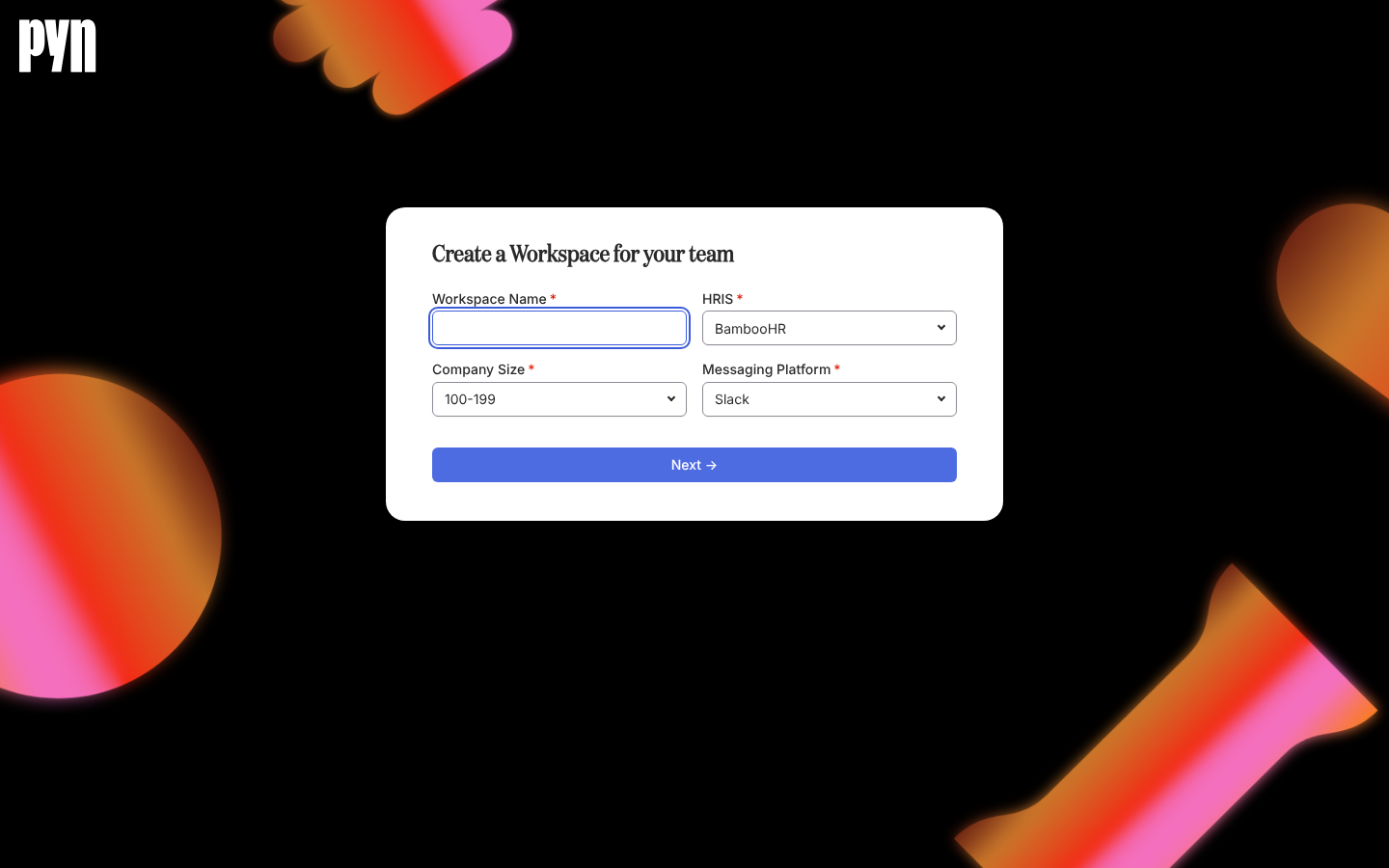
In Workspace Name, type your company or team name. It becomes the workspace name and the default Company Name for the
company.nametoken. -
In HRIS, choose your people system: ADP, BambooHR, Dayforce, Gusto, HiBob, Namely, Paylocity, Rippling, SAP SuccessFactors, UKG Pro, Workday, Zenefits, None or Other / Not Sure.
-
In Company Size, choose the band: 1-99, 100-199, 200-500, 501-1000, 1001-2000, 2001-5000 or 5000+.
-
In Messaging Platform, choose Email, Slack or Microsoft Teams.
-
Select Next → and wait on Creating your Workspace….
-
On Select your priorities, pick up to three of Manager Enablement, Improve Onboarding, Leverage AI for HR, Employee Experience, Company comms, Employee Journey Map, Improve Engagement, Growth & Performance and Other, then select Continue →. Picking a fourth drops the oldest. Skip This goes straight to Home.
What you should see
Section titled “What you should see”Home, greeting you by name under Welcome, let’s get started! with the checklist cards described above. The new workspace is on the free plan, which includes one automation; see Plans and what each unlocks. You are its first user, with the Owner role.
Related
Section titled “Related”- Set up your workspace in 30 minutes to carry on from here to your first live flow.
- Home for how the checklist cards work and tick themselves off.
- Workspaces for switching between the workspaces you belong to.
- Plans and what each unlocks for what the free plan allows.