

Configure an employee property trigger
The Employee Properties category turns any suitable field on the employee record into a trigger. A date property such as Probation End Date or Tenure Date becomes a date trigger with the same offsets and recurrence as Start Date. A text property fires when its value matches text you enter; a yes/no property fires when it becomes true.
Before you start
Section titled “Before you start”- Check that the property is populated. Open an employee in Directory and look for the field. Properties come from your HRIS mapping, the Employee File or a form that writes to the record.
- For a text match, know the exact value. The comparison is against the stored value, so “Contractor” and “contractor” are different.
-
In Pyn, open Flows in the left navigation, then Automations, and select Create New.
-
Choose Employee Properties on the left. Under Select a Property, open the list. It shows every date, text and yes/no property in alphabetical order.
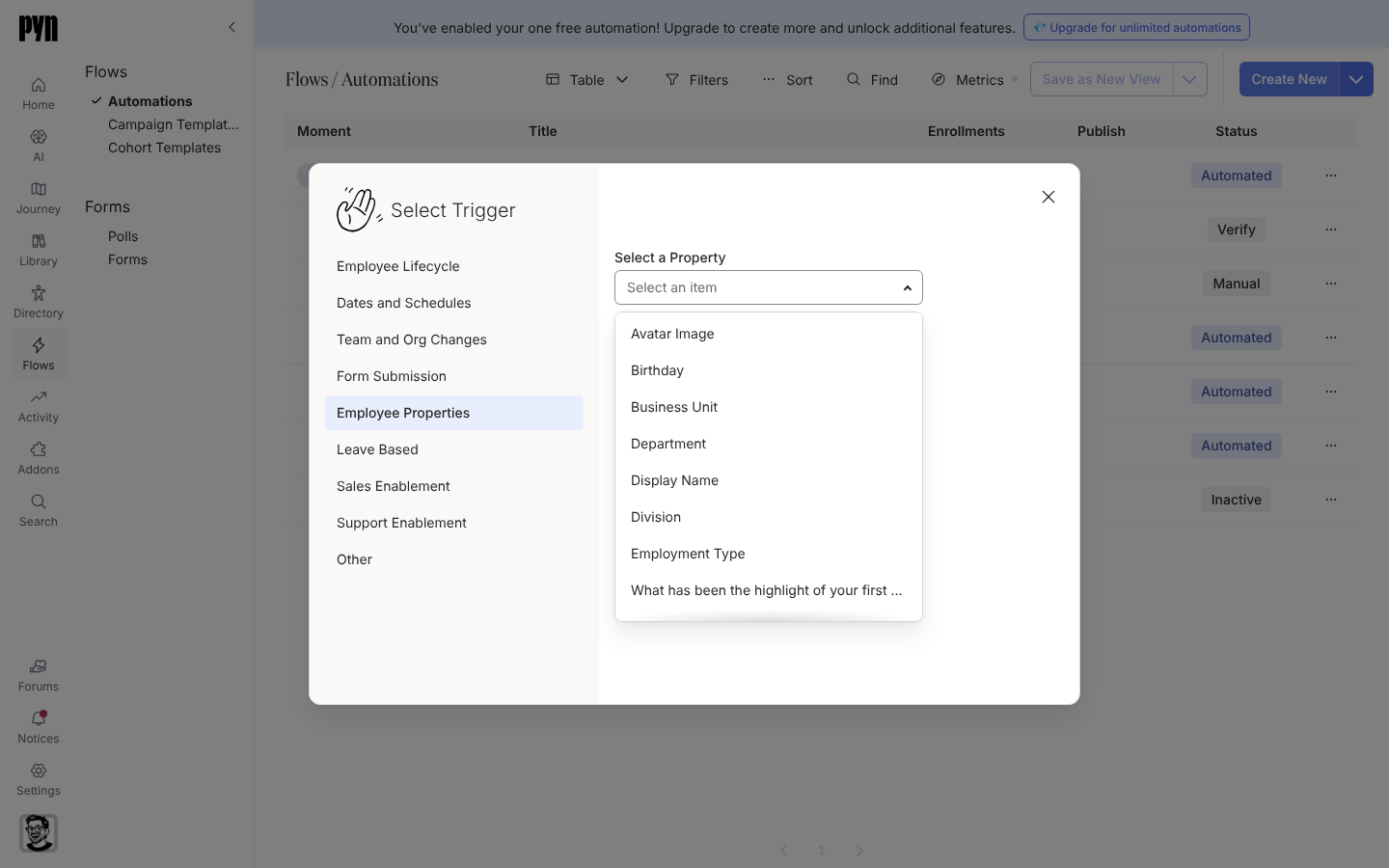
Employee Properties turns any date, text or yes/no field into a trigger. -
Select the property. For a text property a Value field appears, hinting “Enter the value to match”; type the value.
-
Select Done.
-
For a date property, the drawer’s Configure tab offers This flow starts and the recurrence list exactly as for Start Date; follow Configure a date trigger. For a text or yes/no property, the tab reads “Triggered using property:” followed by the property name and there is nothing more to set.
-
Set the Audience, add steps and select Publish.
What you should see
Section titled “What you should see”Property triggers are evaluated on every HRIS refresh and on the six-hourly background pass. When a record matches, the employee appears under Enrollments; for a text or yes/no match the reference date is the day of the match in the employee’s time zone. Text and yes/no triggers default to Never reenroll, so a correction that flips the value away and back does not enrol the person twice.
Related
Section titled “Related”- Configure a date trigger for the offset and recurrence settings a date property gets.
- Employees to see which properties your records carry.
- Trigger catalogue for defaults.