

Move an enrollment to a new start date
Start dates move. Updating the date in your HRIS does not reschedule steps already queued against the old one, and the trigger will not enrol the person again while Prevent repeat enrollments is in force. To move someone, stop their current enrollment and re-enrol them manually against the new date, skipping the messages they already have.
Before you start
Section titled “Before you start”- Stopping an enrollment needs the admin or owner role.
- Have the new start date to hand and know roughly which messages the person has already received. Messages already delivered stay delivered.
- If the flow sent a calendar invite against the old date, cancel or move the event in the calendar yourself. Pyn does not withdraw an invite it has sent.
-
In Pyn, open Activity in the left navigation, then Enrollments > All Enrollments, and find the person’s enrollment in the flow.
-
Open the row’s … menu and select Stop. Every step still to send is cancelled; anything already sent is unaffected, and the enrollment is marked complete.
-
Open Flows > Automations, select the automation, then the mode button, then Manual Enroll.
-
Set Reference Date to the new start date and turn on Verify Mode. Search for the employee, select them, select Next, then Confirm.
-
Back in Activity > Enrollments > Needs Review, select Verify in the new enrollment’s row.
-
In Select messages to unpause, every message is ticked. Untick the ones the person already received, then select Unpause.
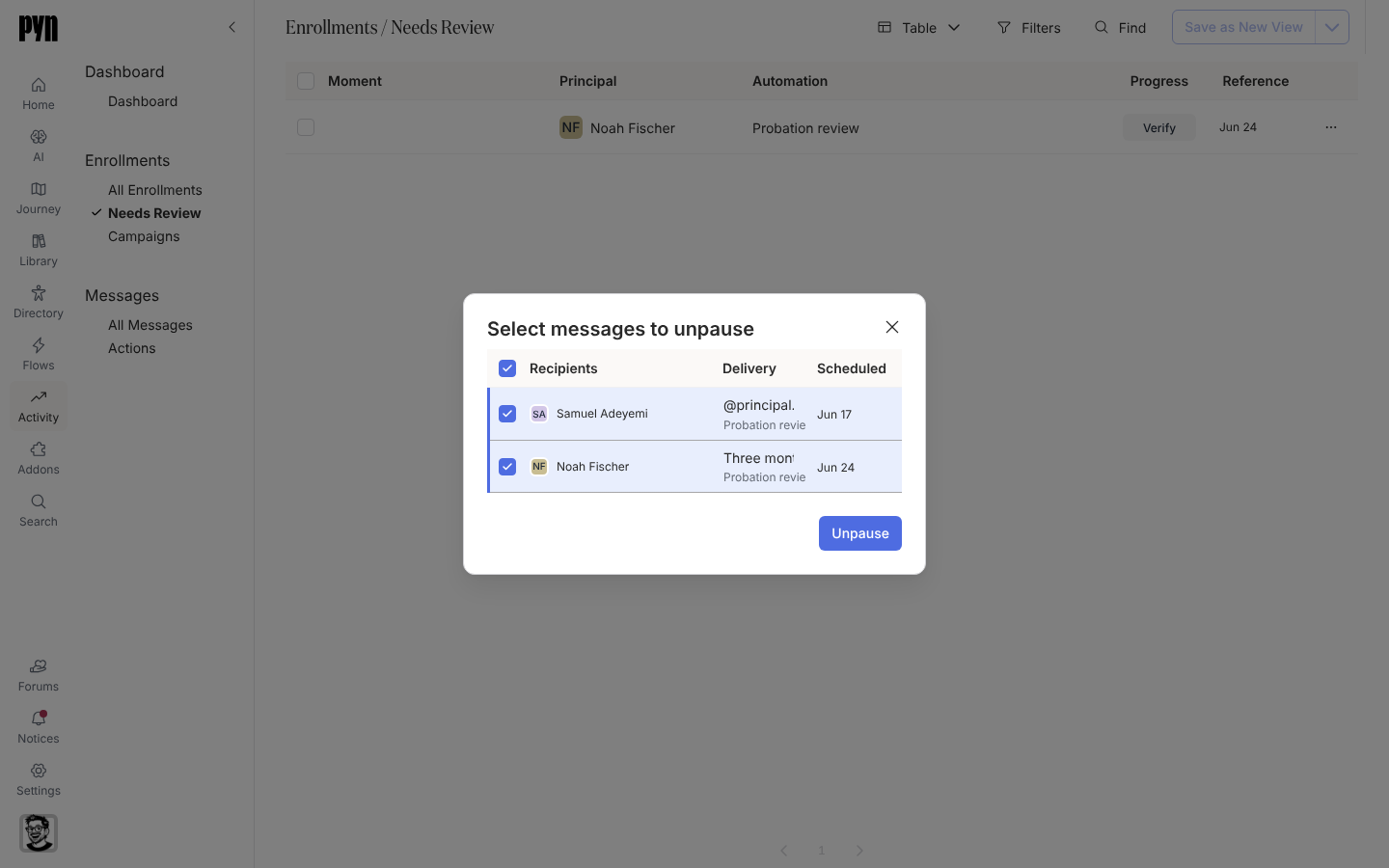
Verify an enrollment to choose which messages to unpause.
What you should see
Section titled “What you should see”Under All Enrollments, the old enrollment shows as complete with its remaining steps cancelled, and the new one shows the new Reference Date with only the unticked messages missing. The next scheduled message lands on its day relative to the new start date.
Related
Section titled “Related”- Enrollments for stopping, verifying and unpausing.
- Manually enroll employees for the enrollment dialog.
- Handle late enrollments when the new date is close.