

Employees
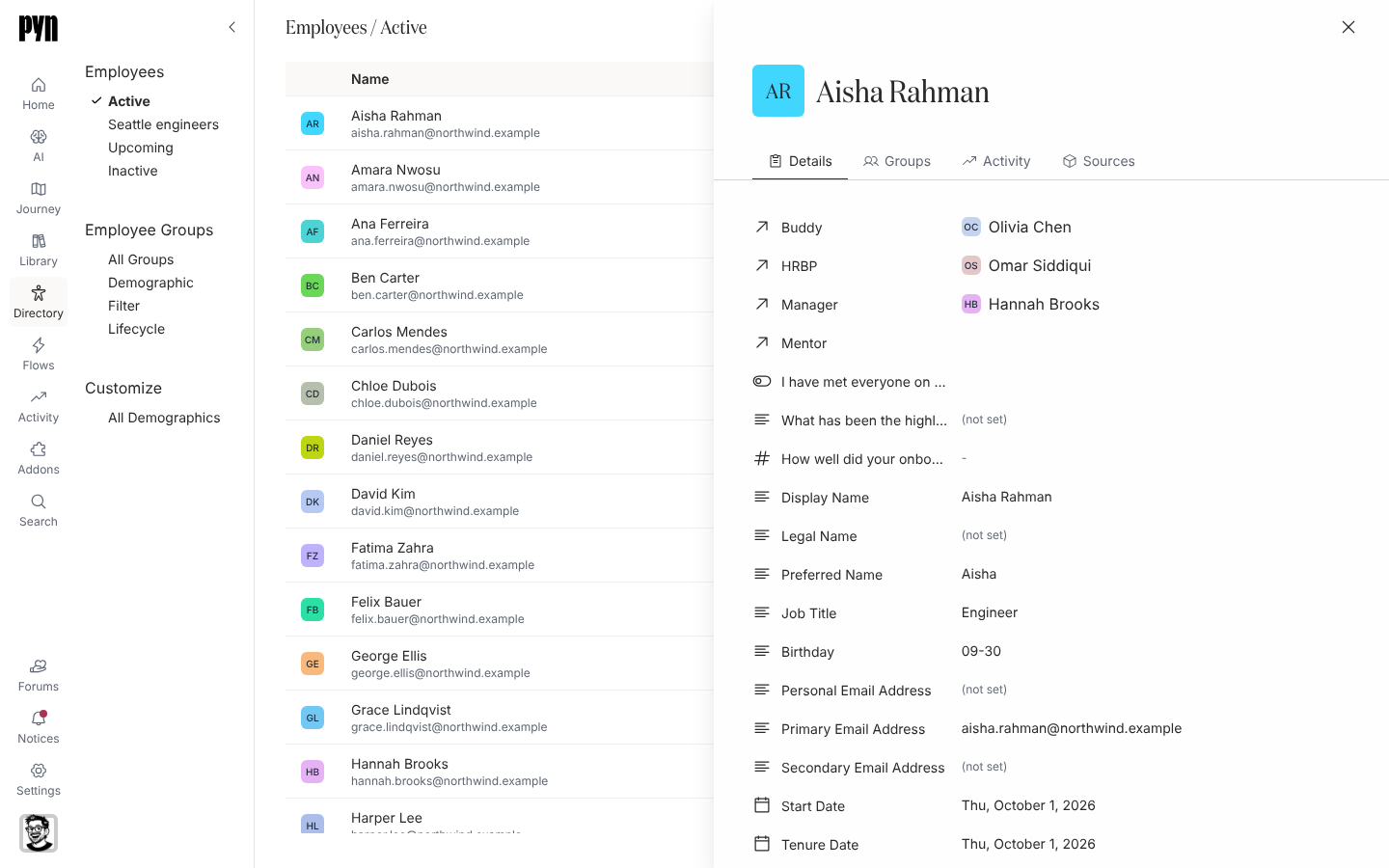
Employees is the list Pyn sends to. Each row is one person, however many systems know about them; Pyn works out their lifecycle stage from their dates and status and files them under Active, Upcoming or Inactive. Select a row to open the profile: their details, the groups they are in, their enrollments and deliveries, and the sources the record was built from.
The three views
Section titled “The three views”| View | Who is in it |
|---|---|
| Active | Stage Current Active Employee: started, not terminated, active in a source. |
| Upcoming | Stage Upcoming Joiner: a start date in the future. This view has the Add employee button. |
| Inactive | Stage Terminated: a termination date in the past, inactive in every source, or removed from the source. |
Someone on Extended Leave keeps their place in the lifecycle group for leave and does not appear in these three views; the Lifecycle demographic’s Inactive Employees group lists them.
The table shows Name (with the work email, or the personal email in italics when there is no work email yet), Country and Time Zone. Switch to Gallery in the view-type menu for cards. Find searches names; Filters offers the employee properties.
What you can do here
Section titled “What you can do here”- Find an employee with Search, Find or a filter.
- Read an employee profile: details, groups, activity and sources.
- Add an upcoming employee who is not in your HRIS yet.
- Upload employees from a spreadsheet to load or update many at once.
- Fix a missing manager, time zone or email.
- Export employees as CSV.
- Employee properties lists every field and how stage and time zone are worked out.
Where it is in the app
Section titled “Where it is in the app”Open Directory in the left navigation; it lands on Active. Upcoming and Inactive are under Employees on the left. A profile opens as a panel on the right of /directory/home.
Related
Section titled “Related”- Read an employee profile for what each tab shows.
- Employee properties for the fields.
- Employee File for the spreadsheet integration.
- Employee Groups for the audiences built from these people.