

Sign in
The sign-in page at /sign-in offers four buttons. Each one proves you own an email address; Pyn then opens the workspaces that address is linked to. There is no password to set or remember.
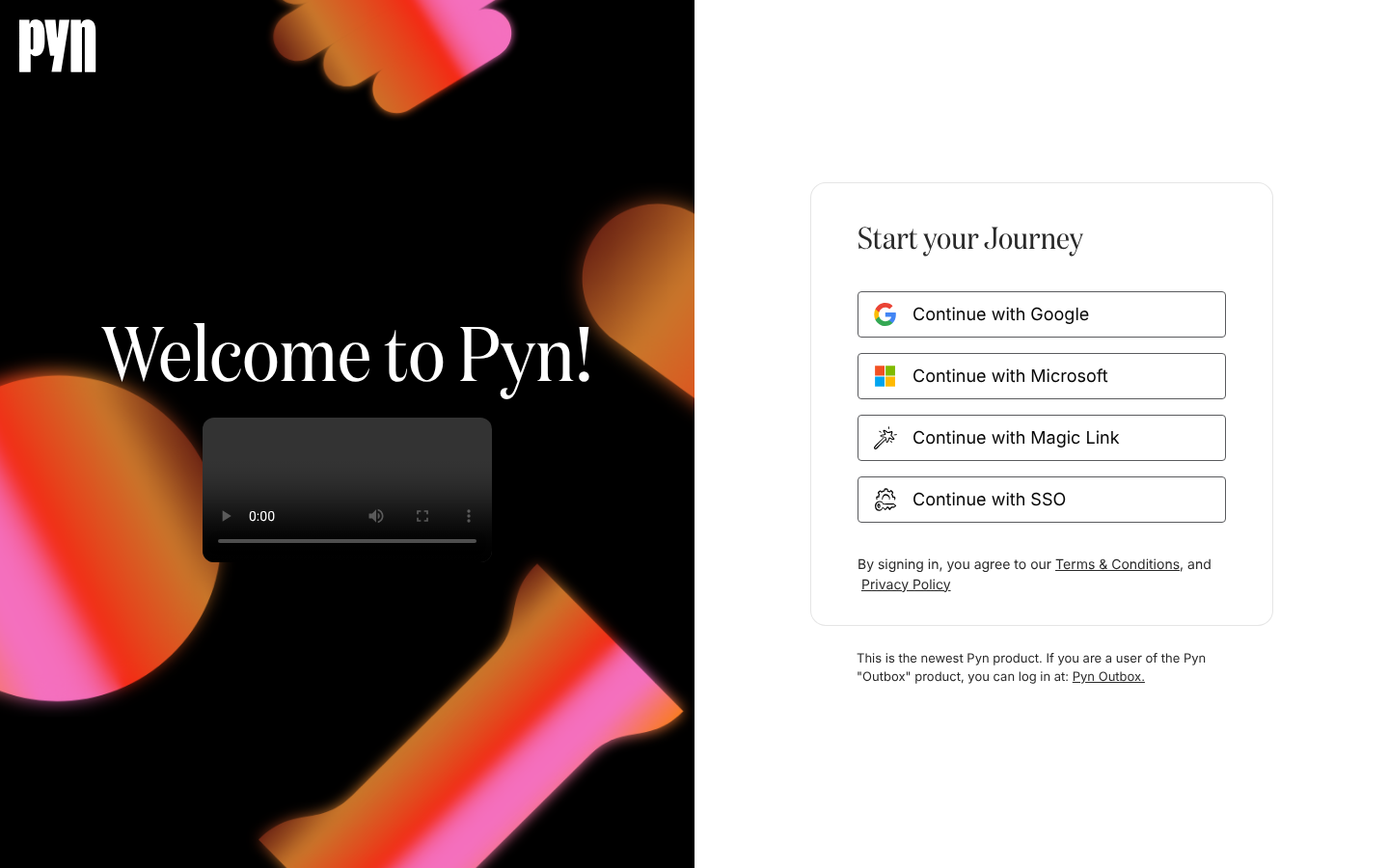
The four options
Section titled “The four options”| Button | Who it is for | What happens |
|---|---|---|
| Continue with Google | Anyone whose work email is a Google Workspace account | Google asks you to choose an account, then returns you to Pyn. |
| Continue with Microsoft | Anyone whose work email is a Microsoft 365 or Entra account | Microsoft asks you to sign in, then returns you to Pyn. |
| Continue with Magic Link | Anyone, including addresses that are neither Google nor Microsoft | Pyn emails you a link. Opening it signs you in. |
| Continue with SSO | Companies whose IT team has connected Okta or another OpenID Connect provider | You enter your work email and Pyn sends you to your company’s identity provider. |
Which option you use does not change what you can do once you are in. Pyn matches you by email address, so if you were invited as jon@example.com, any option that proves you own jon@example.com reaches the same workspace with the same role.
What happens after you sign in
Section titled “What happens after you sign in”Pyn shows Signing In for a moment while it looks up your workspaces, then:
- One workspace: you land on Home.
- More than one: you land on Switch Workspace and pick one. See Switch workspace.
- None: you land on Create a Workspace for your team. See Create a workspace.
If someone invited you, the workspace is already linked to your email, so you land on Home and your status in Settings, Current Users changes from Pending to Active.
How long you stay signed in
Section titled “How long you stay signed in”A session ends one day after you signed in, whether or not you kept using Pyn. After that the next page you open sends you back to the sign-in page. You can end a session earlier from the profile menu; see Sign out.
Pyn 1 (Classic)
Section titled “Pyn 1 (Classic)”The sign-in page ends with a line for people who still use the earlier product: “If you are a user of the Pyn “Outbox” product, you can log in at: Pyn Outbox.” That link goes to app.pynhq.com/outbox, which is Pyn 1 (Classic), not the product described on this site.
Related
Section titled “Related”- Sign in with Google or Microsoft for the two one-click options.
- Sign in with a magic link when your email is not a Google or Microsoft account.
- Sign in with SSO when your company has connected its identity provider.
- Fix a sign-in problem for every message the sign-in page can show.
- SSO for how an admin connects Okta or an OpenID Connect provider.