

Messages
Enrollments are organised by person; Messages is organised by step. All Messages lists every step from every automation and campaign enrollment, so you can see what went out this week, what is queued for tomorrow and what is stuck. Each step opens on its own page with the rendered message, the list of recipients and each delivery’s status.
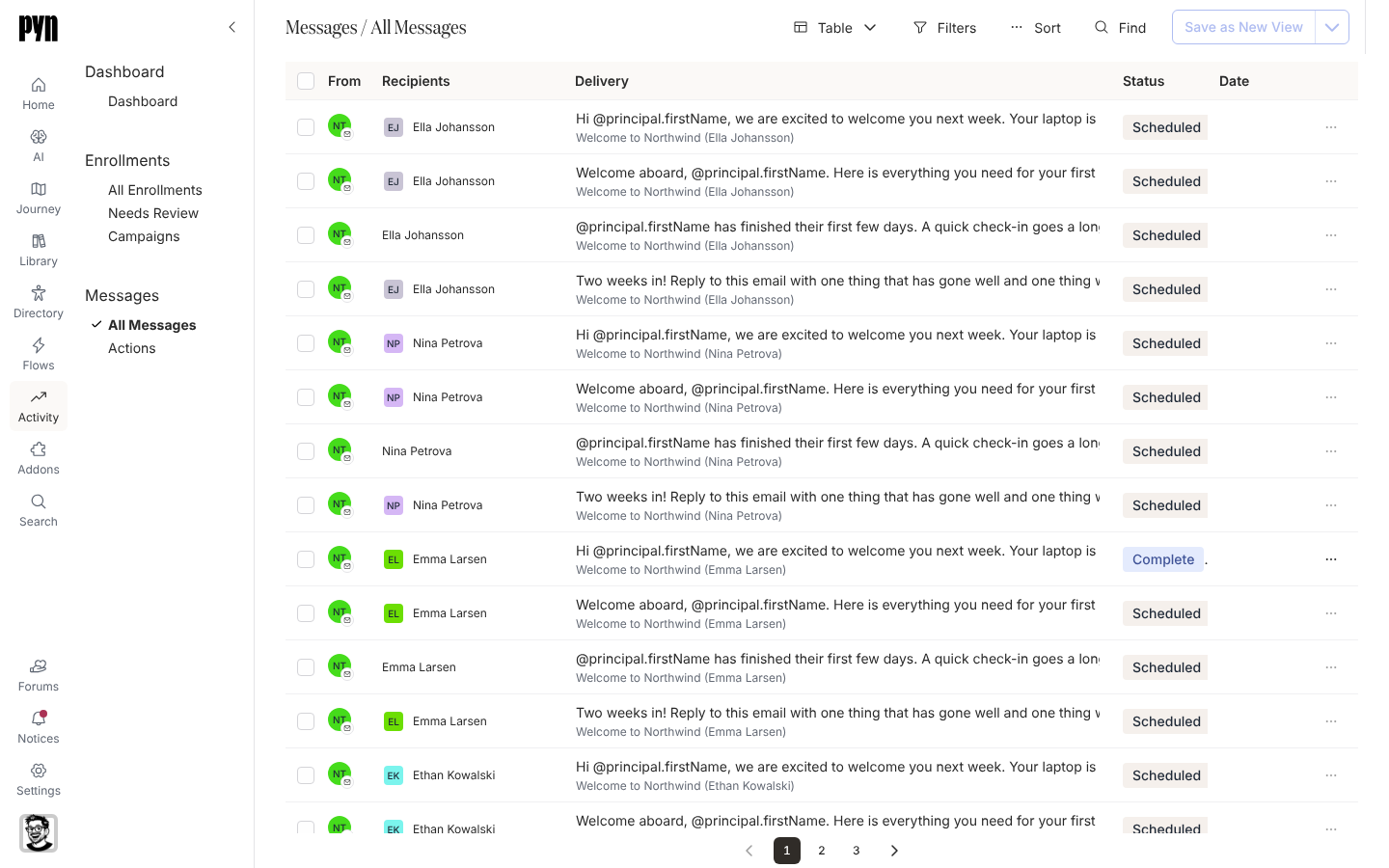
The table
Section titled “The table”| Column | What it shows |
|---|---|
| From | The sender’s avatar. |
| Recipients | The people or channel the step sends to. |
| Delivery | The message text, and the enrollment it belongs to. |
| Status | Draft, Scheduled, Sending or Complete; red with Completed with bounces when a delivery bounced. |
| Date | When it sent, or when it is scheduled to. |
Filters offers Status; Find searches the text. A Complete step’s menu offers Archive, which hides it from the list.
What you can do here
Section titled “What you can do here”- Read a message as it was sent: the step page, with a recipient selector and an export of its deliveries.
- Resend a bounced message from the step page or from a notice.
- Pause a scheduled message or schedule a draft one.
- Actions narrows the same deliveries to the ones that asked for something.
Where it is in the app
Section titled “Where it is in the app”Open Activity in the left navigation and select All Messages under Messages. A step opens at /activity/step/<id>, and a delivery at /activity/step/<id>/<delivery>.
Related
Section titled “Related”- Enrollments for the same steps grouped by person.
- Actions for deliveries that asked for an action.
- Enrollment, step and delivery statuses for every status.