

Set notification emails
Every bounce, expired token and rejected webhook payload lands in Notices. Three workspace settings decide which of those also reach your inbox. They live behind the gear on the Notices page rather than under Settings.
Before you start
Section titled “Before you start”- You are an admin or owner; the gear only shows for those roles.
-
In Pyn, open Notices in the left navigation.
-
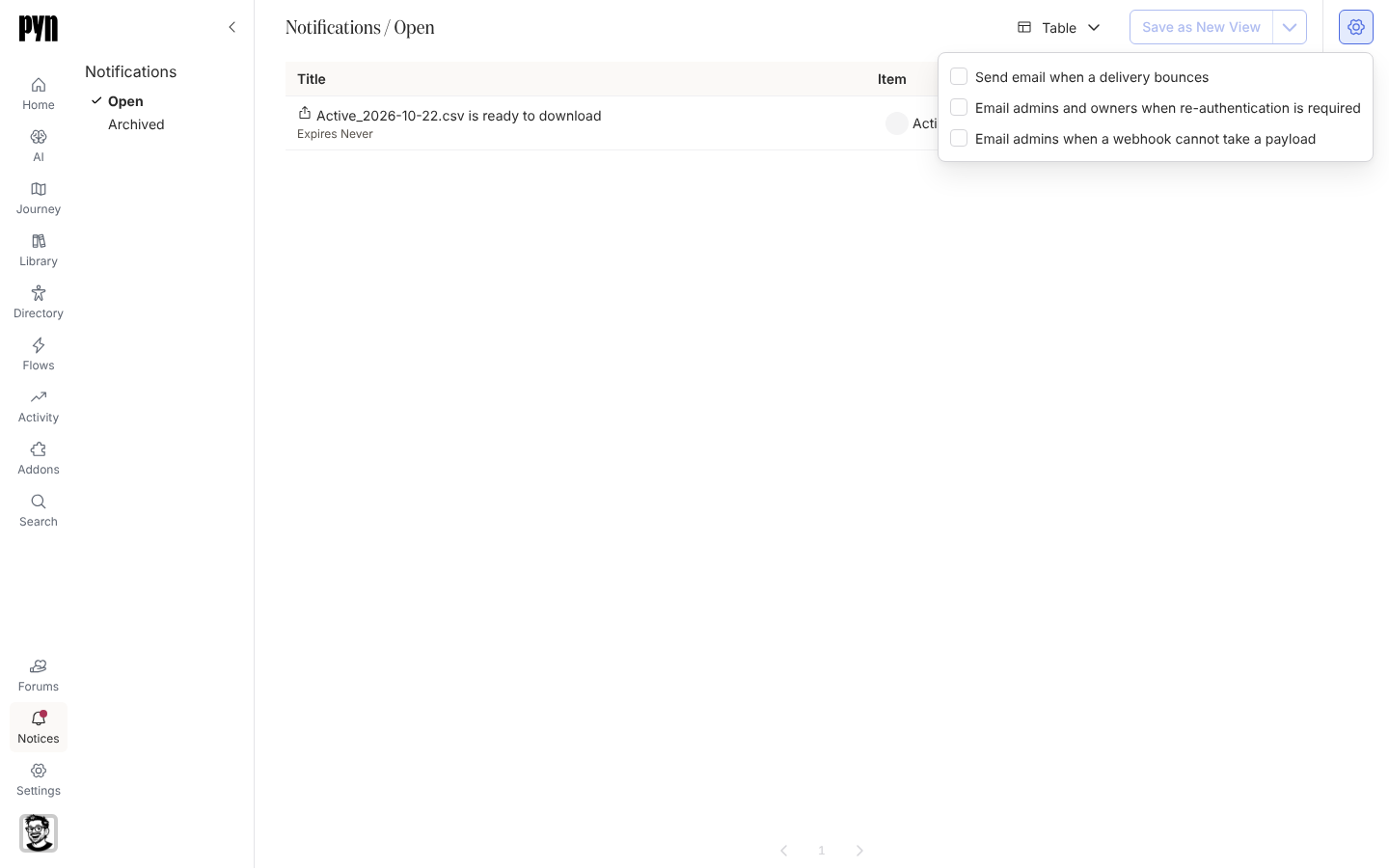
Select the Settings gear in the top right of the view.
-
Tick or untick each option:
- Send email when a delivery bounces
- Email admins and owners when re-authentication is required
- Email admins when a webhook cannot take a payload
-
Close the popover. Each change saves as you make it.
What you should see
Section titled “What you should see”The notices themselves keep arriving in the Open view regardless of these settings; the options only add email. The next bounce, re-authentication or webhook failure after you tick an option sends an email to the roles named on it.
Related
Section titled “Related”- Notices for reading, acting on and archiving notices.
- Fix a sender or integration that needs attention for the re-authentication case.
- Webhooks for what a rejected payload means.