

Plans and what each unlocks
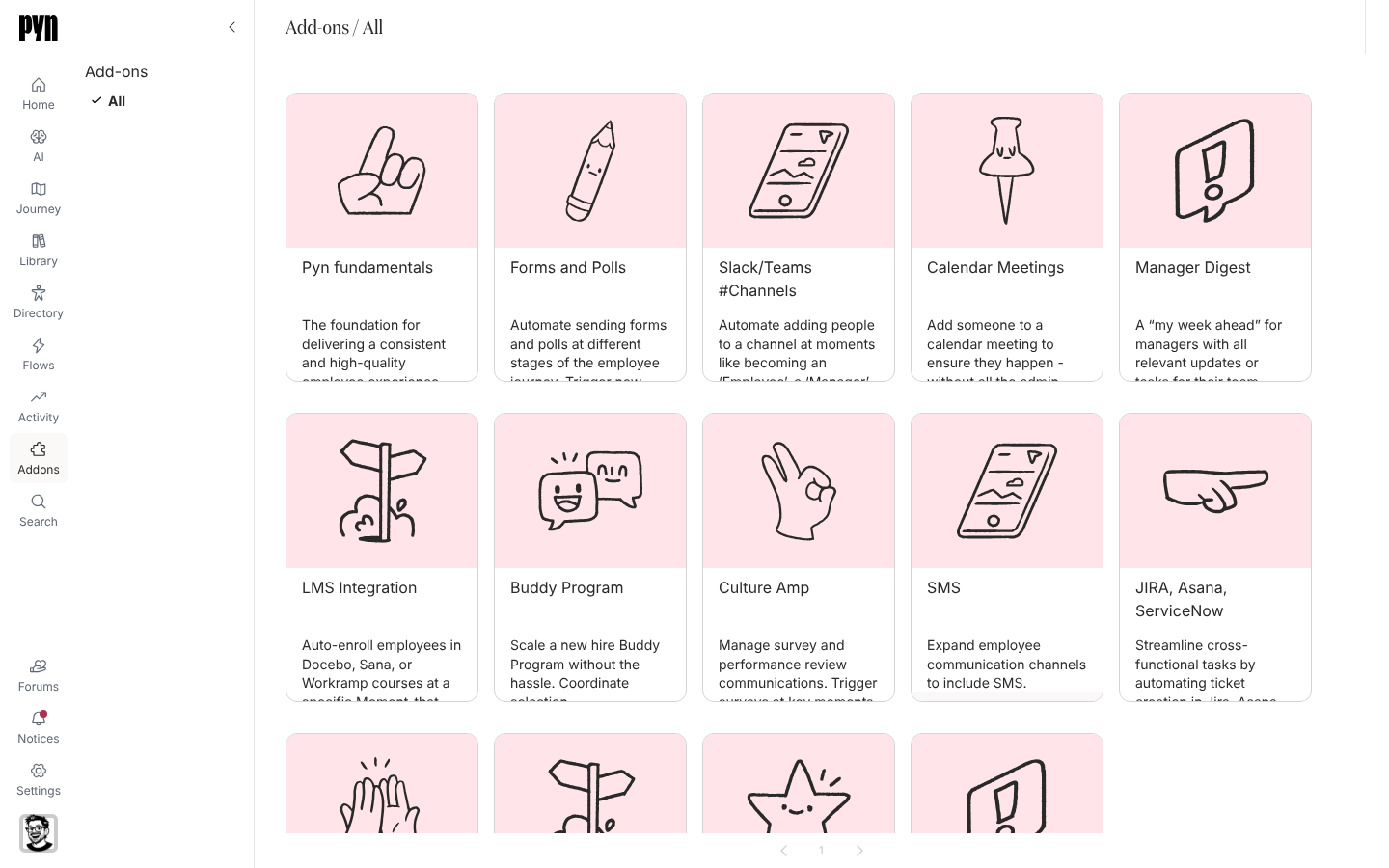
Every workspace is on one plan. The plan is set by Pyn, not from inside the app; what you can change from the app is to ask for an upgrade. The pages below describe what the app does differently on each plan, and how the Addons catalogue and the Compare plans dialog present the tiers.
The plans
Section titled “The plans”| Plan | Who is on it | What the app does |
|---|---|---|
| Free | New workspaces created from the sign-in page | One automation may be on at a time. Flows shows “Your plan includes one free automation!” with Activate an automation, and once one is on, “You’ve enabled your one free automation! Upgrade to create more and unlock additional features.” with Upgrade for unlimited automations. |
| Playground | Workspaces filled with sample data for exploring Pyn | Shows the You’re in Playground Mode banner with Exit; hidden from the Switch Workspace list. |
| Team | Paid customers | No automation limit. The Compare plans dialog calls this tier Scale. |
| Enterprise | Paid customers on an enterprise agreement | No automation limit. The AI item is left out of the navigation. Add-ons marked Enterprise Tier are included. |
| Classic | Workspaces migrated from Pyn 1 (Classic) | Marks a workspace that came from Pyn 1; it is not a plan you can choose. |
A workspace shows its plan nowhere as a label. The banner on Flows, the chips in Addons and the Your plan button in Compare plans are how you tell.
How add-ons show availability
Section titled “How add-ons show availability”Addons (Owners and Admins; /addons/all) is a gallery of capabilities. Each tile carries a footer:
| Footer | Meaning | What opening the tile offers |
|---|---|---|
| Installed | The add-on is on in this workspace | “Congratulations! This Addon is installed and working in this Workspace.” |
| Upgrade Available | Part of the Team (Scale) tier and off in this workspace | An Upgrade button that puts you on the waitlist; the tile then reads “Addon Requested! We’ll be in touch soon with next steps.” |
| Enterprise Tier | Part of the Enterprise tier | A Request Demo button |
The catalogue, with the tier each add-on belongs to:
| Add-on | Tier |
|---|---|
| Pyn fundamentals | Free |
| Forms and Polls | Team |
| Buddy Program | Team |
| JIRA, Asana, ServiceNow | Team |
| Culture Amp | Team |
| Security Compliance | Team |
| Slack/Teams #Channels | Enterprise |
| Calendar Meetings | Enterprise |
| Manager Digest | Enterprise |
| LMS Integration | Enterprise |
| SMS | Enterprise |
| Mentor Program | Enterprise |
| Personalized Note | Enterprise |
| Custom Code | Enterprise |
The Compare plans dialog
Section titled “The Compare plans dialog”Upgrade for unlimited automations on the Flows banner opens Compare plans, with a Monthly / Yearly switch and three columns; the middle one is marked Recommended.
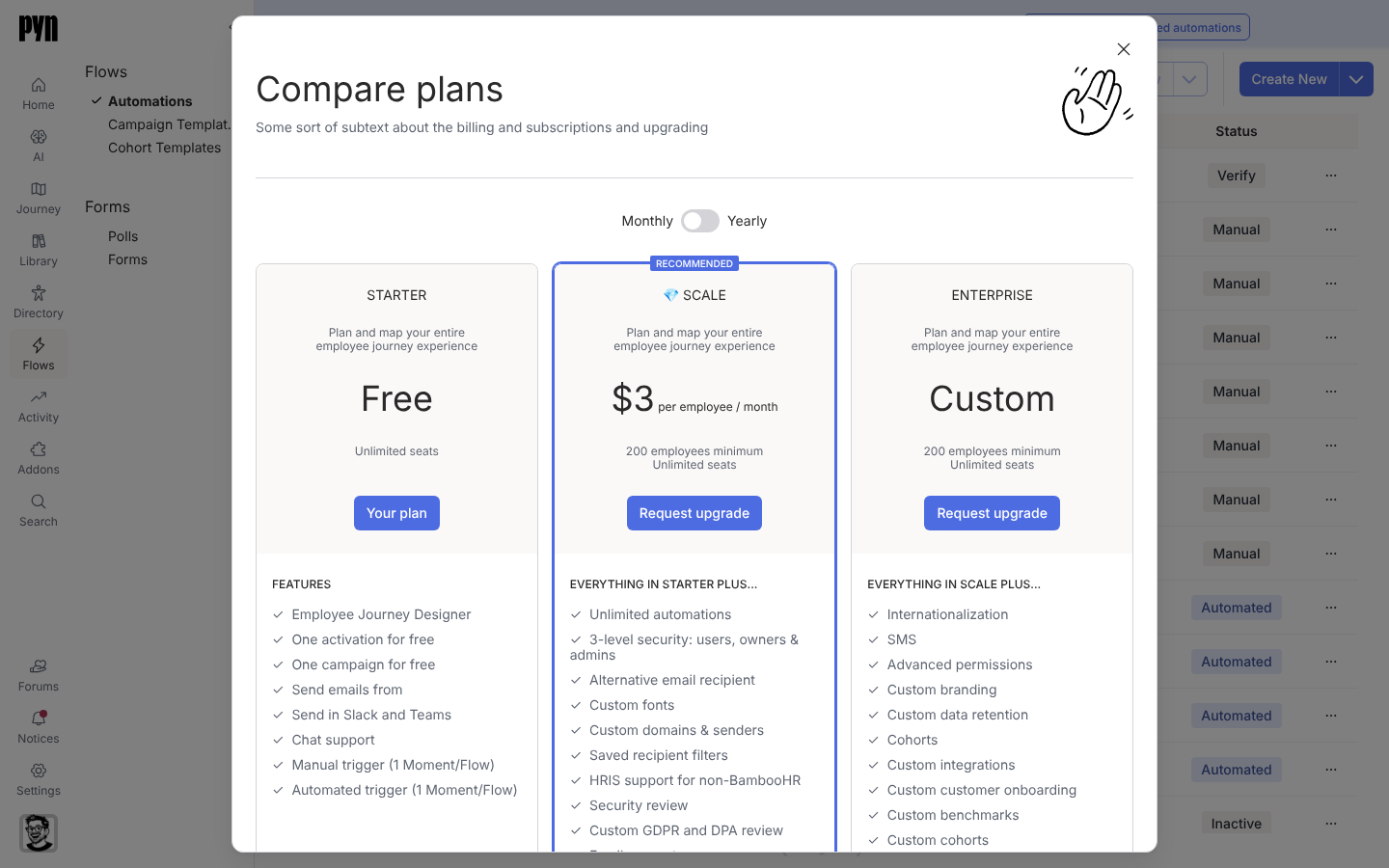
| Column | Price shown | Listed features |
|---|---|---|
| Starter (the free plan; marked Your plan) | Free, unlimited seats | Employee Journey Designer; one activation and one campaign for free; send emails, Slack and Teams; chat support; one manual and one automated trigger |
| Scale (the Team plan) | Per employee per month, 200 employees minimum, unlimited seats | Everything in Starter plus unlimited automations, three-level security, alternative email recipient, custom fonts, custom domains and senders, saved recipient filters, HRIS support beyond BambooHR, security review, GDPR and DPA review, email support |
| Enterprise | Custom | Everything in Scale plus internationalisation, SMS, advanced permissions, custom branding, data retention, cohorts, custom integrations and onboarding, benchmarks, support SLAs, payment terms, a support Slack channel, a dedicated CS partner, buddy automation, conditional senders |
Both paid columns end in Request upgrade. The dialog is a summary for comparison; the plan tables above describe what the app enforces.
Asking for an upgrade
Section titled “Asking for an upgrade”- Request upgrade in Compare plans, Upgrade or Request Demo on an add-on, and Contact Sales in the profile menu all open a request to Pyn’s sales team.
- A paid feature seen in a free workspace carries a 💎 line saying it is a paid feature, that you can view it in the Playground, and offering a contact sales link that opens the same request.
Related
Section titled “Related”- Addons for each add-on in detail.
- Automations for the one automation a free workspace runs.
- Workspaces for sandbox and playground workspaces.
- Profile for the Contact Sales item.