

Journey
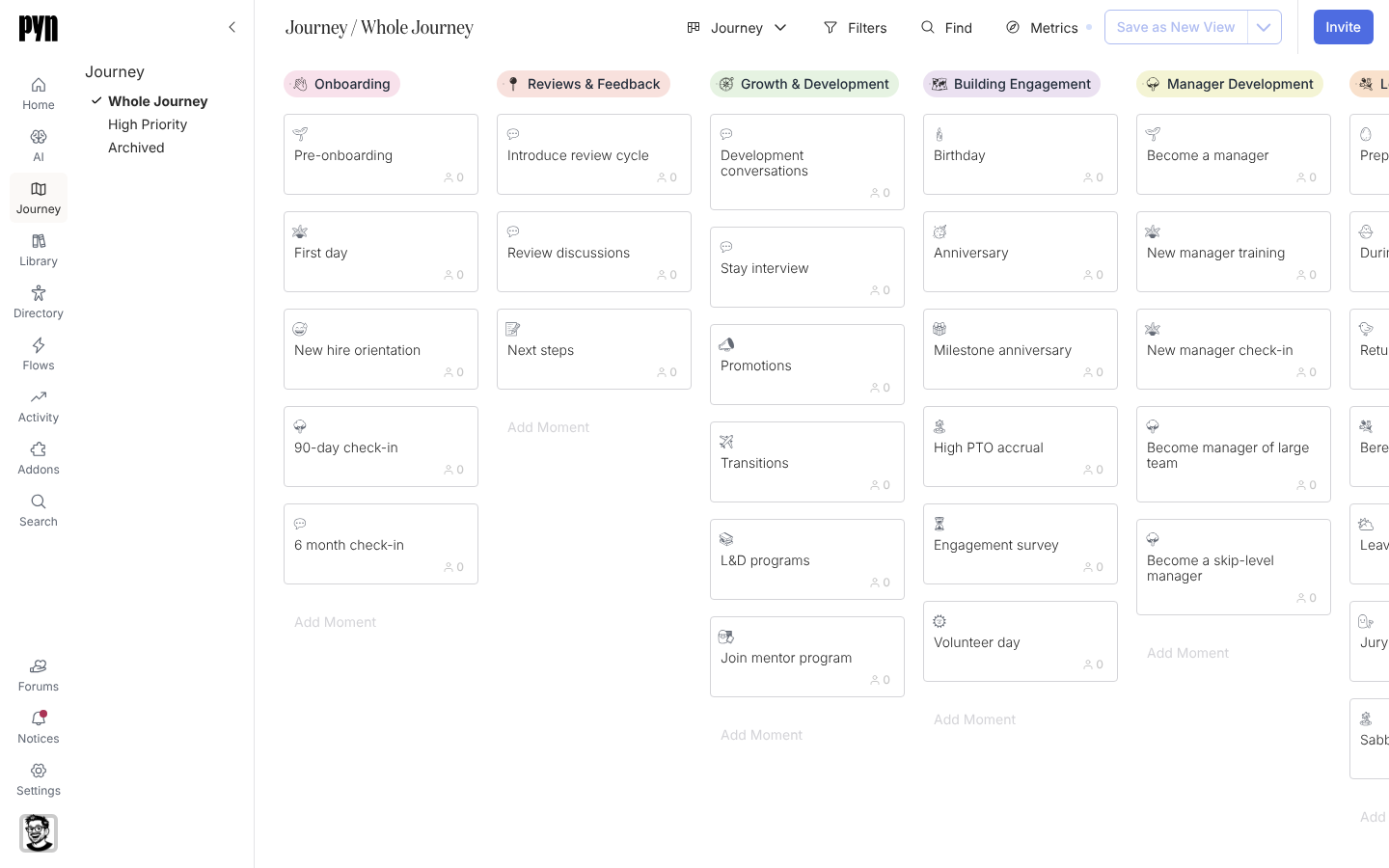
The Journey is a map of what employees experience at your company, from the first interview to alumni. It is laid out as a board: each column is a category such as Onboarding, and each card in it is a moment such as First day. Open a moment to see the flows and content behind it, mark how well you cover it today, and decide what to improve next.
Everyone in the workspace can read the Journey. Admins add, move and archive categories and moments.
Concepts
Section titled “Concepts”- Category: a column on the board that groups related moments, for example Onboarding or Leave and Life Events. A category has a title, an emoji, a colour and a description.
- Moment: a card inside a category that employees would recognise as one experience, for example 90-day check-in or Return from parental leave. A moment carries the properties you use to plan: Current State, Level of Effort, Priority, Department, an Owner and Stakeholders.
- Flows and content on a moment: automations, campaign templates and library content are attached to moments. The moment’s Flows and Content tabs list them, and the template catalogue offers more to add.
- Views: the Journey ships with three views, Whole Journey, High Priority and Archived. Filters, Find and Metrics change what you see; Save as New View keeps that as a view of your own.
- Metrics: each card shows a number for the chosen metric (Employees, Deliveries, Clicks or Actions) over a date range, so the map doubles as a report.
What you can do here
Section titled “What you can do here”- Build the map: Add a category, Add a moment, Reorder moments and categories, Archive a moment.
- Plan: Set a moment’s properties, Filter the map, Save a view.
- Act: Attach a flow or content to a moment.
- Report: Read journey metrics, Export the map as an image.
Tutorial: build your journey mapPrioritise the moments that matter, then attach flows to them. About 30 minutes.
Reference: moment propertiesEvery option on a moment and what it means, plus the three views.
Where it is in the app
Section titled “Where it is in the app”Open Journey in the primary navigation on the left of every page, or open /journey/home. It lands on Whole Journey; the other views are listed under Journey in the left rail.
Related
Section titled “Related”- Build your journey map to go from the starter map to a prioritised plan with flows attached.
- Moment properties for the meaning of every option on a moment.
- Flows for the automations and campaign templates a moment points to.
- Library for the content a moment points to.