

Context
Context is what the agents know. In the preview it is built from a sample organisation: 500 employees across departments and countries, each tagged with the journey moments that apply to them right now, such as First day, 90-day check-in, Birthday or Return from parental leave. The moments are the same vocabulary as the Journey map.
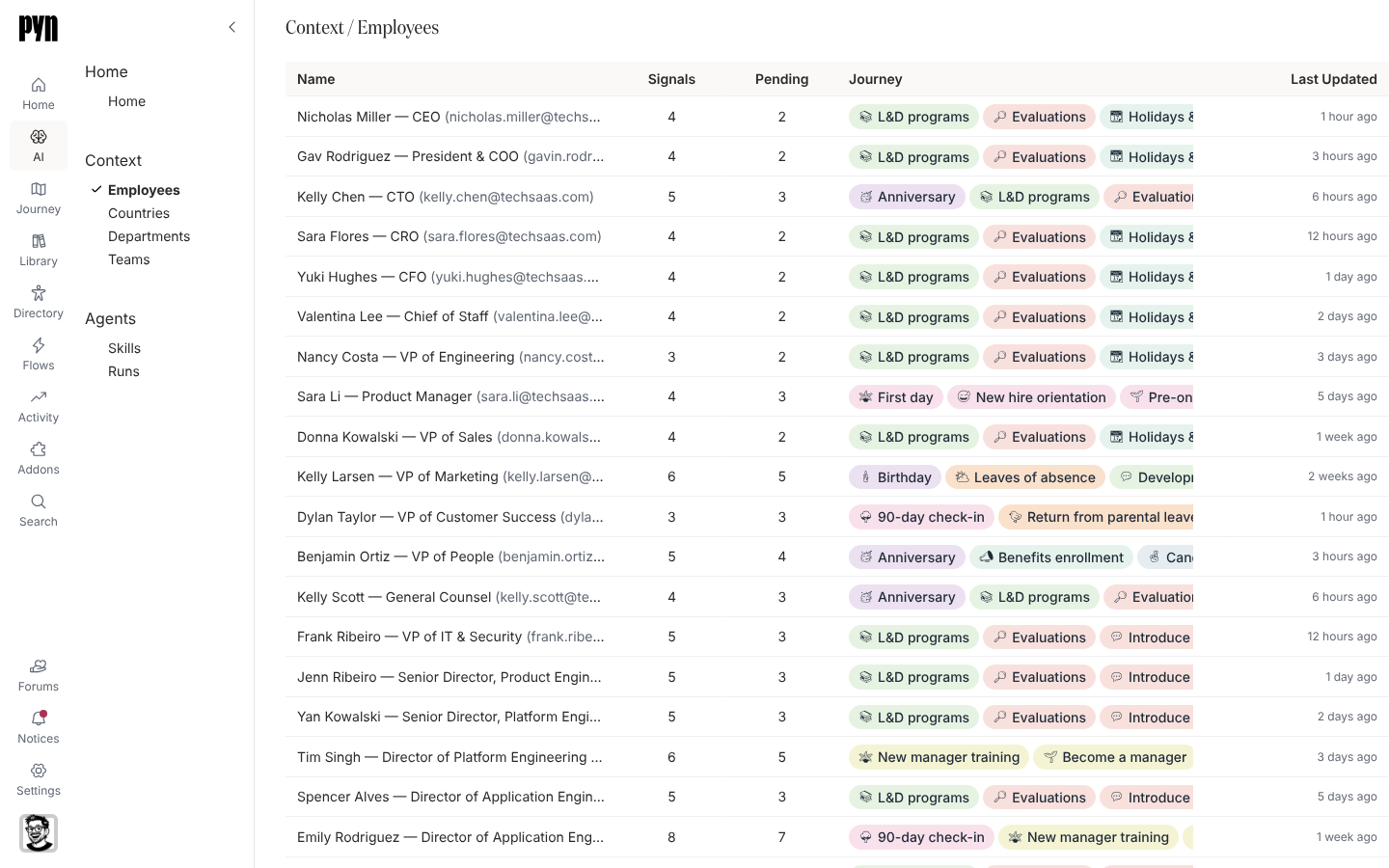
Employees
Section titled “Employees”The Employees view is a table with Name (name, title and primary email), Signals (how many moments apply), Pending (how many of those call for an action; holidays and high leave accrual are informational), Journey (a chip per moment) and Last Updated. Select a row to open the person’s Employee Context page.
The Employee Context page
Section titled “The Employee Context page”The page opens with Back, the title Employee Context and a Canvas / Timeline switcher. Below are:
- a summary of the person: role, department, country, manager and start date;
- an AI summary paragraph;
- one block per moment that applies to them, in a fixed order: offboarding, onboarding, then birthday, anniversary, leave request, return from parental leave, 90-day and 6-month check-ins, performance review, career, promotion, training, benefits, survey, wellbeing and recruiting;
- the same blocks for each of their direct reports.
Each block opens a drawer with the moment’s details (for example Leave Type, Dates, Remaining Balance and Coverage for a leave request) and a primary action with alternatives: Approve with Decline and Request More Info; Schedule; Remind; Buy Gift; View Journey; Plan; Start; Message.
Countries and departments
Section titled “Countries and departments”Countries lists each country in the sample. A country’s page shows Upcoming Holidays for it and a table of its employees with Name, Title and Primary Email. Departments lists each department; a department’s page tables its employees with Country and Time Zone as well.
Teams opens an empty page with no list behind it.
Where it is in the app
Section titled “Where it is in the app”Open /ai/context/employees, /ai/context/countries or /ai/context/departments in Pyn, or select AI in the left navigation and then the view under Context.