

Notices
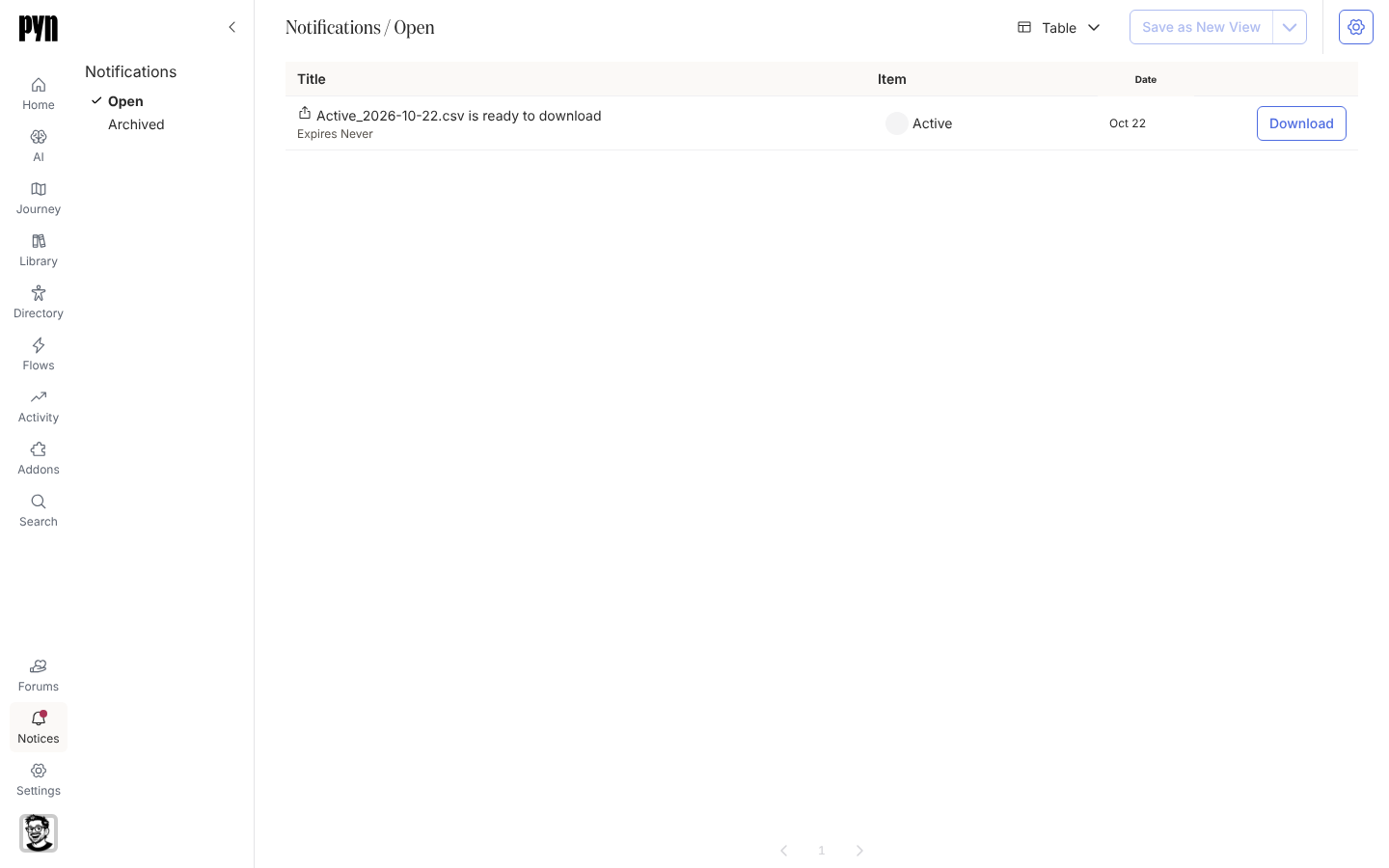
Most of what Pyn does needs nobody’s attention. When something does, Pyn raises a notice: it appears under Notices in the left navigation with a count on the badge, and, for the kinds you choose, as an email to admins. A notice names what happened, points at the item it concerns, and carries the action that resolves it: Resend for a bounce, Download for a file, Archive for anything you have dealt with.
Everyone sees the notices addressed to them. Notices about re-authentication and webhooks go to admins and owners; bounce notices go to the workspace owner and, when the setting is on, to every admin; a download goes to the person who asked for it.
Concepts
Section titled “Concepts”- Notice: a title and a message, raised by an integration, a sender or an export, with a Date of when it last happened. The same problem recurring updates the existing notice rather than adding another.
- Item: what the notice is about: the sender whose delivery bounced, the integration whose credentials expired, the view that was exported. Shown in the Item column and linked from the notice’s panel.
- Open and Archived: a notice stays in Open until you archive it or its action resolves it; Archived keeps the history.
- Email: three workspace settings decide which notices are also emailed, to admins and owners, from
notifications@pynhq.com.
What you can do here
Section titled “What you can do here”- Read and archive notices to work through Open.
- Resend bounced deliveries from a notice in one go.
- Download an export before it expires.
- Choose which notices are emailed to admins.
Where it is in the app
Section titled “Where it is in the app”Open Notices in the primary navigation on the left of every page, or open /notifications/home. The page header reads Notifications. It lands on Open; Archived is beside it. The table has Title, Item, Date and an action column. The gear button at the top right, shown to admins, holds the email settings.
Related
Section titled “Related”- Read and archive notices for the everyday routine.
- Notice types for what each one means.
- Resend a bounced message for the Activity side of a bounce.
- Settings for the senders and integrations notices point at.