

Get help inside Pyn
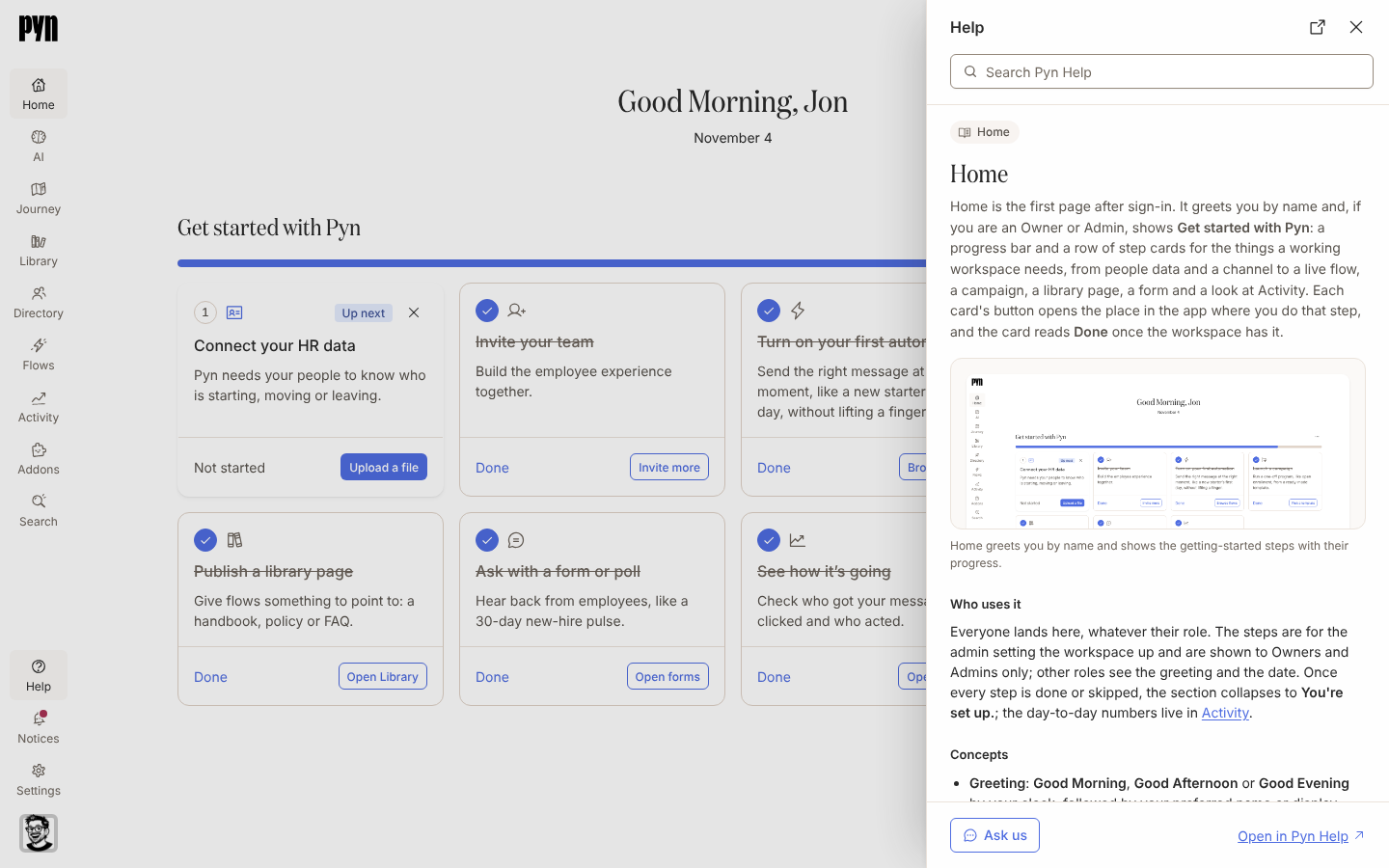
You are on a page in Pyn and want to know what a button does without leaving it. Help, in the left navigation, opens a sheet over the page with the Pyn Help guide for where you are; the guides are the same ones on this site.
Before you start
Section titled “Before you start”- Every role sees Help. It is not offered on the sign-in pages, on the message reader a recipient opens from an email, or on the page where someone answers a form or poll.
-
In Pyn, select Help in the left navigation, above Notices, or press
?anywhere you are not typing in a field. In a full-screen editor, such as an automation, form or content editor, select the Help button, a question mark in the bottom-left corner of the page. On a phone, select the Help button at the end of the back strip at the top of the page. -
Read the guide. It opens on the page you are on: if an employee or another item is open in a panel, the guide for that item; otherwise the guide for the view, or the overview of the area.
-
To find something else, type in Search Pyn Help at the top of the sheet. Results list as you type, each with its description; select one to read it. A search with no match reads Nothing matches “your words”.
-
Follow a link under Related to move to a neighbouring guide, or a link inside the guide itself.
-
Select Ask us at the bottom to open a chat with Pyn support, or Open in Pyn Help to open the same guide on this site in a new tab.
-
Press
Esc, or select Help in the navigation again, to close it.
What you should see
Section titled “What you should see”A sheet headed Help opens over the right side of the page, and over any panel that is already open. It holds the search field, the guide’s area and section above its title, the guide with its screenshots and videos, a Related list, and Ask us and Open in Pyn Help at the bottom. On a screen narrower than 768 pixels the sheet fills the screen. The Help item in the navigation is highlighted while the sheet is open; selecting it again closes the sheet.
Related
Section titled “Related”- Navigate Pyn for the other items in the left navigation.
- Home for the page the first item opens.
- Getting started for the guides the sheet opens on when a page has none of its own.