

Conditional Senders
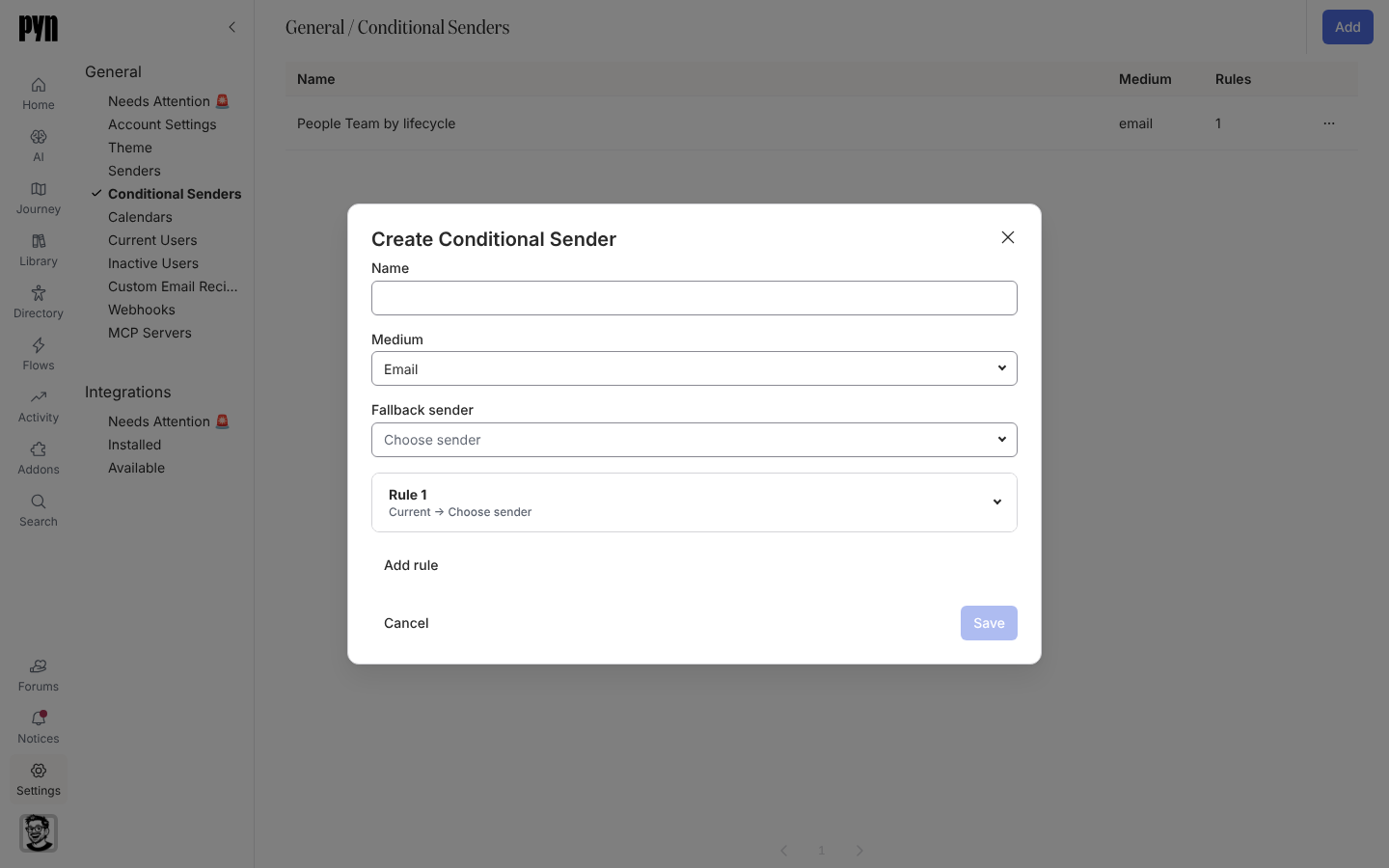
A conditional sender is a sender made of rules. Each rule pairs an audience with a sender; Pyn walks the rules in order and the first one the recipient matches decides who the message comes from. If no rule matches, the fallback sender is used. On a step, a conditional sender appears in the From list like any other sender.
How matching works
Section titled “How matching works”- A rule’s audience is the same shape as a step audience: lifecycle stages, plus included and excluded groups. Included groups with the same parent match any one of them, groups with different parents must all match, and exclusions win. See How audiences match.
- Rules are checked top to bottom; the first match sends. Use Move rule up and Move rule down to set the order.
- The Fallback sender is required and is used when nothing matches.
- A conditional sender has one Medium (Email, Slack or Teams), chosen when you create it and fixed afterwards. Every rule and the fallback use senders of that medium.
- Up to 20 rules per conditional sender.
What you can do here
Section titled “What you can do here”- Create a conditional sender
- Select a row to edit its name, rules and fallback
- Archive one from its … menu
The table shows Name, Medium and the number of Rules. Conditional senders also appear in the main Senders view, labelled “Conditional · email” (or slack, teams), always with status Active.
Where it is in the app
Section titled “Where it is in the app”Open /settings/general/conditional-senders in Pyn, or open Settings in the primary navigation and select Conditional Senders under General.
Related
Section titled “Related”- Create a conditional sender for the steps.
- Senders for the senders rules point to.
- Employee groups to build the audiences rules use.