

Embed a form in a message
A form reaches people inside a message, not as a separate link you have to remember to send. Embedding it in a step ties every submission to that step’s enrollment, so Pyn knows who was asked, who answered and who still has not.
Before you start
Section titled “Before you start”- The form is published. Drafts do not appear in the list. See Build a form.
- The step is a Send Direct Message, Send Email to Employee or Post to Channel step in an automation or campaign.
-
In Pyn, open the automation from Flows, Automations, and select the step to open it in the drawer.
-
Write the message around the form first: what you are asking, why, and by when.
-
Place the cursor where the form goes, select Insert widget (the puzzle icon) in the toolbar, then Embed Form.
-
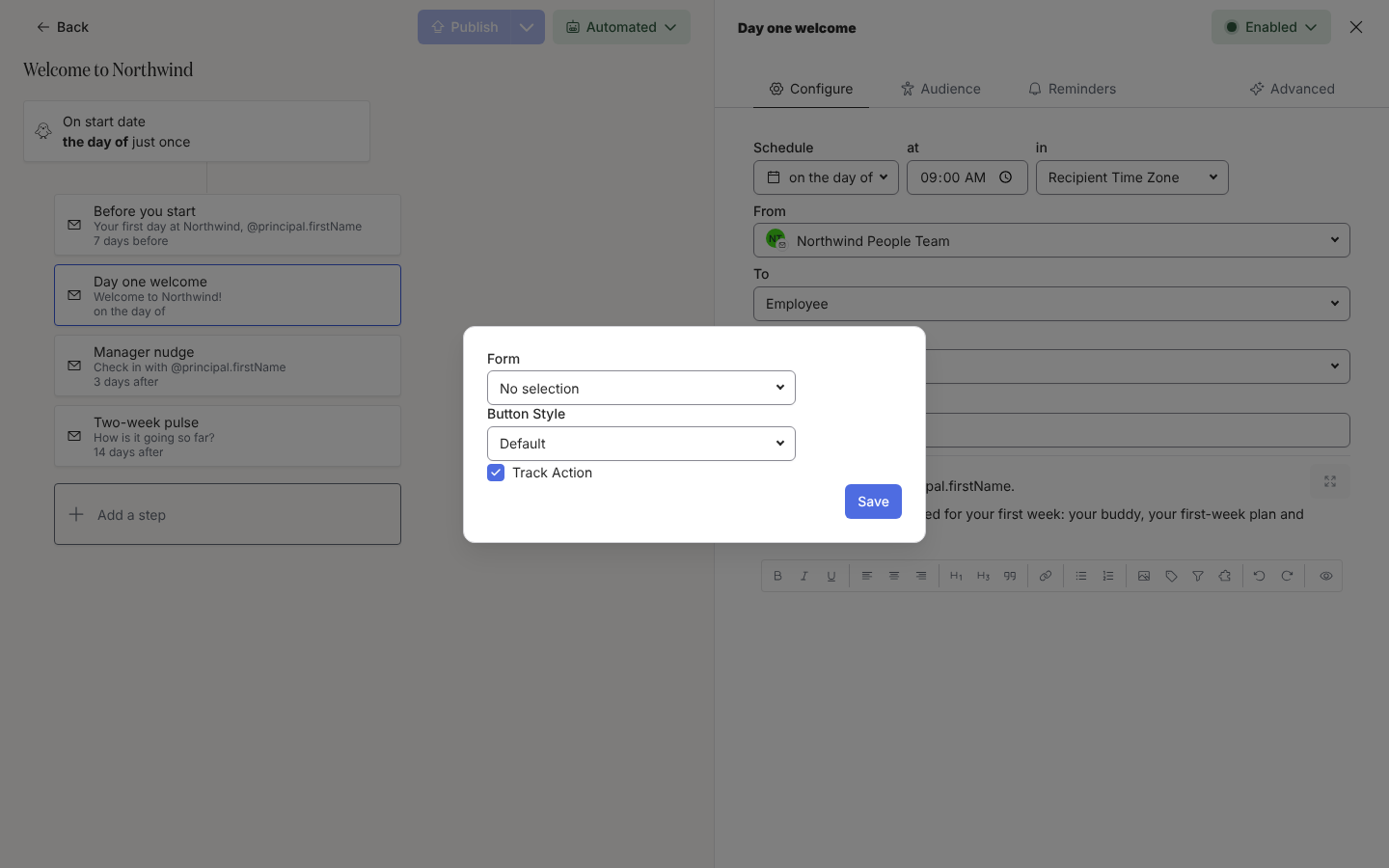
Under Form, open the list that reads No selection and select the form. Polls appear in the same list.
-
Choose a Button Style (Default, Primary, Danger) and keep Track Action ticked so a submission marks the step actioned.
-
Select Save. The form appears in the editor as a pill named after the form.
-
Select Preview, pick an employee under Preview for principal, then Send a test to yourself and answer the test. Select Publish on the automation.
How it renders
Section titled “How it renders”- Email: a button that opens the form on a page of its own (the respond page,
/respond/...), with the fields, Submit and then Submitted. Your response has been recorded. The link is personal to the recipient and does not expire. - Slack: the fields render inside the message. A Buddy or Mentor field is a Slack user picker; a Likert scale is a row of buttons.
- A form answered once reads as answered; a second visit to the link shows the recorded answers.
What you should see
Section titled “What you should see”Under Enrollments, the step’s delivery reads Delivered, then Actioned once the person submits. The submission appears in the form’s Activity drawer with the respondent’s name. Add a reminder on the step so people who have not answered are nudged: see Add reminders.
Related
Section titled “Related”- Build a form to create and publish the form.
- Add a button to a message for the other widgets.
- Add reminders to chase unanswered forms.
- Review and export submissions to read the answers.