

Set the audience for an automation
The audience is the filter between the trigger and an enrollment. When the trigger fires for someone, Pyn checks their lifecycle stage and group membership against the audience; only a match is enrolled. Use it to keep contractors out of onboarding, run a flow for one country, or send a recurring message to a single department.
Before you start
Section titled “Before you start”- Groups come from Directory > Employee Groups: demographic groups for each department, location and other HRIS values, plus filter, static and relationship groups you create. See Employee groups.
- Steps have their own Audience tab that narrows further for that step only. The trigger audience decides who is enrolled at all.
-
In Pyn, open Flows in the left navigation, then Automations, and select the automation.
-
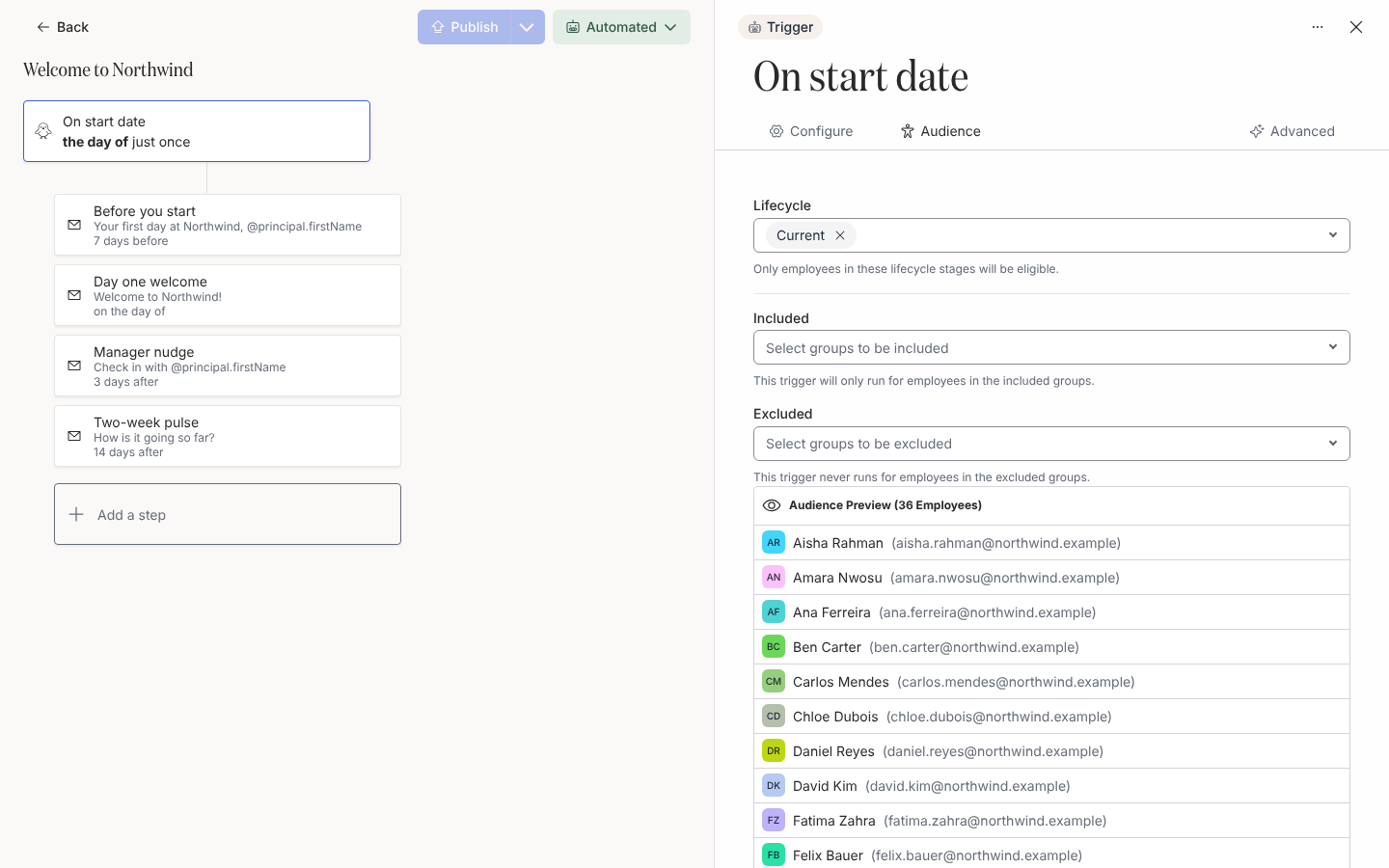
Select the trigger card at the top of the canvas, then the Audience tab in the drawer.
-
Under Lifecycle, pick the stages that are eligible: Current, Joiner, On leave, Terminated. The description reads “Only employees in these lifecycle stages will be eligible.” A flow that sends before the start date needs Joiner.
-
Under Included, pick the groups the flow runs for (“This trigger will only run for employees in the included groups.”). Leave it empty to include everyone in the chosen stages. When you need more than 500 groups, the picker searches as you type.
-
Under Excluded, pick the groups the flow never runs for (“This trigger never runs for employees in the excluded groups.”). An exclusion wins over an inclusion.
-
Check Audience Preview below the fields. It lists the employees who match the audience today, without regard to whether the trigger would fire for them.
-
Select Publish.
What you should see
Section titled “What you should see”After publishing, only employees who match the audience appear under Enrollments when the trigger fires. A step whose own audience excludes everyone shows the warning “The audience is empty, so this step is never sent.” A step scheduled before the start date whose audience lacks Joiner shows “Sent before the start date but the joiner isn’t in the audience.”
Related
Section titled “Related”- How audiences match for the full rule with worked examples.
- Employee groups to create and inspect the groups you filter by.
- Steps and messages for the per-step audience.
- Choose a trigger for what fires in the first place.