

Sample Data
Sample Data fills the Directory with a bundled roster of a fictional company so you can build groups, test flows and read Activity before connecting your HRIS. Reloading it puts the sample employees back the way they were, so experiments are cheap.
Before you start
Section titled “Before you start”- You are an admin or owner, and Sample Data is enabled for your workspace; the tile appears under Available only then. It is on for playground and trial workspaces.
- Sample employees live alongside anything else in the Directory. Use it in a trial or sandbox workspace rather than one that already has a real roster.
Connect
Section titled “Connect”-
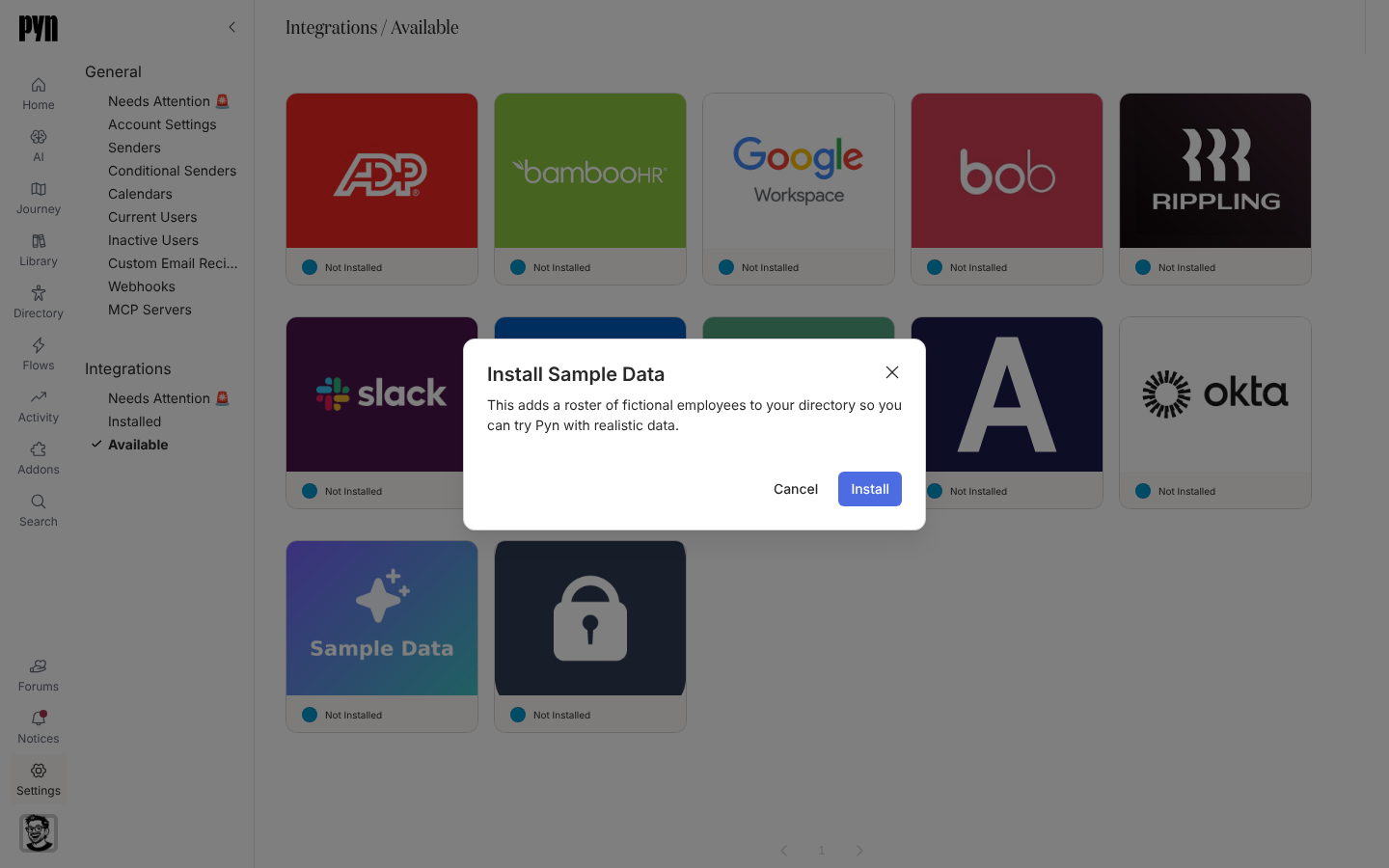
In Pyn, open Settings in the left navigation, then Available under Integrations.
-
Select the Sample Data tile. The Install Sample Data dialog explains “This adds a roster of fictional employees to your directory so you can try Pyn with realistic data.”
-
Select Install.
-
The panel opens and reads “Loading the sample roster. The fields and History fill in here as it lands.”
What syncs
Section titled “What syncs”A fixed roster of fictional employees with names, emails, start dates, departments, locations, time zones and reporting lines, enough to populate demographics, lifecycle groups and a journey map. There is no scheduled refresh. The Advanced tab lists Fields in Sample Data and History records each load.
Test it
Section titled “Test it”Open Employees a minute or two after installing. Then follow Getting started to build a first automation and enrol a sample employee.
Reconnect or disconnect
Section titled “Reconnect or disconnect”- Reload Sample Data in the panel resets the roster: “Reloading n sample employees. The History tab will show the result in a minute or two, after which the Directory reflects the reload.” If a reload is already running the button is disabled; a refused reload shows “The sample roster could not be reloaded. Please try again.”
- Deactivate keeps the employees but stops reloads; Archive removes the integration.
Troubleshooting
Section titled “Troubleshooting”| What you see | What it means |
|---|---|
| The tile is not under Available | Sample Data is not enabled for this workspace. Ask Pyn support, or use Employee File. |
| Sample employees appear next to real ones | Both sources are installed. Archive Sample Data before going live. |
Related
Section titled “Related”- Integrations for the catalogue.
- Employee File to load your own spreadsheet instead.
- Employees to see the roster.
- Getting started for what to try first.