

Sort the Flows list
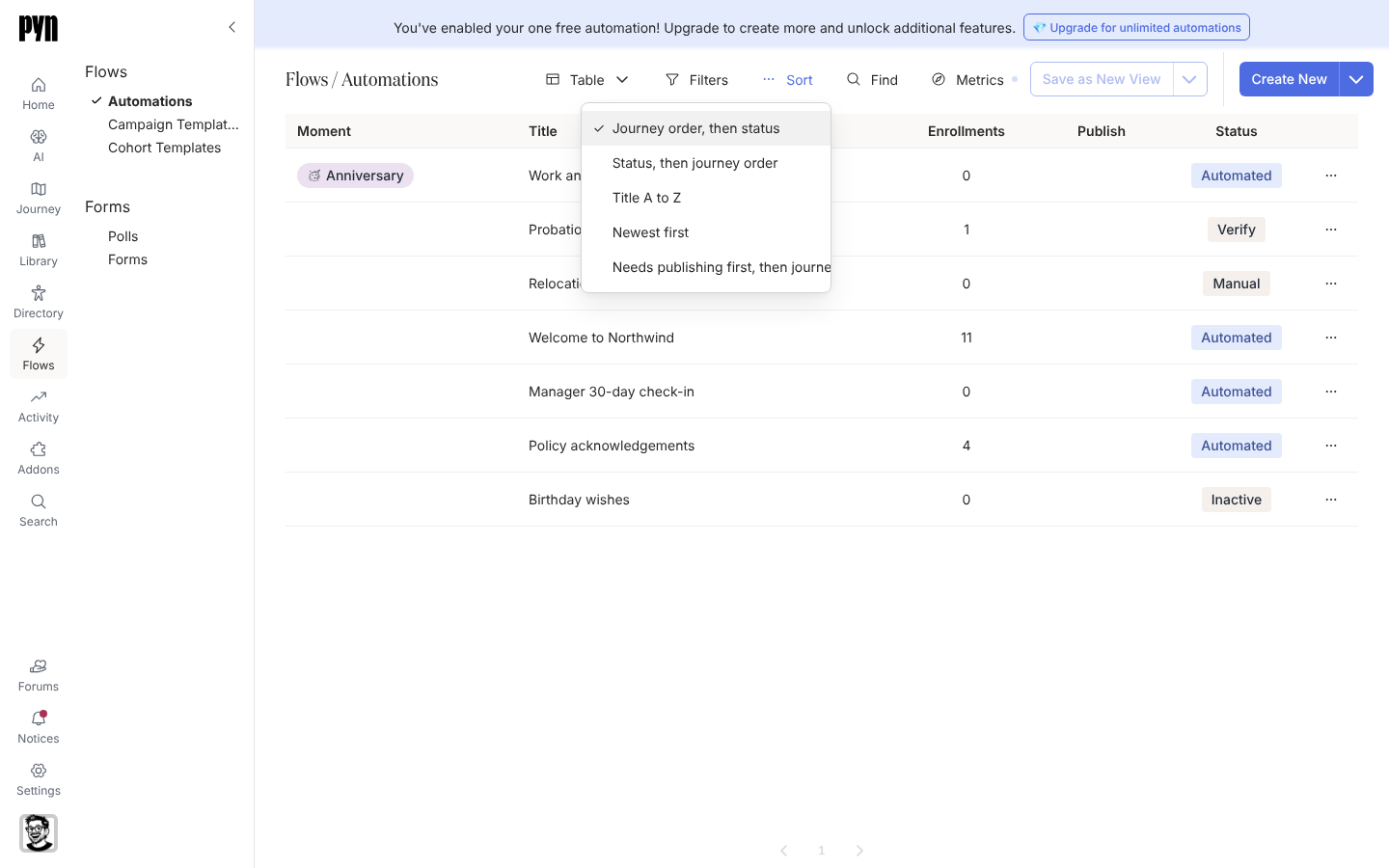
By default the table follows your journey map: categories and moments in map order, and within a moment the modes Verification, Manual, Automated, Inactive. Other orders help when you are tidying up, for example bringing every automation with unpublished changes to the top.
-
In Pyn, open Flows in the left navigation, then Automations.
-
Select Sort in the toolbar above the table.
-
Choose Journey order, then status, Status, then journey order, Title A to Z, Newest first or Needs publishing first, then journey order.
What you should see
Section titled “What you should see”The rows reorder at once. The choice lasts for your session; the table returns to journey order the next time you open Pyn. Use Filters and Find in the same toolbar to narrow the rows, and Metrics to pick the date range for the Enrollments column, which counts enrollments in that range and leaves out test enrollments.
Related
Section titled “Related”- Export the Flows list to take the table into a spreadsheet.
- Assign an automation to a moment to change where a row sits in journey order.
- Publish an automation to clear a row from “Needs publishing”.