

Create an auth link
You want a welcome message to come from the CEO, but the CEO is not a Pyn user and never will be. An auth link lets someone complete the Google or Slack connection for your workspace from a link you send them. They sign in to Google or Slack with the address you named, and the sender appears in your workspace.
Before you start
Section titled “Before you start”- You are an admin or owner.
- For a Slack link, the Slack integration is Active. With more than one Slack workspace connected you pick which one in the form.
- You know the exact email address the person uses in Google or Slack. The link works only for an account with that address.
-
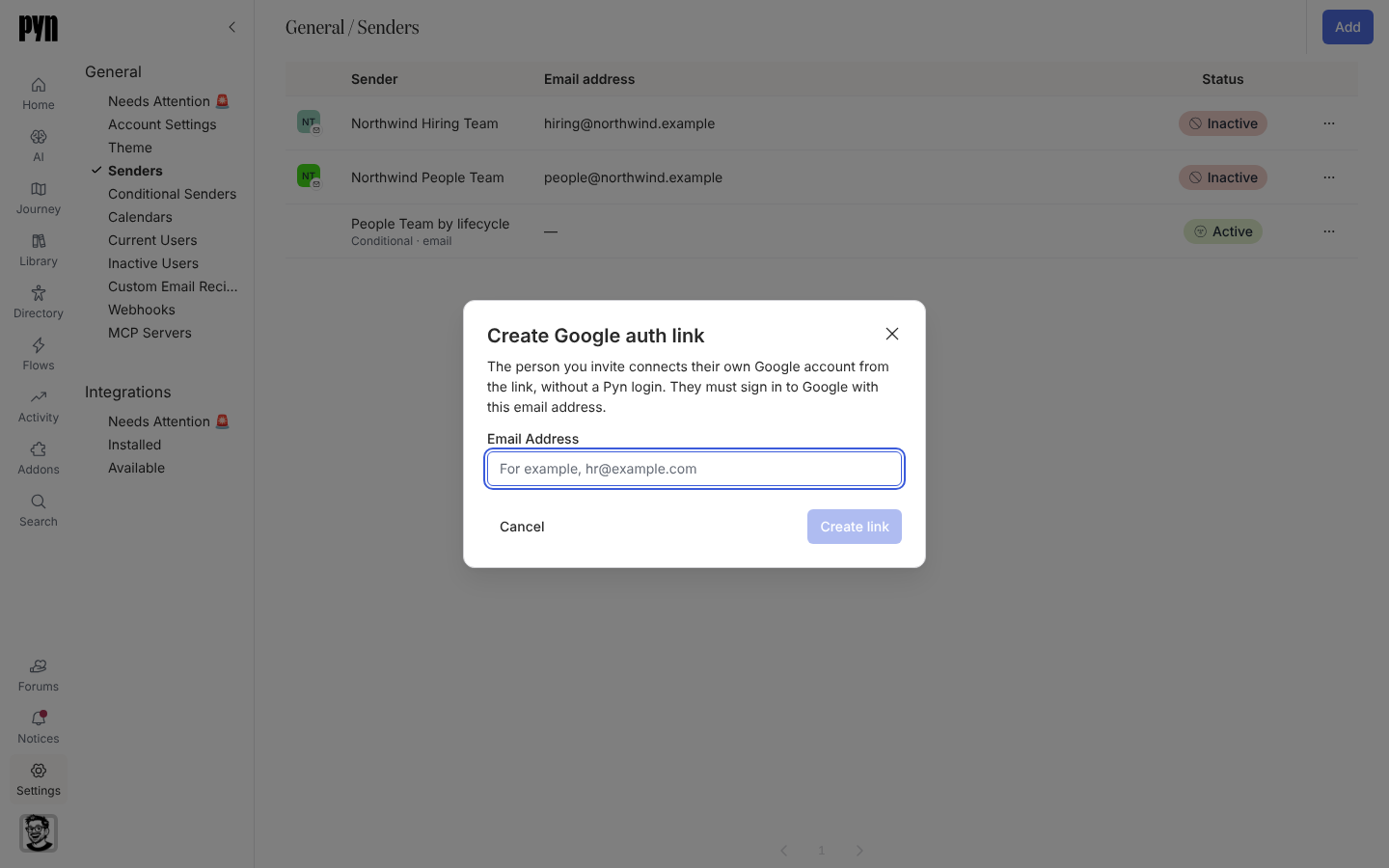
In Pyn, open Settings in the left navigation, then Senders under General.
-
Select Add, then Create Google Auth Link or Create Slack Auth Link.
-
Read the explanation: “The person you invite connects their own Google account from the link, without a Pyn login. They must sign in to Google with this email address.”
-
Enter their Email Address. For Slack, choose the Slack workspace if more than one is listed.
-
Select Create link. The dialog shows the link and reminds you: “Send this link to name@example.com. It works for 3 days, once, and only for a Google account with that email address.”
-
Copy the link and send it to the person yourself; Pyn does not email it. Select Done.
-
When they open the link, Google or Slack asks them to sign in and allow Pyn. Once they do, their sender appears in your Senders list.
What you should see
Section titled “What you should see”Once the person has finished, a new row appears under Senders with their name and address, status Active, and the sender is available in the From list of email or Slack steps. If the link is used after 3 days or a second time, the person sees an error and you create a fresh link. If the dialog itself reports “We could not create the link. Please try again.”, check the Slack integration is active and try again.
Related
Section titled “Related”- Senders for the senders list and statuses.
- Add a Google or Microsoft 365 sender when the person has a Pyn login.
- Add a Slack sender for the Slack equivalent.