

Configure a team change trigger
The Team and Org Changes triggers (other than Group Change) watch relationships: who someone’s buddy is, who they report to, who reports to them, which country group they are in and which Slack account they are matched to. They fire as soon as the relationship is written, with that day as the reference date, and have no offset or recurrence to set.
Before you start
Section titled “Before you start”- Relationships come from your HRIS sync (manager, and buddy or HRBP where the HRIS provides them), from the Employee File, and from forms with a Buddy or Mentor field. The trigger fires whichever way the relationship arrives.
- These triggers fire for changes after the first HRIS load. Existing managers are not treated as newly promoted when you connect your HRIS.
-
In Pyn, open Flows in the left navigation, then Automations. Select Create New and choose Team and Org Changes.
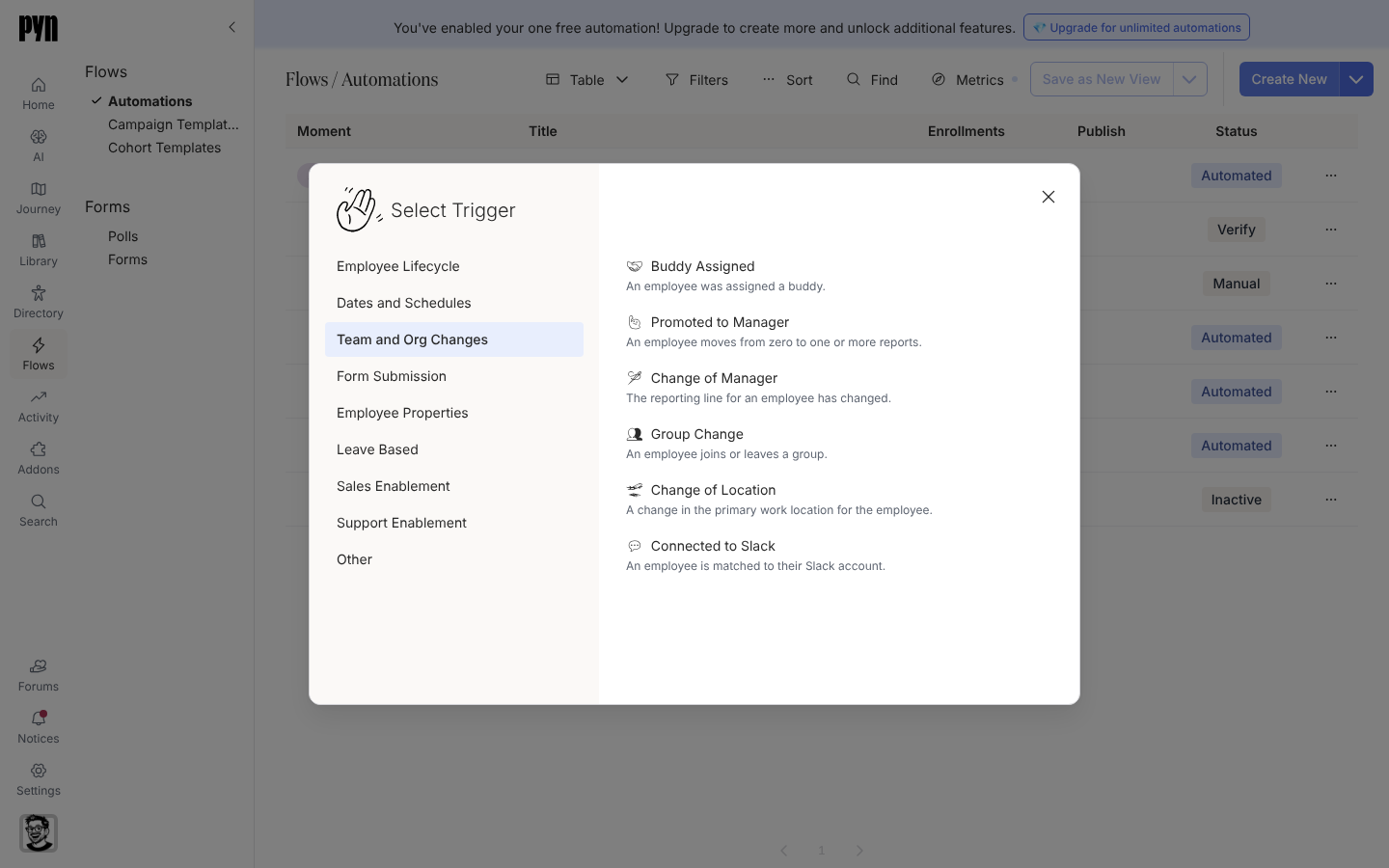
Team and Org Changes triggers fire the moment a relationship or group membership changes. -
Select the trigger that matches the change:
- Buddy Assigned: “An employee was assigned a buddy.” The principal is the new hire; the buddy is reachable as the Buddy recipient on every step.
- Promoted to Manager: “An employee moves from zero to one or more reports.” Fires once, when the first direct report appears. The principal is the new manager.
- Change of Manager: “The reporting line for an employee has changed.” The principal is the employee whose manager changed.
- Change of Location: “A change in the primary work location for the employee.” Fires when the employee joins a different country group.
- Connected to Slack: “An employee is matched to their Slack account.”
-
On Configure, read the description. It also says “Only … added after the first time the employee directory loads are included.”
-
Open Audience to limit the lifecycle stages or groups. Promoted to Manager and Change of Manager both default to a lifecycle of Current.
-
Add steps and select Publish.
What you should see
Section titled “What you should see”The day a relationship is written, the affected employee appears under Enrollments with that date as Reference Date. Steps scheduled on the day of send the same day at their scheduled time; a step whose time has already passed sends straight away.
Related
Section titled “Related”- Buddy programme for the Buddy Assigned trigger end to end.
- New-manager flow for Promoted to Manager.
- Trigger catalogue for defaults and the relation each trigger watches.
- Slack for how employees are matched to Slack accounts.