

Add a moment
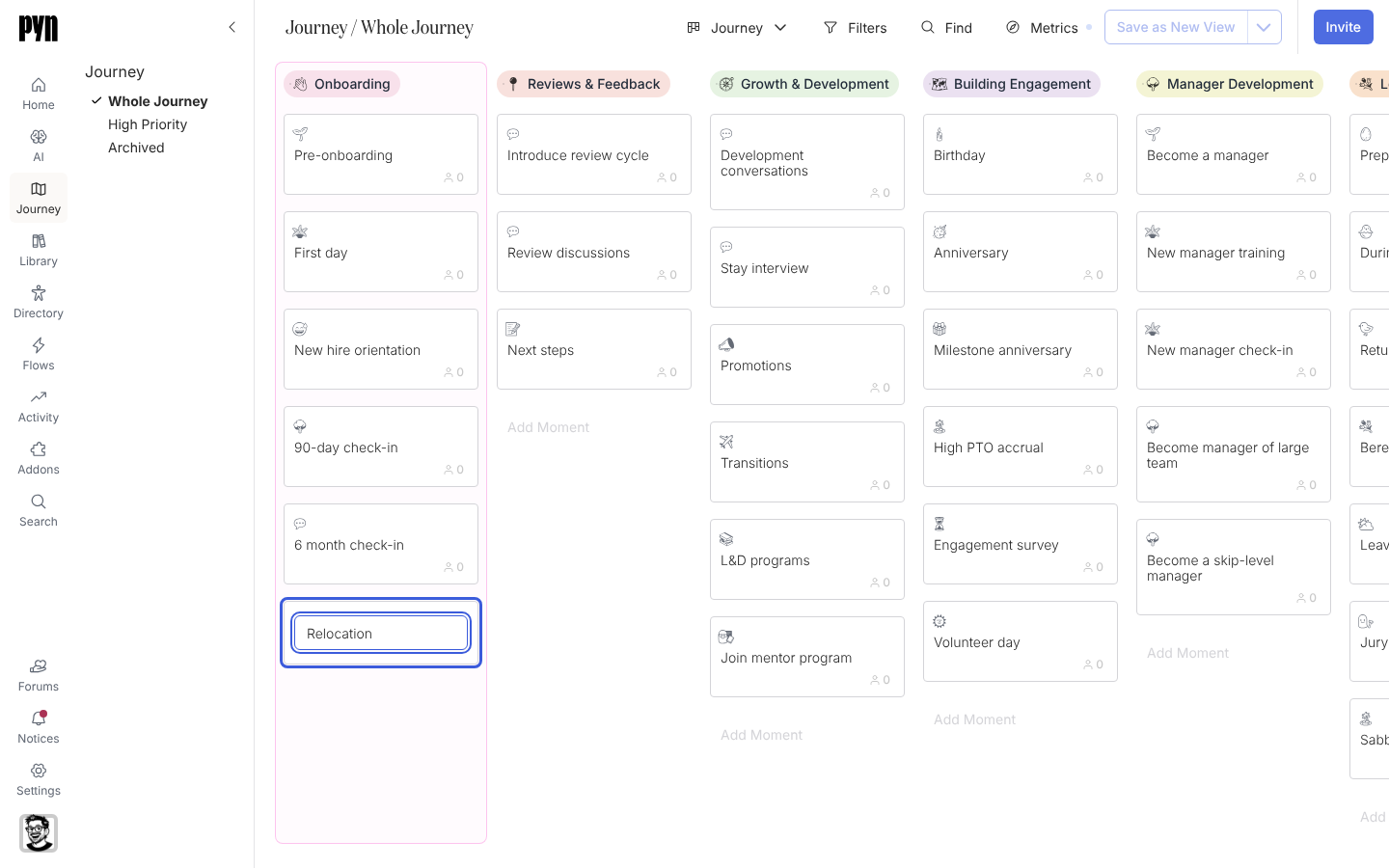
An experience your employees go through is missing from the map, for example “Relocation” or “Internal transfer”. You add it as a moment inside the category it belongs to.
Before you start
Section titled “Before you start”- You are a workspace admin.
- The category exists. If not, add a category first.
-
In Pyn, open Journey in the left navigation.
-
Find the category column the moment belongs to and select Add Moment at its foot. A draft card appears in its place.
-
Type the moment’s title into the draft card.
-
Press Enter, or select anywhere outside the card. The card becomes a moment at the foot of the column.
-
Select the new card to open its panel, then set its emoji, description and properties as described in Set a moment’s properties.
What you should see
Section titled “What you should see”The moment appears as the last card in its column, with the metric badge every card carries. Drag it up the column to place it in order, and open it to attach flows and content.
Related
Section titled “Related”- Set a moment’s properties to record its Current State, Priority, Level of Effort, Department and Owner.
- Add a category when the moment needs a new column.
- Attach a flow or content to a moment to put communications behind it.