

Remove a user's access
Someone has left or no longer needs Pyn. Archiving their user removes their access the moment their session ends, and their employee record in the Directory is untouched. Inviting the same email later restores them.
Before you start
Section titled “Before you start”- You are an admin or owner. Admins cannot archive an owner.
- If the person connected a Google, Microsoft 365 or Slack sender, decide what to do with it. Their sender keeps working until it needs re-authentication, which only they can do; see Archive a sender.
-
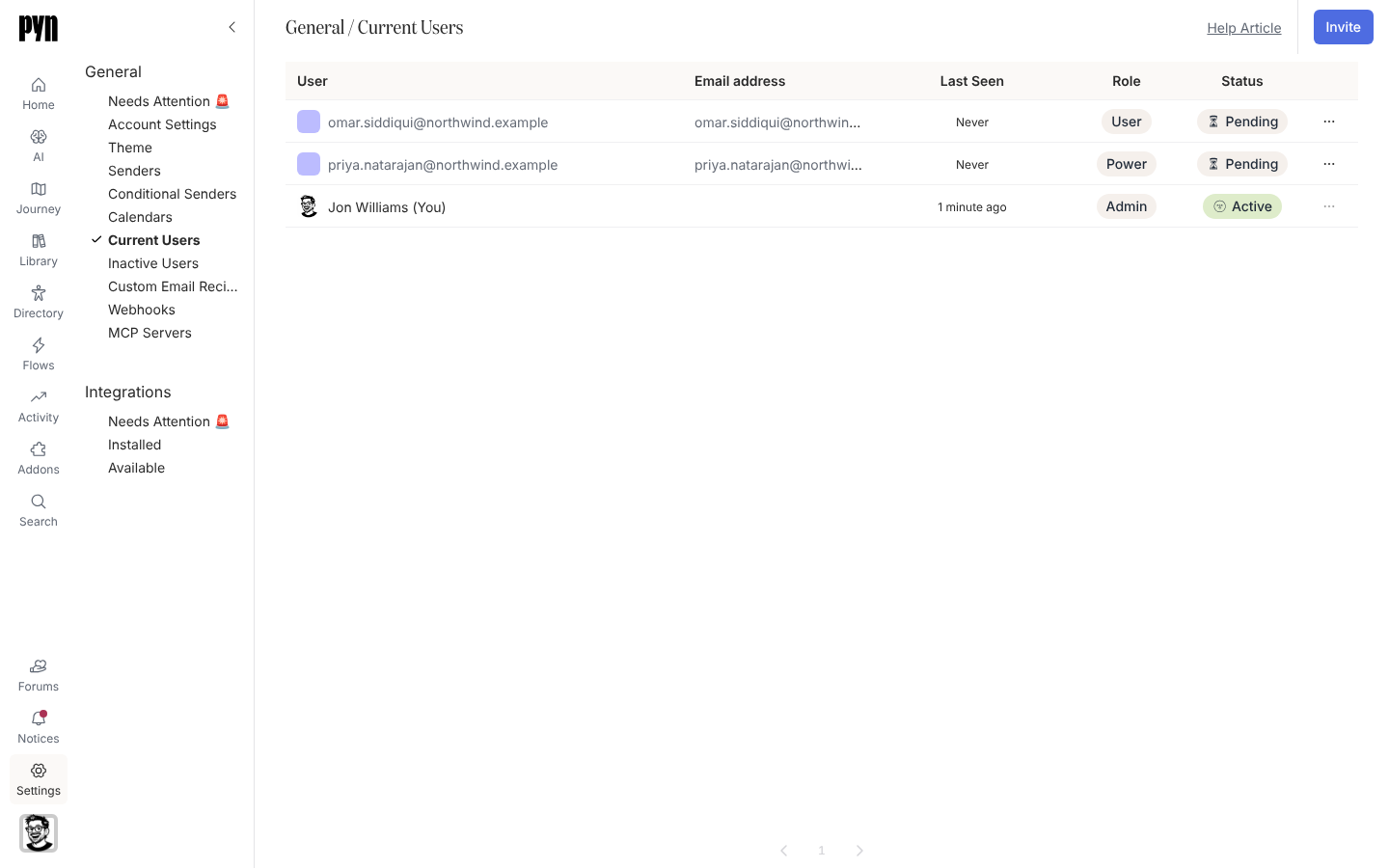
In Pyn, open Settings in the left navigation, then Current Users under General.
-
Find the user and open the … menu at the end of their row.
-
Select Archive, then confirm “Are you sure you want to archive this?” with Archive.
What you should see
Section titled “What you should see”The user leaves Current Users. Any session they had ends within 24 hours, which is how long a Pyn session lasts, and their next sign-in is refused. Accounts that were deactivated rather than archived appear under Inactive Users with status Inactive.
Related
Section titled “Related”- Users for the statuses and roles.
- Archive a sender for a sender the person owned.
- Employees for the person’s directory record, which is separate.