

ChangelogWeek of
See who has acted in the Actions view
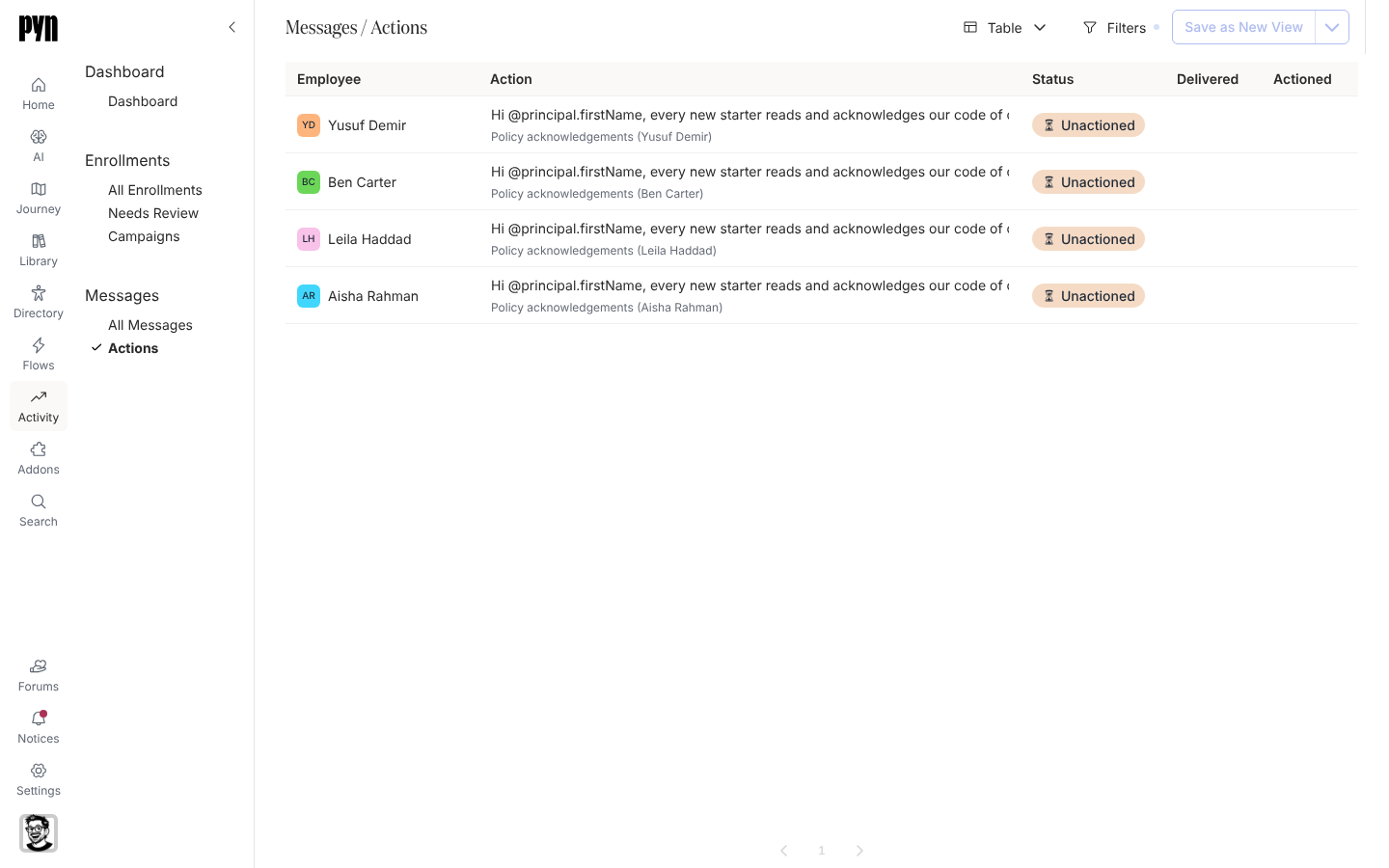
The new Actions view in Activity lists every message that asked an employee to do something: who was asked, what they were asked to do, and whether they clicked or completed it. Open it to see which acknowledgements, forms and tasks are still outstanding. Track actions
Templates when you need them
Section titled “Templates when you need them”Automation, campaign and content templates now wait in the catalogue until you add them, so your workspace holds only the ones you use. Add one from its list, or straight from a journey moment. Add a campaign template
Also new
Section titled “Also new”- BambooHR change notifications appear in the integration’s History, for workspaces with them turned on.
- Sign-in sessions expire one day after you sign in, and Pyn blocks requests from other websites that try to use your session.
Fixes and improvements 14
- HTML emails can now be published with unrecognized placeholders, which appear unchanged in the rendered email.
- Pyn now blocks browser requests identified as coming from another website that try to make changes using your signed-in session.
- Sign-in sessions now expire one day after signing in, even if you keep using Pyn or switch workspaces.
- Integration refresh dates now display the recorded refresh and successful refresh times instead of appearing unset.
- Campaign calendar dates remain readable when hovering over days without a filled background.
- Editing a form or poll title now enables publishing the change.
- Changes to automation and content titles now save reliably.
- Scheduling a step in a paused enrollment now moves the enrollment to pending.
- Edits to HTML content now save without being incorrectly blocked.
- Test messages now send successfully when the saved message contains HTML.
- Sessions now expire one day after sign-in, even when you switch workspaces.
- If exporting a journey as an image fails, the board returns to its normal layout and displays an error.
- Sending a test message now uses the saved step content so HTML messages no longer trigger request filtering that blocks the test.
- A failed journey image export now shows an error and restores the board so you can keep working without reloading.
Release notes: 6 October 2026 and 9 October 2026.