

ChangelogWeek of
Single sign-on and conditional senders
People can now sign in to Pyn with their work email through your company’s single sign-on. On the sign-in page they choose Continue with SSO, enter their work email, and Pyn hands them to your identity provider. Sign in with SSO
Conditional senders
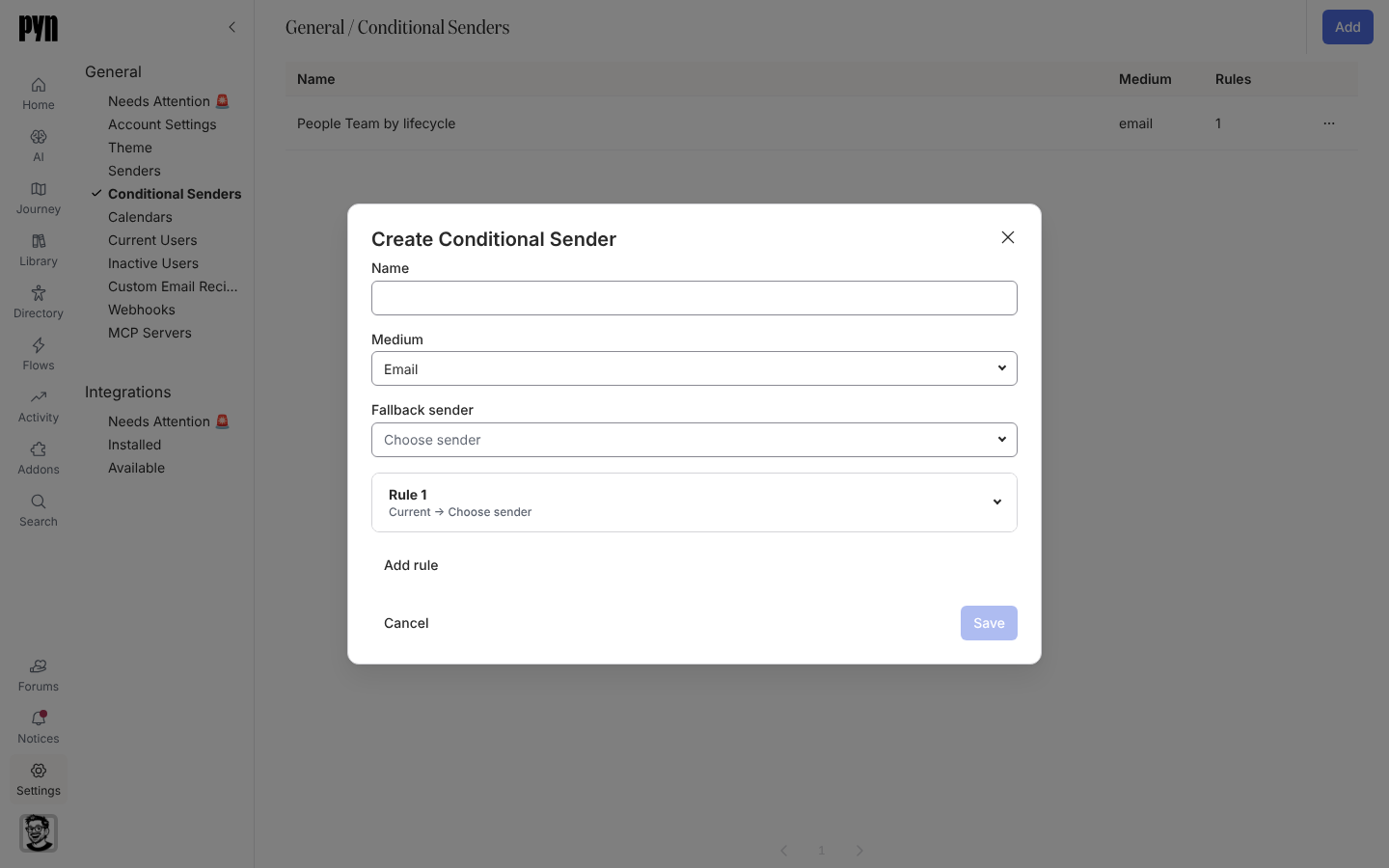
Section titled “Conditional senders”A step no longer has to come from one fixed sender. A conditional sender checks ordered audience rules to pick who each message comes from, with a fallback sender for everyone the rules miss: people in Sales can hear from the head of Sales, and everyone else from the People team. Create one in Settings, then choose it as the sender on any step. Create a conditional sender
Also new
Section titled “Also new”- Duplicate a campaign step for a new date, and choose whether the copy keeps its recipients.
- Put an enrollment’s Reference Date into flow emails and Slack messages.
- Automation steps warn you when their audience is empty, or when a message scheduled before the start date leaves out upcoming joiners.
Fixes and improvements 39
- You can now find items by typing part of a word in search, including Find on journey maps and Flows.
- You can now access actions directly from rows in the Custom Email Recipients and Calendars tables.
- Connected calendars now show the same active-status indicator as senders.
- Every field in the Details panel now has an icon to help you identify its type.
- You can archive and restore senders from the All senders table, with confirmation before archiving.
- Employee search now shows personal email addresses when work addresses are missing and keeps each person’s employment stage visible alongside their name.
- Enrollment lists now show the employee and enrollment status so you can distinguish entries at a glance.
- Enrollment step lists now show personalized message text when a step has a single available message delivery.
- You can change a campaign’s emoji and background colour together from its details panel.
- HiBob can now provide more employment details, including original start date, tenure and manager status, when those fields are available.
- The sign-in page now downloads less data before you sign in.
- The current page number is now clearly highlighted when you browse lists.
- Audience groups and automation triggers based on fields with multiple selections now match the chosen option instead of every employee with a value.
- Enrollment steps now show whether messages were sent, bounced or skipped rather than appearing complete when no recipient was found.
- Audience settings now have consistent spacing between included and excluded employees and the audience preview.
- Manual enrollment now aligns option descriptions consistently and shows clear action buttons after enrollment.
- The actions menu button in side-panel headers now matches the close button’s size.
- Journey cards and categories now keep their updated order when you leave the page and return.
- Reporting updates for your workspace no longer stall when another workspace encounters an error.
- Scheduled activity in your workspace now continues when another workspace encounters an error.
- The expanded message editor now stays at a readable width on wide screens.
- Clicking the placeholder in a new campaign email now places the cursor where you can start typing.
- Fields in campaign creation and other forms now have consistent spacing.
- Date and scheduling dropdowns no longer turn grey when you move the pointer over them.
- Automation steps now appear in schedule order rather than the order they were added.
- Google Calendar invitations now use the next available occurrence from Google and respect the event’s time zone.
- One invalid custom field no longer hides all the other custom fields on an employee profile.
- The content editor’s Back button now returns you to the page you opened it from.
- You can now reschedule campaign milestones and unsent messages by dropping them anywhere in a day on the month calendar.
- The campaign year calendar now fits shorter laptop screens without cutting off the final months when there is enough room.
- The campaign list now follows the month or year shown in the calendar.
- Date-based flows now use the adjusted reference date when scheduling messages around an anniversary or other shifted date.
- Reconnecting Workday with valid credentials now clears the error state and resumes syncing.
- Duplicate and Archive actions now appear consistently in campaign menus.
- Rapidly rearranging journey cards no longer causes their order to change unexpectedly after you drop them.
- Journey cards now recover correctly from failed moves and stay hidden while archiving is in progress.
- Editing details in the side panel no longer loses focus or resets your typed text during unrelated updates.
- Employee syncing from Classic no longer fails when a custom choice field contains a true-or-false option.
- ADP workers without a work or personal email address no longer create new employee profiles until an email becomes available.
Release notes: 25 September 2026 and 26 September 2026.