

Request an addon
You want a capability that shows as Upgrade Available or Enterprise Tier, such as calendar meetings or SMS. The request goes to Pyn’s team from the add-on’s own panel, and the panel remembers that you asked.
Before you start
Section titled “Before you start”- You are a workspace Owner or Admin; Addons is in your left navigation.
-
In Pyn, open Addons in the left navigation.
-
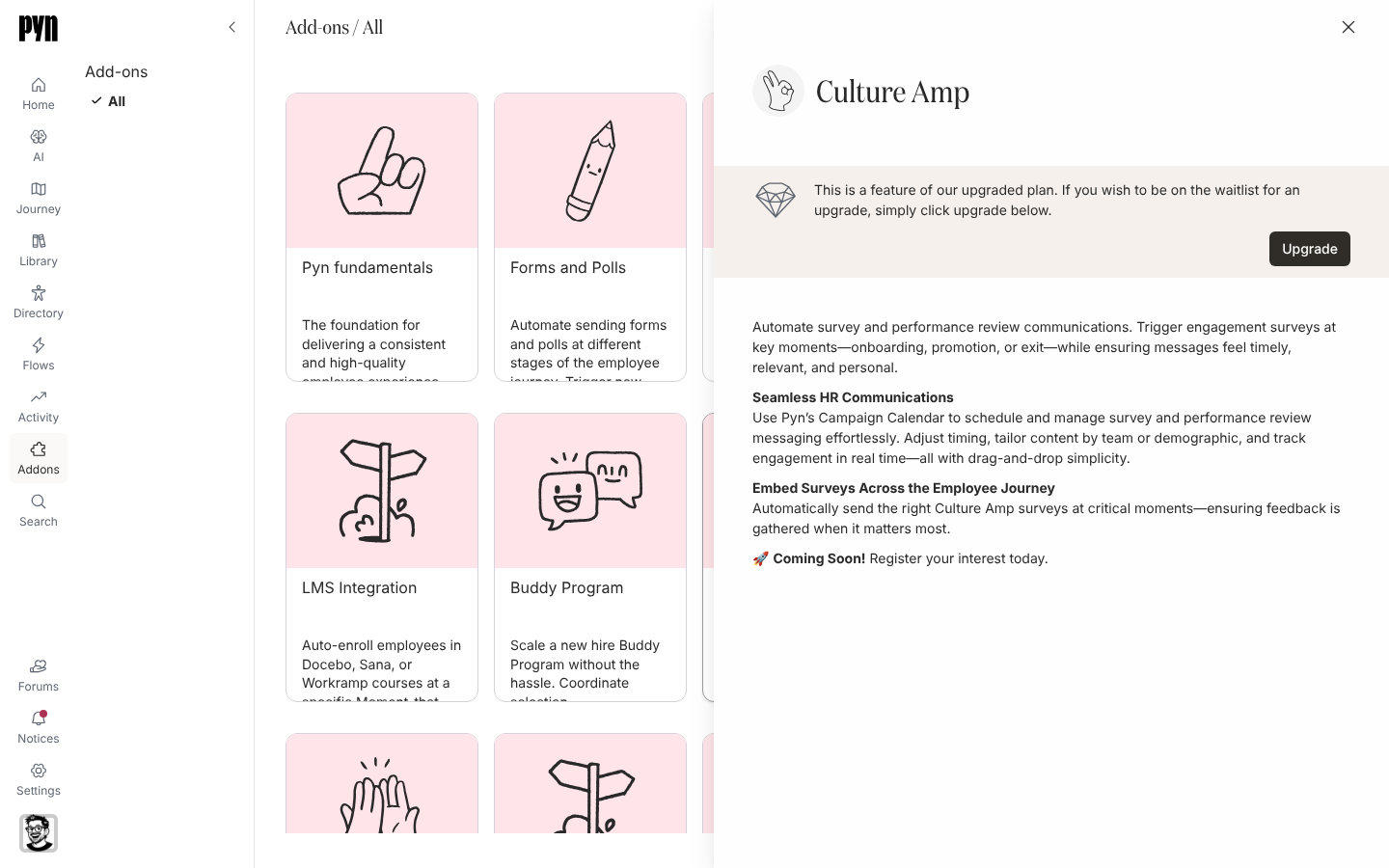
Select the tile. Its panel opens with the add-on’s title, description and a longer explanation of what it does.
-
Read the banner at the top of the panel. For a Team-tier add-on it explains that this is a feature of the upgraded plan and offers Upgrade; for an Enterprise-tier add-on it explains that the add-on is part of the Enterprise plans and offers Request Demo.
-
Select Upgrade or Request Demo.
What you should see
Section titled “What you should see”The banner changes to Addon Requested! We’ll be in touch soon with next steps. and the button disappears. Selecting the tile again shows the same, so a second request is not sent. The tile’s footer is unchanged until Pyn turns the add-on on, when it reads Installed.
Related
Section titled “Related”- Addons for what each add-on does and its tier.
- Plans and what each unlocks for the plan behind each tier.