

ChangelogWeek of
Outlook email and calendars, and Ashby
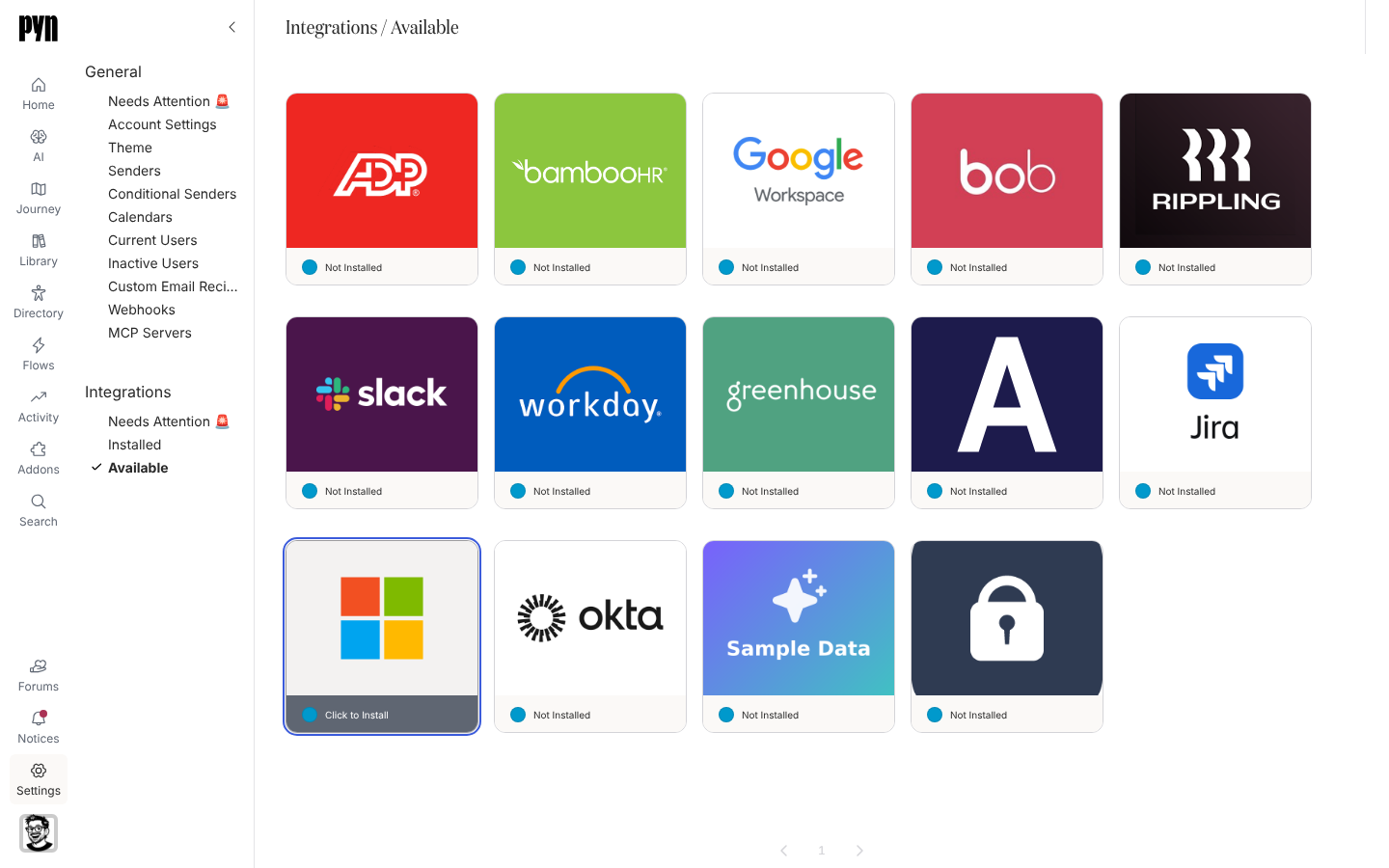
Pyn now works with Microsoft 365. Connect a work or school account as a sender and workflow emails go out through Outlook. Connect an Outlook calendar and calendar steps invite employees to recurring events, as they do with Google Workspace. Both need Microsoft 365 enabled for your workspace. Microsoft 365
Connect Ashby and hired candidates come into Pyn before their start date, with their job details and hiring manager, so pre-boarding starts before day one. Ashby
Also new
Section titled “Also new”- An auth link, valid for three days, lets someone without a Pyn login connect a Slack or Google Workspace sender.
- Anniversary automations can repeat every year after the first.
- The Flows list shows enrollment counts for the date range you choose.
- Deleting a form field shows an Undo message for eight seconds.
- Needs Attention in Settings gathers the senders, calendars and users that need fixing, and senders show when they need reconnecting.
Fixes and improvements 73
- BambooHR connection details now focus on your subdomain, primary source setting and latest refresh results.
- Sandbox workspaces now show a yellow navigation warning so you can distinguish them from your live workspace.
- Delivery verification now shows a date for each message, using its latest delivery date when available or its earliest scheduled date otherwise.
- You can see each enrollment’s reference date when choosing which enrollments to update to a newly published automation version.
- You can search for audience groups beyond the first 500 groups and still see the names of groups already selected.
- Employee lists now show profile pictures and give country and time zone names more room.
- Needs Attention now appears first in each settings navigation group.
- Automation and campaign steps can recover from an interrupted scheduling update instead of leaving future deliveries unscheduled.
- Pyn loads less data when you first open it and makes fewer background requests when you return to a tab.
- General settings now bring senders, calendars, users and other shared settings together with one Needs Attention view.
- Google Workspace and Slack senders now show when they need to be reconnected.
- You can choose how to sort the Flows table for your current session.
- You can now reach Add Step in the campaign calendar sidebar using the keyboard.
- Employee lists now show profile pictures and give time zone names more room.
- Deliver on previous delivery day now moves messages back to an allowed delivery day instead of stopping on a day you have chosen to skip.
- Campaign step, enrollment and milestone dates no longer appear a day early in time zones west of UTC.
- Today on the campaign calendar now returns to the current month when you are viewing January.
- You can now resend emails sent through SendGrid to a custom email address.
- A failed attempt to archive a flow now shows an error and releases the Change Mode dialog so you can use or close it.
- Relationship group membership now updates reliably when employee records refresh.
- A failed notification email no longer stops notifications for subsequent recipients.
- A failed sign-in email no longer interrupts the sign-in service for other users.
- Connecting Slack now shows an error when the connection fails instead of appearing to do nothing.
- Testing a Slack sender connection now reports the actual outcome instead of always saying Sent.
- Emergency contact, dependant and qualification forms now show an error when saving fails.
- Expense claims and attendance requests now show an error when submission fails.
- Punching in or out and cancelling leave now show an error when the action fails.
- Email theme settings now restore the saved theme and show an error when changes cannot be saved.
- Withdrawing attendance or training requests, waiving benefits and cancelling expense claims now show an error when the action fails.
- Updating goal progress, submitting or acknowledging a performance review and completing tasks now show an error when the action fails.
- Timesheets now show errors when saving hours, submitting, cancelling, starting a period or adding a line fails.
- Workspace logo settings now show an error when a new logo cannot be saved.
- Integration card logos now sit centrally instead of appearing cropped or too low.
- Reconnecting a Google Workspace or Outlook calendar now preserves the calendar you selected.
- Invitations to an event series removed from a Google Workspace or Outlook calendar now report Event Not Found instead of attempting to send.
- You can now use the page controls to browse Outlook calendar events.
- Scheduled date fields now open a date picker when configuring a workflow step or duplicating a campaign enrollment.
- Link editing fields now stack vertically instead of sitting side by side.
- Date and property automation settings now show the one-day minimum wait between repeat enrollments and hide shorter options.
- Archived journey categories now disappear from the board immediately without a refresh.
- Custom scheduling options now open beside the Custom choice instead of floating over the message editor.
- Filter group settings now give the included and excluded group fields the full form width.
- Recurring automation settings and message step options now have space between their fields and labels.
- Date and property automations now wait at least one day before enrolling the same employee again, and their settings show that minimum.
- HiBob can now match managers using company employee numbers when its usual manager ID is missing and the required fields are available.
- You can now export enrollments and Flows views to CSV without an access-denied error.
- Microsoft Teams membership alone no longer keeps an employee marked as currently employed.
- Workday reports with a mix of worker IDs and employee IDs no longer drop employees who have only an employee ID.
- Rippling and ADP connections now flag credential problems that previously appeared as temporary sync failures.
- Notification action buttons no longer stretch across the panel header.
- The free automation banner now keeps its message and outlined action button together on one row.
- Scheduling menus now line up with their fields and keep custom timing options beside the Custom choice.
- Small groups of profile pictures overlap less, making initials easier to read.
- The Automations table header now extends across the full row.
- Email and Google Workspace senders now show their avatars in Notices and use email-based initials when no display name is set.
- Emoji icons now remain readable against strongly coloured backgrounds.
- Sender badges in panel titles no longer cover the sender’s initials.
- Save as New View now adds an asterisk to the copy’s name so you can distinguish it from the original.
- Saving or duplicating a view now opens the new view immediately without reloading the page.
- New journey categories and changes to a moment’s owner now appear without a refresh.
- Version History now shows a newly published content version straight away.
- Creating a Filter or Static employee group no longer leaves the page stuck behind an invisible overlay.
- Theme settings no longer get stuck repeatedly loading.
- Available integrations no longer include integrations you have already installed.
- Connecting a Google Workspace sender or calendar from blue.pyn.ai now returns you to the same site to finish signing in.
- Generated exports are now downloadable only by the person who requested them, and older exports without a recorded owner must be requested again.
- Reports now check that you have permission to access the requested metrics.
- Stopped enrollments no longer create reminders when an in-progress message finishes sending.
- Duplicating a stopped campaign no longer prevents reminders in the new enrollment.
- Email delivery updates from SendGrid can now reach Pyn.
- Employees can now preview only their own leave requests unless they are an administrator.
- Archived sign-in identities no longer retain access through an existing session.
- Date offset menus now line up with the scheduling field that opens them.
Release notes: 28 September 2026, 29 September 2026, 30 September 2026, 2 October 2026, 3 October 2026 and 4 October 2026.