

メールで受け取る通知を選ぶ
Noticesを毎時間確認する人はいません。3つの設定で、特に重要な通知を管理者の受信箱にも届けられるので、バウンスしたウェルカムメールや期限切れのSlackトークンにその日のうちに気づけます。
- あなたがワークスペースの管理者またはオーナーであること。他のロールには歯車が表示されません。
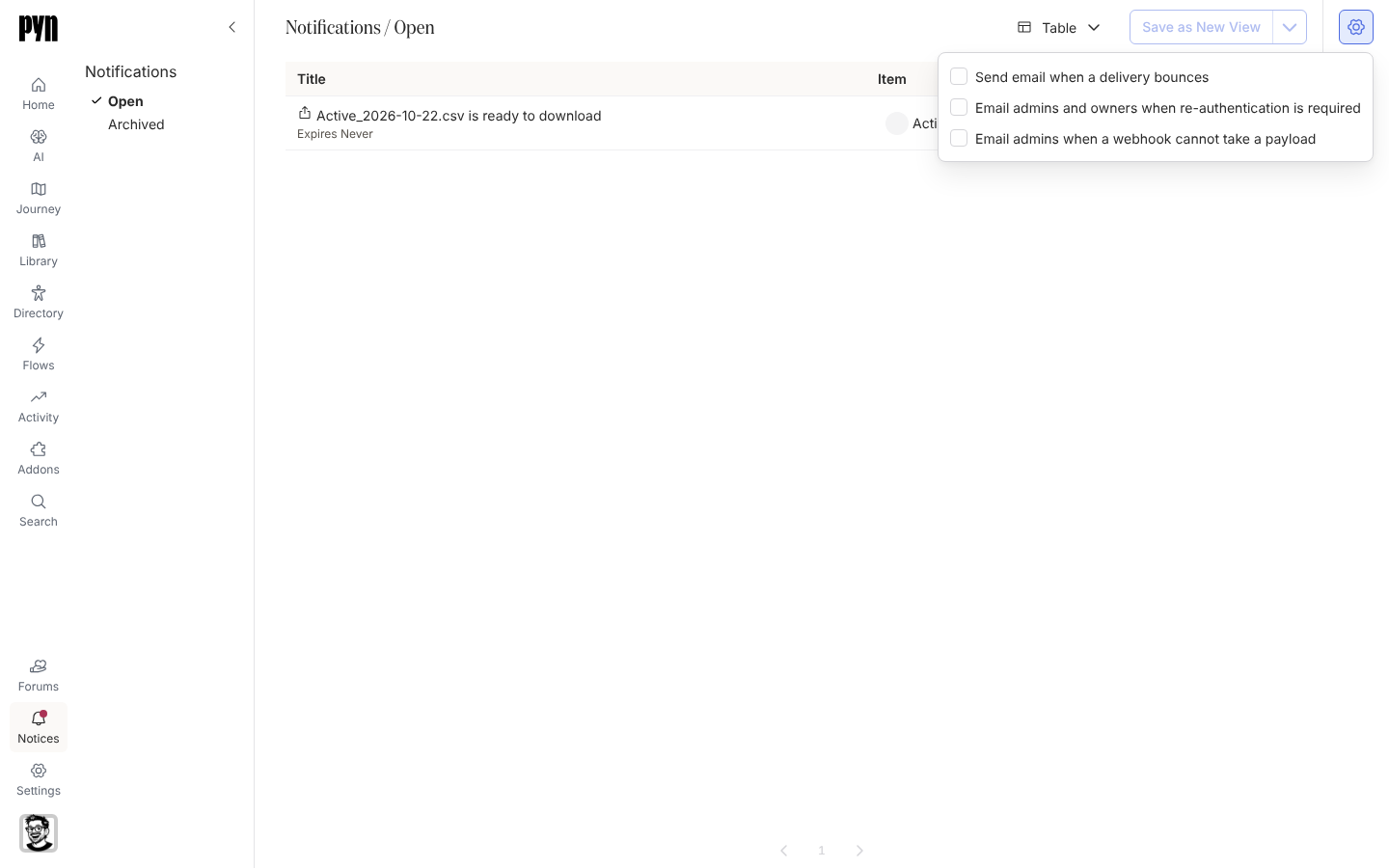
-
Pynで左のナビゲーションのNoticesを開きます。
-
ビューの右上にある歯車ボタンを選びます。
-
受け取りたいメールにチェックを入れます。Send email when a delivery bounces、Email admins and owners when re-authentication is required、Email admins when a webhook cannot take a payloadです。チェックを入れるたびに保存されます。保存できない設定があると、Could not save this settingというトーストが表示され、チェックボックスは元のままです。
-
ポップオーバーの外側を選んで閉じます。
確認できること
Section titled “確認できること”次に該当する通知が上がると、Pyn <notifications@pynhq.com>から、通知のタイトルを件名にして、Pynでその通知を開くリンクを添えたメールが届きます。設定はあなただけでなく、ワークスペース全体に適用されます。
- 通知の種類:各設定がどの通知を対象にするかについてです。
- 通知を読んでアーカイブする:メールがリンクする受信箱についてです。