

Flows一覧を並べ替える
既定では、テーブルはジャーニーマップに従います。カテゴリーとモーメントはマップの順に、1つのモーメントの中ではモードVerification、Manual、Automated、Inactiveの順です。整理をするときには別の並び順が役立ちます。たとえば、未公開の変更があるすべてのオートメーションを一番上に持ってくる、といった使い方です。
-
Pynで、左ナビゲーションのFlowsを開き、Automationsを選びます。
-
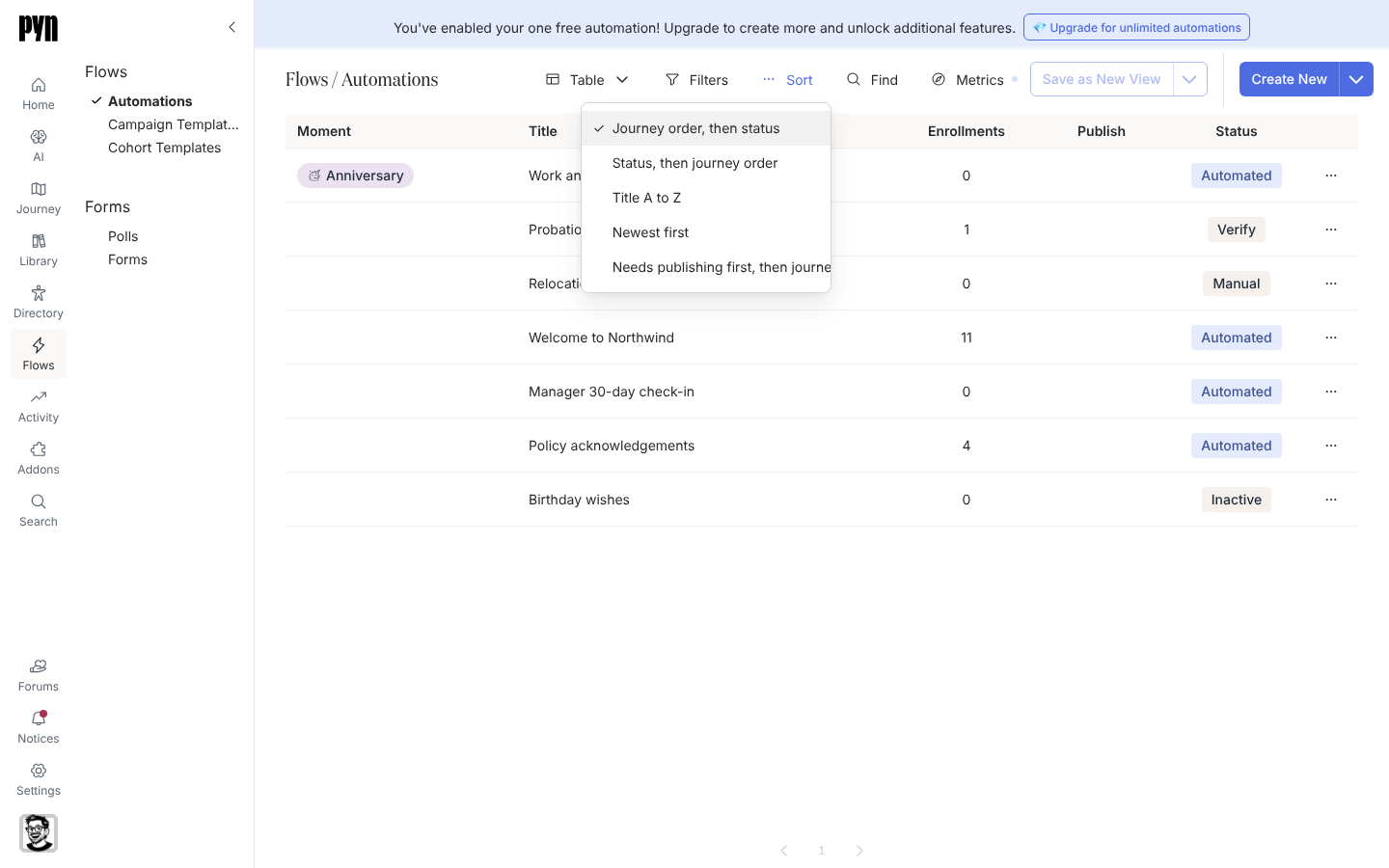
テーブルの上のツールバーでSortを選びます。
-
Journey order, then status、Status, then journey order、Title A to Z、Newest first、Needs publishing first, then journey orderのいずれかを選びます。
確認できること
Section titled “確認できること”行がすぐに並べ替わります。選んだ並び順は、ページを再読み込みするか離れるまで保たれ、その後テーブルはジャーニー順に戻ります。同じツールバーのFiltersとFindで行を絞り込み、MetricsでEnrollments列の対象期間(既定では過去30日)を選べます。この列はその期間のエンロールメント数を数え、テストエンロールメントは除外します。
- Flows一覧をエクスポートする:テーブルをスプレッドシートに取り込む方法です。
- オートメーションをモーメントに割り当てる:ジャーニー順での行の位置を変える方法です。
- オートメーションを公開する:行を「Needs publishing」から外す方法です。