

チーム変更トリガーを設定する
Team and Org Changesのトリガー(Group Changeを除く)はリレーションを監視します。誰かのバディが誰か、マネージャーが誰か、直属の部下が誰か、どの国グループにいるか、どのSlackアカウントと照合されているかです。リレーションが変わるとすぐに、その日を基準日として発火し、設定するオフセットや繰り返しはありません。
- リレーションは、HRISの同期(マネージャーと、HRISが提供する場合はバディやHRBP)、Employee File、そしてBuddyまたはMentorの項目を持つフォームから届きます。リレーションがどの経路で届いても、トリガーは発火します。
- これらのトリガーは、最初のHRIS読み込み以降の変化で発火します。HRISを接続したとき、既存のマネージャーが新たに昇進したものとして扱われることはありません。
-
Pynで、左ナビゲーションのFlowsを開き、Automationsを選びます。Create Newを選び、Team and Org Changesを選びます。
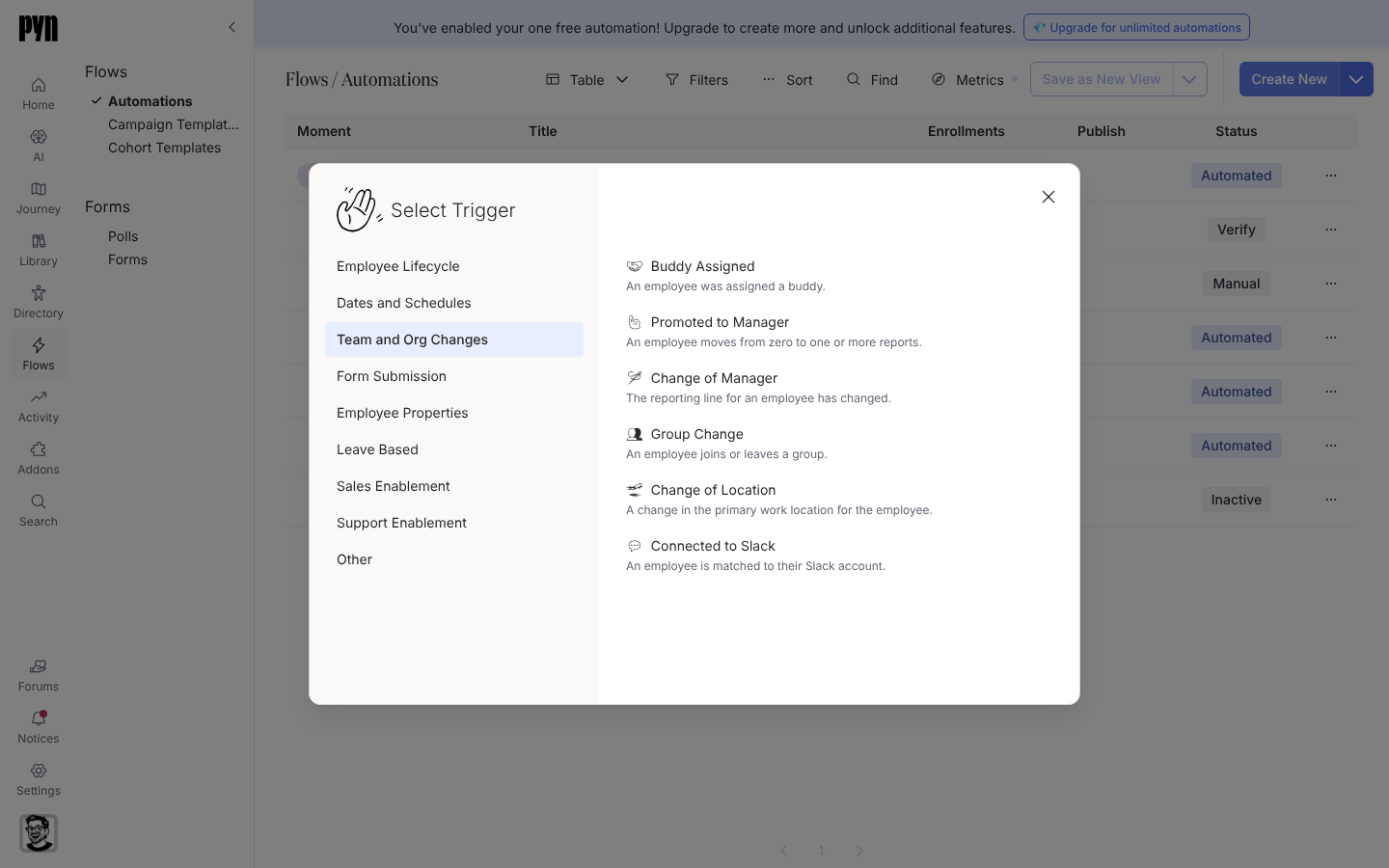
Team and Org Changes triggers fire the moment a relationship or group membership changes. -
変化に合うトリガーを選びます。
- Buddy Assigned:「An employee was assigned a buddy.」プリンシパルは新入社員で、バディにはすべてのステップでBuddy受信者として送れます。
- Promoted to Manager:「An employee moves from zero to one or more reports.」最初の直属の部下が現れたときに1回だけ発火します。プリンシパルは新任マネージャーです。
- Change of Manager:「The reporting line for an employee has changed.」プリンシパルはマネージャーが変わった従業員です。
- Change of Location:「A change in the primary work location for the employee.」従業員が別の国グループに入ったときに発火します。
- Connected to Slack:「An employee is matched to their Slack account.」
-
Configureで説明を読みます。Buddy Assigned、Promoted to Manager、Change of Manager、Change of Locationには「Only … after the first time the employee directory loads are included.」が、Connected to Slackには「Only connections made after the first time the messaging integration loads are included.」が加わります。
-
ライフサイクルステージやグループを絞るにはAudienceを開きます。他のすべての新しいオートメーションと同様に、オーディエンスはCurrentから始まります。
-
ステップを追加し、Publishを選びます。
確認できること
Section titled “確認できること”リレーションが変わった日に、該当する従業員がその日付をReference Dateとしてエンロールメントに現れます。on the day ofにスケジュールされたステップは同じ日のスケジュールされた時刻に送信され、時刻がすでに過ぎているステップはすぐに送信されます。
- バディプログラム:Buddy Assignedトリガーを最初から最後まで扱います。
- 新任マネージャーのフロー:Promoted to Managerについてです。
- トリガーカタログ:既定値と、各トリガーが監視するリレーションです。
- Slack:従業員がSlackアカウントとどう照合されるかです。