

创建或替换 webhook 密钥
Webhook 在表单上创建,但在拥有密钥之前不接受任何内容。你从 webhook 的面板生成密钥,把它复制到调用系统中,并在它泄露或另一个系统弄丢它时替换。密钥只显示一次,之后无法再查看。
- 你是管理员或所有者。
- Webhook 已存在。如果没有,在表单中打开该表单,选择侧栏中的 Settings,然后选择 Add Webhook。
- 你有一个安全的地方粘贴密钥,例如调用系统的凭据存储。
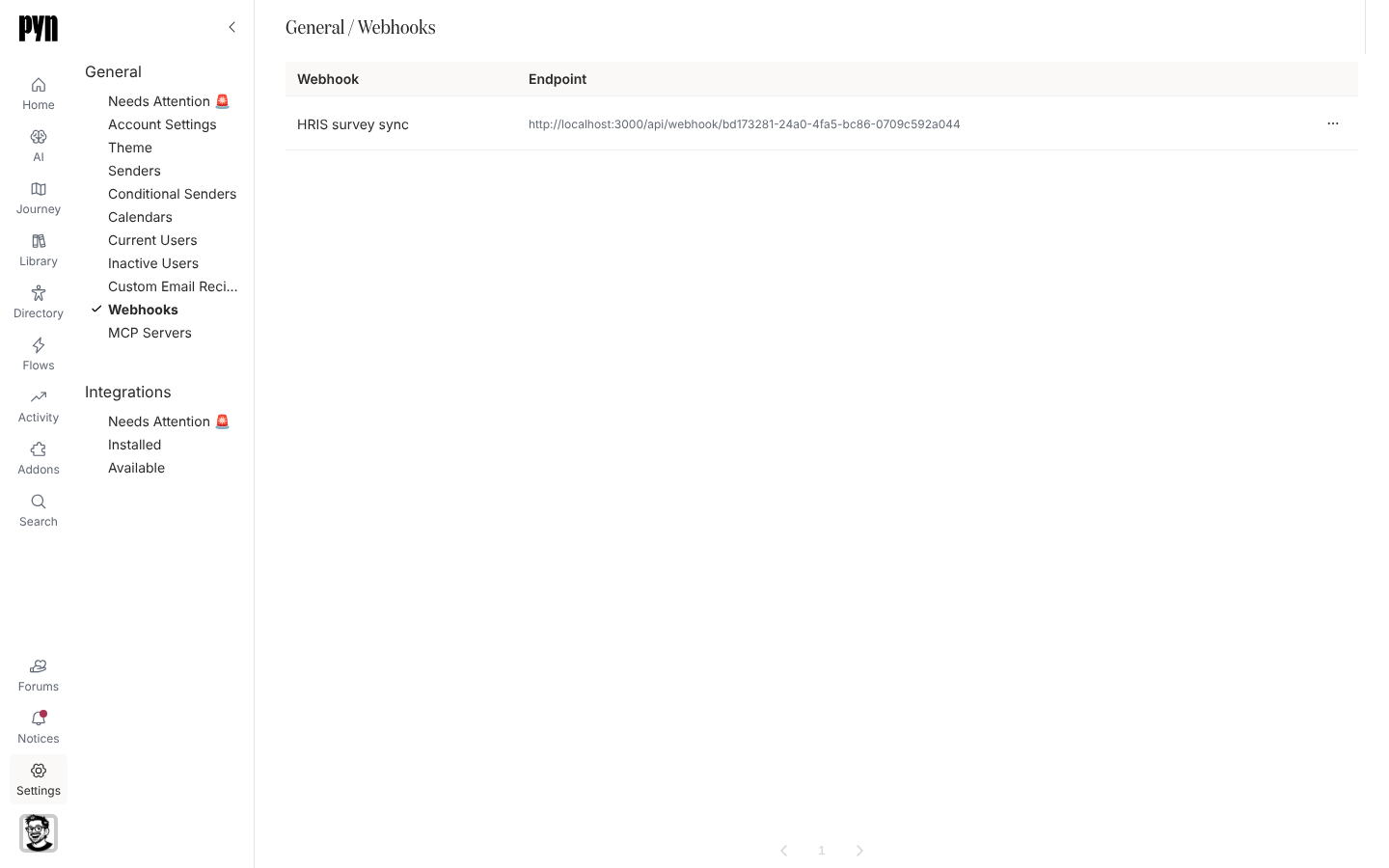
-
在 Pyn 中,打开左侧导航中的 Settings,然后选择 General 下的 Webhooks。
-
选择该 webhook。它的面板打开;没有密钥时它显示“This webhook accepts nothing until it has a secret.”
-
选择 Create Secret。面板显示密钥以及“Copy this secret now. It is shown once and cannot be retrieved later.” 如果无法生成密钥,会有一条提示显示 Could not create the secret,面板保持原样。
-
复制它,存入调用系统,然后选择 Done。
-
复制“Post a JSON body here, with the secret as a bearer token.”下方显示的 URL,并把调用方配置为发送
Authorization: Bearer <secret>和一个 JSON 正文。 -
之后要轮换时,选择 Replace Secret。确认框警告“The current secret stops working immediately. Anything calling this webhook will need the new one.” 选择 Replace 并复制新值。如果无法替换密钥,会有一条提示显示 Could not replace the secret,旧密钥继续有效。
你应该看到什么
Section titled “你应该看到什么”密钥就位后,面板显示“This webhook already has a secret. Replace it if the old one has been lost.” 从另一个系统发送一个测试负载:History 标签页在几秒内列出它及其结果,成为提交的负载显示 submitted,否则显示一个原因代码,例如 unknown-subject。密钥错误或缺失的负载以 404 应答,并且不会出现在日志中。