

Sample Data
Sample Data 用一家虚构公司的内置名册填充 Directory,让你在连接 HRIS 之前就能构建群组、测试流程和查看 Activity。重新加载它会把示例员工恢复原样,所以试验的成本很低。
- 你是管理员或所有者,并且你的工作区启用了 Sample Data;只有这样,磁贴才会出现在 Available 下。Pyn 按工作区开启它;请联系 support@pynhq.com。
- 示例员工与 Directory 中的其他内容并存。请在试用或沙盒工作区中使用它,而不是已经有真实名册的工作区。
-
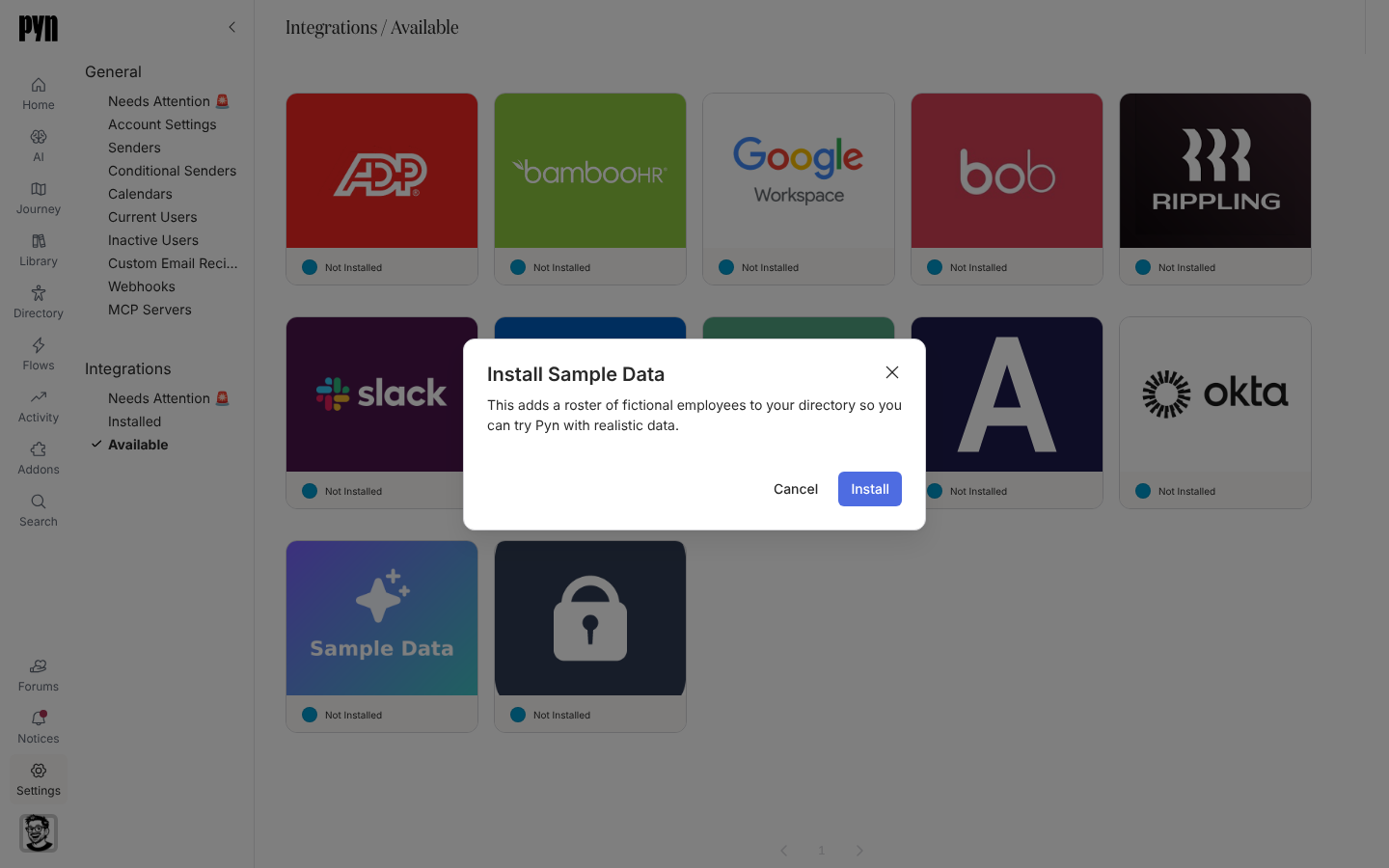
在 Pyn 中,打开左侧导航中的 Settings,然后打开 Integrations 下的 Available。
-
选择 Sample Data 磁贴。Install Sample Data 对话框说明 “This adds a roster of fictional employees to your directory so you can try Pyn with realistic data.”
-
选择 Install。如果安装无法开始,对话框显示 The sample data could not be installed. Please try again.
-
面板打开并显示 “Loading the sample roster. The fields and History fill in here as it lands.”
一份固定的虚构员工名册,包含姓名、邮箱、入职日期、部门、地点、时区和汇报关系,足以填充人口统计属性、生命周期群组和一张旅程地图。没有计划刷新。Advanced 标签页列出 Fields in Sample Data,History 记录每次加载。
安装一两分钟后打开员工。然后按照入门构建第一个自动化流程并注册一位示例员工。
重新连接或断开连接
Section titled “重新连接或断开连接”- 面板中的 Reload Sample Data 重置名册:“Reloading n sample employees. The History tab will show the result in a minute or two, after which the Directory reflects the reload.” 如果已有一次重新加载在运行,按钮会被禁用;被拒绝的重新加载显示 “The sample roster could not be reloaded. Please try again.”
- Deactivate 保留员工但停止重新加载;Activate 恢复。
| 你看到的 | 含义 |
|---|---|
| 磁贴不在 Available 下 | 此工作区未启用 Sample Data。请联系 Pyn 支持,或使用员工文件。 |
| 示例员工与真实员工并排出现 | 两个来源都已安装。在正式上线前停用 Sample Data,并请 Pyn 支持移除该名册。 |