

配置团队变更触发器
Team and Org Changes 触发器(Group Change 除外)监测关系:某人的伙伴是谁、向谁汇报、谁向他们汇报、他们在哪个国家群组中,以及他们被匹配到哪个 Slack 账户。关系一发生变化它们就触发,以那天为参考日期,没有偏移或重复设置需要配置。
- 关系来自你的 HRIS 同步(经理,以及 HRIS 提供时的伙伴或 HRBP)、Employee File,以及带 Buddy 或 Mentor 字段的表单。无论关系来自哪种途径,触发器都会触发。
- 这些触发器只对首次 HRIS 加载之后的变更触发。在你连接 HRIS 时,现有经理不会被当作新晋升的经理。
-
在 Pyn 中,打开左侧导航中的 Flows,然后打开 Automations。选择 Create New 并选择 Team and Org Changes。
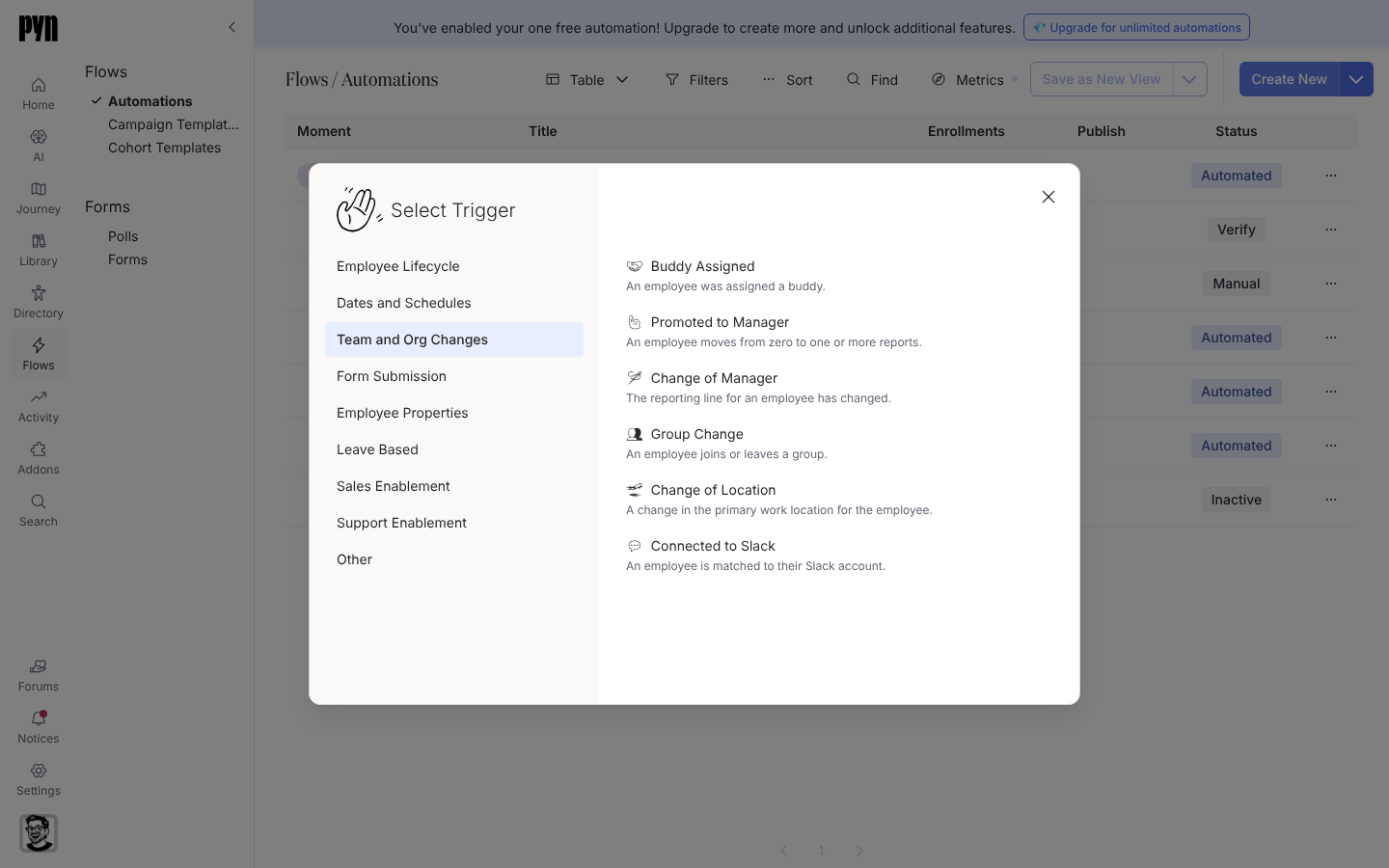
Team and Org Changes triggers fire the moment a relationship or group membership changes. -
选择与变更相匹配的触发器:
- Buddy Assigned:“An employee was assigned a buddy.”主体是新员工;伙伴可以在每个步骤上作为 Buddy 收件人触达。
- Promoted to Manager:“An employee moves from zero to one or more reports.”只触发一次,即第一位直接下属出现时。主体是新任经理。
- Change of Manager:“The reporting line for an employee has changed.”主体是经理发生变更的那位员工。
- Change of Location:“A change in the primary work location for the employee.”在员工加入另一个国家群组时触发。
- Connected to Slack:“An employee is matched to their Slack account.”
-
在 Configure 上阅读描述。Buddy Assigned、Promoted to Manager、Change of Manager 和 Change of Location 补充了“Only … after the first time the employee directory loads are included.”;Connected to Slack 补充了“Only connections made after the first time the messaging integration loads are included.”
-
打开 Audience 以限制生命周期阶段或群组。和每个新自动化流程一样,受众从 Current 开始。
-
添加步骤并选择 Publish。
你应该看到什么
Section titled “你应该看到什么”关系发生变化的那天,受影响的员工出现在注册下,以该日期作为 Reference Date。排在 on the day of 的步骤在当天的排期时间发送;时间已过的步骤会立即发送。