

Rippling
Rippling 集成从 Rippling 的 API 读取工作者并让 Directory 保持最新:姓名、工作和个人邮箱、入职和离职日期、职位、部门、经理、雇用类型和工作者类型。Pyn 只读取;不会写回任何内容。
- 你是 Pyn 中的管理员或所有者;Connect 和 Reconnect 对其他角色是禁用的。
- 你可以以管理员身份登录 Rippling 并授权 Pyn,或者 Rippling 管理员已为 Pyn 创建了 API key。
-
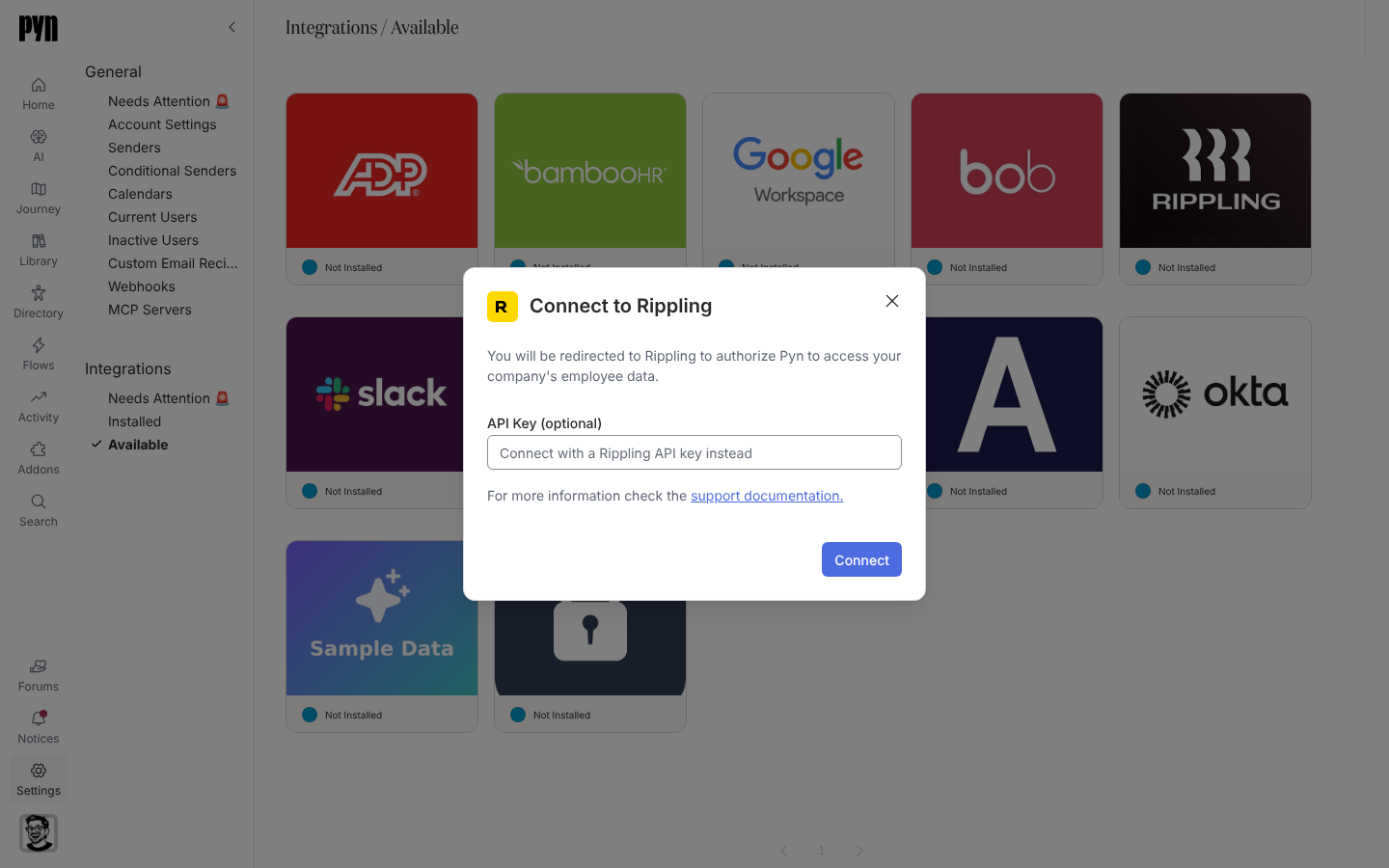
在 Pyn 中,打开左侧导航中的 Settings,然后打开 Integrations 下的 Available。
-
选择 Rippling 磁贴。Connect to Rippling 对话框打开:“You will be redirected to Rippling to authorize Pyn to access your company’s employee data.”
-
要登录,让 API Key (optional) 留空并选择 Connect。在 Rippling 中授权 Pyn 并返回。
-
要改用密钥,把它粘贴到 API Key (optional)(“Connect with a Rippling API key instead”)中并选择 Connect。
-
面板显示 “You’re connected. Syncing can take a few minutes. Check the journey map then!”
Pyn 大约每小时从 Rippling 刷新一次,并把每次运行记录在 History 下。Details 标签页显示 Expanded Data,即 Pyn 随每个工作者一起请求的相关记录:Department、Employment Type、Manager 和 Teams;你可以在那里更改选择。
| Pyn 属性 | 来自 Rippling |
|---|---|
| 显示名称、法定姓名、常用名 | 工作者的姓名 |
| 工作邮箱、个人邮箱 | 工作和家庭邮箱地址,以用户的邮箱作为回退 |
| 入职日期、司龄起算日期 | 入职日期(司龄起算日期与其相同) |
| 离职日期 | 离职日期或结束日期 |
| 职位、部门、地点 | 职位、部门名称和工作地点 |
| 员工类型、雇用类型、工作者类型、工时类型、豁免 | 雇用类型和分类 |
| 经理 | 经理(已扩展 Manager 时) |
| 头像、生日、国家、邮政编码、时区 | 个人资料照片和地址;时区取自 Rippling 用户自己的时区,否则由国家和邮政编码推算 |
字段矩阵见 HRIS 字段。
在 Installed 下打开 Rippling 磁贴,打开 … 菜单并选择 Test Connection。“Successfully tested the connection to Rippling.” 表示成功;“An error occurred connecting to Rippling. Please Reconnect or contact support if the issue persists.” 表示凭据已失效。然后检查员工。
重新连接或断开连接
Section titled “重新连接或断开连接”- Reconnect 打开 Reconnect to Rippling:“Enter a new Rippling API key to reconnect this integration.” 把密钥粘贴到 API Key 中并选择 Reconnect。重新连接始终使用密钥;登录流程只用于首次连接。
- Deactivate 停止同步;Activate 恢复同步。Archive 把集成从 Installed 中移除。当操作没有成功时,会有一条提示显示 Could not deactivate the integration 或 Could not archive the integration。
| 你看到的 | 含义 |
|---|---|
| History:“Error: Authentication failed, please reconnect” | 密钥已被撤销或授权已被收回。用新密钥重新连接。 |
| History:“Error: Insufficient permissions to access Rippling” | 该密钥无法读取工作者或某项扩展记录。在 Rippling 中扩大它的权限范围。 |
| History:“Could not connect to Rippling, please reconnect” | Rippling 拒绝了连接;重新连接,如果重复出现,联系支持。 |
| 缺少经理 | Manager 不在 Expanded Data 中。在 Details 标签页上勾选它。 |