

创建人口统计属性
你的 HRIS 用一个合同类型字段标记承包商,而你想把他们排除在一次福利活动之外。把该字段设为人口统计属性,Pyn 就会为每个值生成一个群组,供你排除。
- 你是工作区管理员。
- 该属性是布尔值、单选,或者是 Select a Property 列表提供的文本字段之一,例如 Job Class。其他文本字段不会出现在列表中。
-
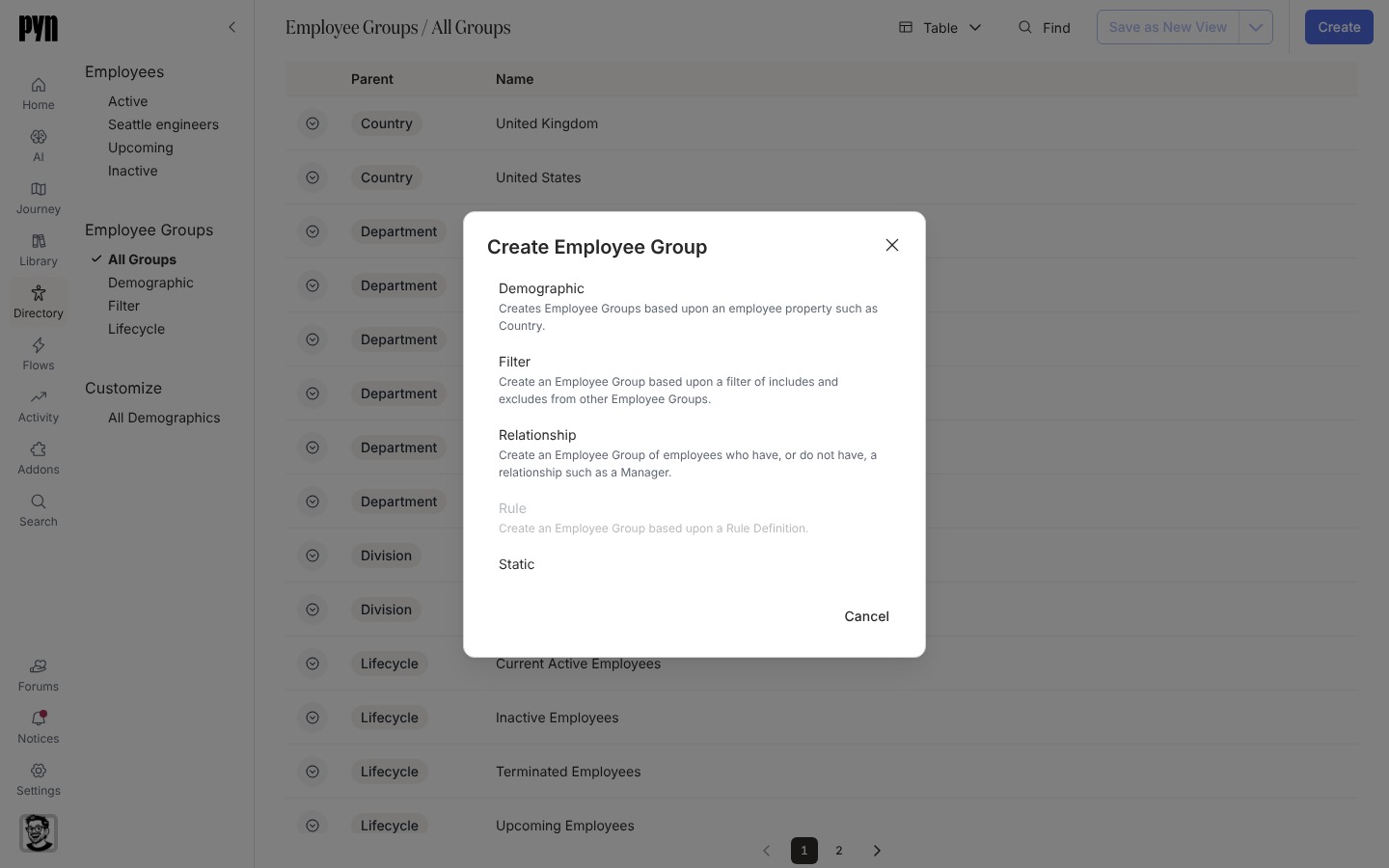
在 Pyn 中,打开左侧导航中的 Directory,然后选择 Employee Groups 下的 All Groups。
-
选择 Create,然后在 Create Employee Group 对话框中选择 Demographic。
-
在 Select a Property 下,选择属性。
-
输入 Demographic Title。它默认为属性的标签,例如 Job Class,并成为每个群组的前缀,如 Job Class: Technician。
-
对于布尔属性,填写 Group Name when True 和 Group Name when False,例如 “Executive leaders” 和 “Everyone else”。留空时,群组命名为 Title: TRUE 和 Title: FALSE。
-
选择 Create。对话框显示 Click done to open the new Demographic. Creating the groups for the demographic may take a few minutes, depending on the size of your organization.;选择 Done。
你应该看到什么
Section titled “你应该看到什么”该人口统计属性的面板打开,在首次评估之前显示 This demographic is still being calculated for your employees,之后 Demographic Groups 列出每个值一个群组。该人口统计属性列在 Customize > All Demographics 下,它的群组列在 Employee Groups > Demographic 下,以该人口统计属性为 Parent。每个群组都可以在受众中包含或排除。