

设置
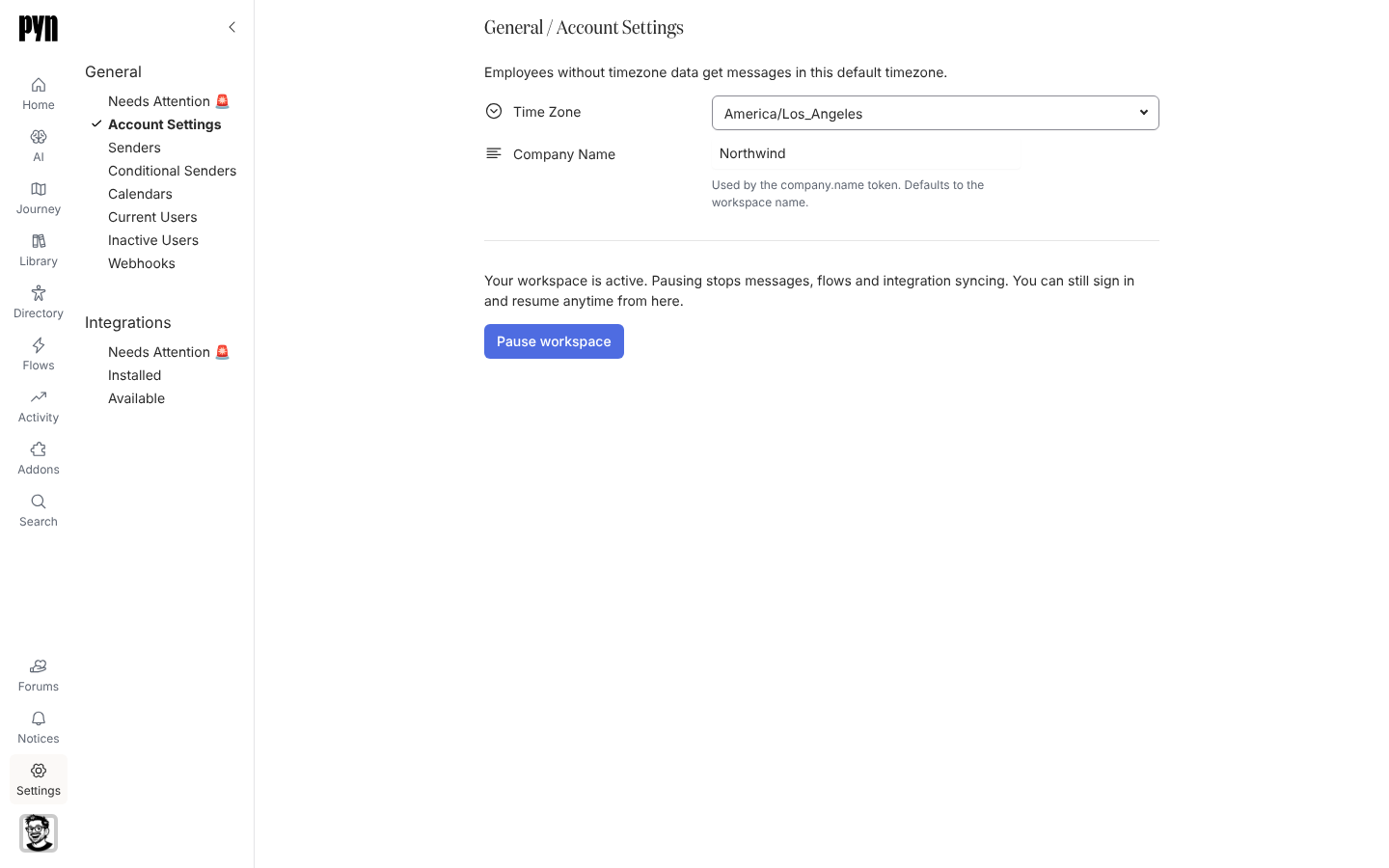
Settings 是管理员配置工作区的地方。左侧栏有两个分组。General 包含工作区自身的设置以及流程发送时所用的东西:Account Settings、Theme、AI Context、Senders、Conditional Senders、Conditional Recipients、Calendars、Current Users、Inactive Users、Custom Email Recipients 和 Webhooks。Integrations 把 Pyn 连接到你的 HRIS、Slack、电子邮件、日历、ATS 和身份提供商。
每个分组都以一个 Needs Attention 🚨 视图开始。一切正常时它是空的;否则它列出处于错误状态的每个发件人、日历、自定义电子邮件收件人或集成,各带有自己的 … 菜单,Google、Microsoft 365 和 Slack 发件人以及日历的 Reconnect 就在那里;出错的电子邮件发件人或自定义电子邮件收件人只在尚未验证时提供 Send Verification Email。
你可以在这里做什么
Section titled “你可以在这里做什么”- 在账户设置下设置公司名称、默认时区和电子邮件格式,或暂停工作区;在 Theme 下为电子邮件设置主题,设置 Pyn 所发电子邮件的徽标、颜色和字体
- 添加、测试和归档消息所来自的发件人,并用条件发件人和条件收件人按受众路由
- 在日历下连接 Google 或 Outlook 日历,供日历邀请步骤使用
- 在用户下邀请同事并设置他们的角色
- 用自定义电子邮件收件人让外部收件箱保持知情
- 管理其他系统向其发送数据的 Webhooks;AI 客户端连接的 MCP 服务器位于 AI、Agents 下
- 安装并维护集成
在应用中的位置
Section titled “在应用中的位置”在每个页面左侧主导航的底部打开 Settings。它在 /settings/integrations/installed 上打开;General 视图位于 /settings/general/<view>,例如 /settings/general/senders。只有管理员和所有者能看到 Settings。
有些视图取决于你的工作区开启了什么:Theme、AI Context 和 Custom Email Recipients 只在启用了相应功能的工作区中出现。